Other information
Helpful technical information
Other information38
If you require any technical guidance or find that your TV is not operating as intended, a simple solution can often be found in the Troubleshooting section of these instructions,
Environmental Information
This television is designed to be environment friendly.
To reduce energy consumption, you can follow these
steps:
• If you set the Energy Saving to Minimum, Medium,
Maximum or Auto the TV will reduce the energy
consumption accordingly.
• If you set the Backlight to a fixed value set as
Custom and adjust the Backlight (located under
the Energy Saving setting) manually using Left or
Right buttons on the remote. Set as Off to turn this
setting off.
Note: Available Energy Saving options may
differ depending on the selected Mode in the
System>Picture menu.
The Energy Saving settings can be found in the
System>Picture menu. Note that some picture settings
will be unavailable to be changed.
If you press the Right button while Auto option is
selected or the Left button while Custom option is
selected, “Screen will be off in 15 seconds.” message
will be displayed on the screen. Select Proceed and
press OK to turn the screen off immediately. If you
don’t press any button, the screen will be off in 15
seconds. Press any button on the remote or on the TV
to turn the screen on again.
Note: Screen Off option is not available if the Mode is
set to Game.
When the TV is not in use, please switch off or
disconnect the TV from the mains plug. This will also
reduce energy consumption.
Notes on DVDs
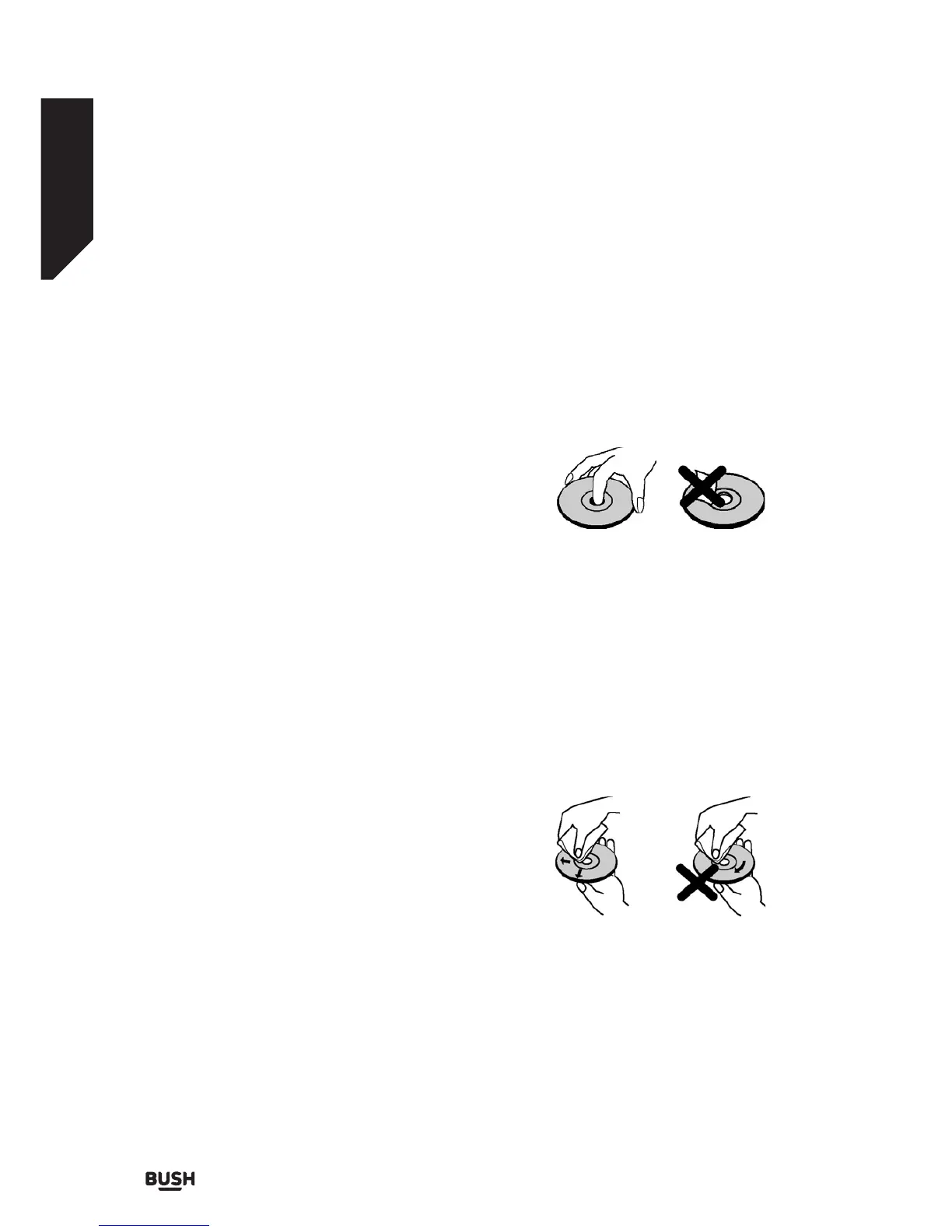
On handling discs
• To keep the disc clean, handle the disc by its edge.
Do not touch the surface.
• Do not stick paper or tape on the disc.
• If the disc is contaminated with any substance like
glue remove before using it.
• Do not expose the disc to direct sunlight or heat
sources such as hot air ducts, or leave it in a car
parked in direct sunlight as the temperature can rise
quickly and damage the disc.
• After playing, store the disc in its case.
On cleaning
• Before playing, clean the disc with a cleaning cloth.
Wipe the disc from the center out.
• Do not use solvents such as benzine, thinner,
commercially available cleaners or anti-static spray
intended for vinyl LPs.
Fig 5.
Fig 6.














 To Next Page