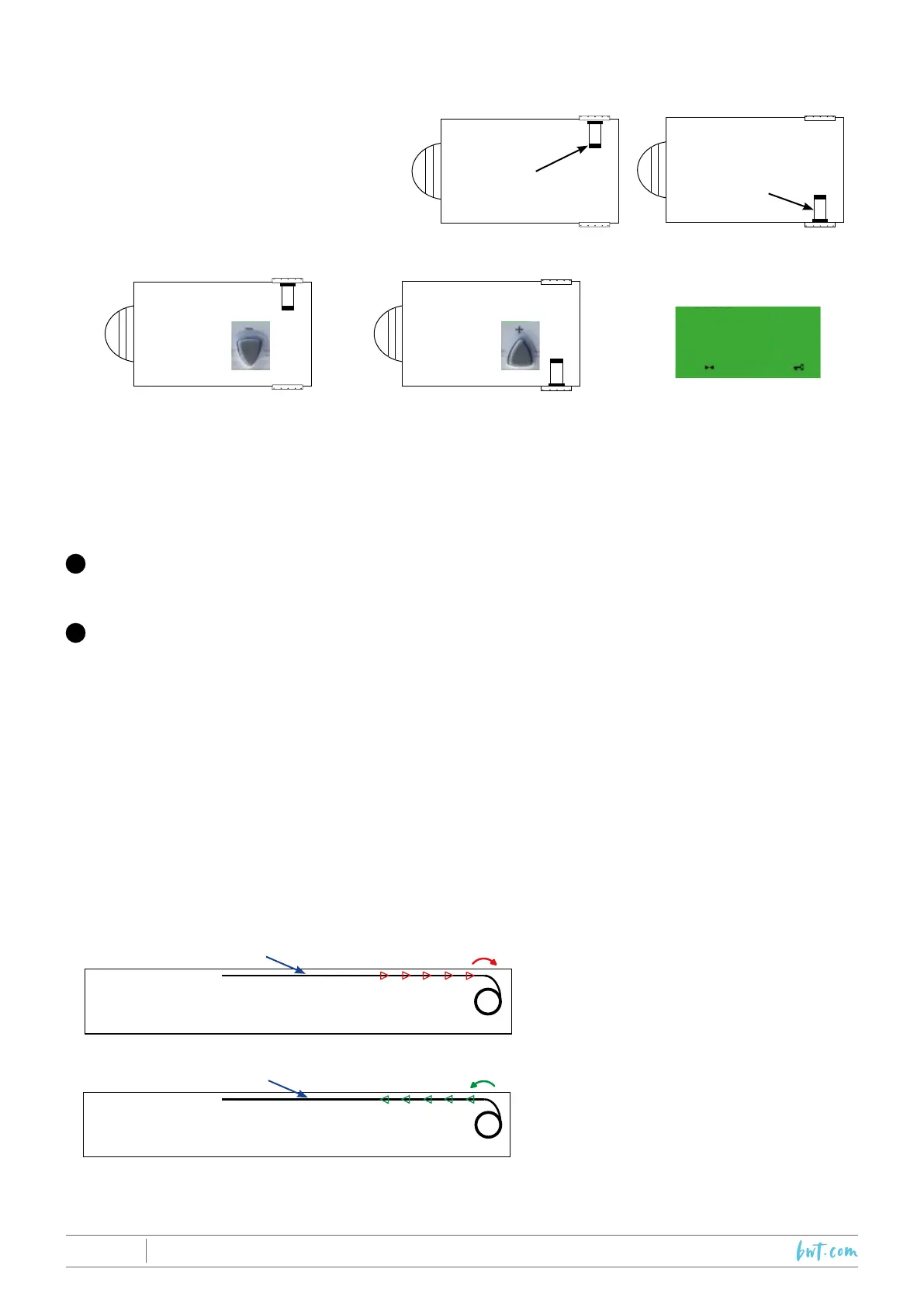
10.2.3 Step 3: Choose the motor side
Motor on
the RH side
Motor on
the LH side
At this point in the programming procedure
you must indicate the position of the motor
with respect to the pool.
Refer to the examples provided:
00000
A=INI-803
B=INI-804
COVER AXLE ROTATION DIRECTION:
While rolling up, the cover should pass over the axle.
OPENING the pool:
Cover rolling around the axle.
CLOSING the pool:
Cover rolling out over the axle.
Pool
Pool
Cover
Cover
10.2.4 Step 4: Check axle rotation
Turn the key to «OUV» (open) and simultaneously verify the following two points in the order indicated:
The counter gure increases.
If the counter gure decreases, switch off the PLC (ON/OFF), swap the wires on terminals 1 and 2 in
the control panel. Next, restart the PLC and take up the procedure from step 2.
The cover rolls up around the axle.
If the cover rolls in the opposite direction, switch off the PLC (ON/OFF), check the connections at the
terminals marked “+” and “-” in the control panel. Next, restart the PLC and take up the procedure
form step 2.
Note: During normal operation, when the key is turned to «FER» (closed), the counter gure decreases
and the cover rolls out.
For any other problems encountered during this step, refer to page 47 : “Trouble shooting”.
1
2
Motor on the RH
side
press
Motor on the LH
side
press
2019/01 - Indice de révision : N - Code : 34201 PROTECTION & SÉCURITÉ
46/60



 To Next Page