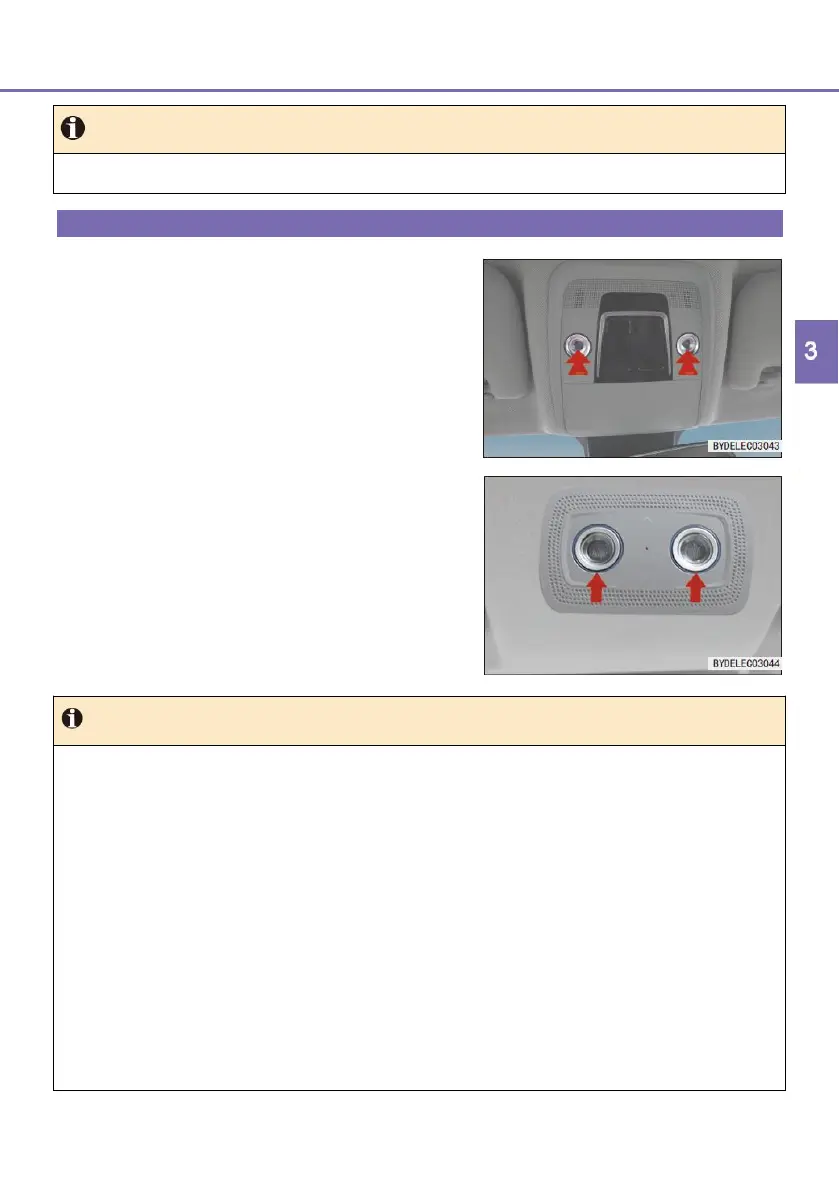
Configuration II
■ Touch the left/right reading light cover
to turn on the interior lights.
■ Touch the reading light cover again to
turn off the interior lights.
● There is a "Door" switch on the multimedia screen. When the "Door" switch
is turned on, opening any door will turn on the interior lights in low
luminance; touching an interior light cover will turn on the interior lights in
high luminance; touching the interior light cover again will change the
interior lights to low luminance. (PAD configuration)
● The "Door" mode stays on by default and cannot be turned off. Opening
any door will turn on the interior lights in low luminance; touching an interior
light cover will turn on the interior lights in high luminance; touching the
interior light cover again will change the interior lights to low luminance.
(Radio configuration)
● In the "Door" mode, with the vehicle powered OFF, when the doors are
closed, the interior lights will illuminate and go out 15s later; with the
vehicle powered ON, when the doors are closed, the interior lights will
illuminate and go out 2s later.



 To Next Page