Company Address: Room 601, Floor 6, Building F, Songbai Road 1008, Sunshine Community,Xili Street, Nanshan District, Shenzhen(518108)
Factory Address: Fl1, Bldg B, Wentao Industrial zone, Yingrenshiyongxin Village, Shiyan Street, Baoan district, Shenzhen, Guangdong, China (518055)
Tel: +86-755-26014509/4710/4711 Fax:+86-755-26014506
Website: www.cdatatec.com
8
After entering the main interface of the ONU, the ONU can be set up further. For
details, see the following setup guide.
4 ONU Registration Information Configuration
4.1 ONU Registration Status View
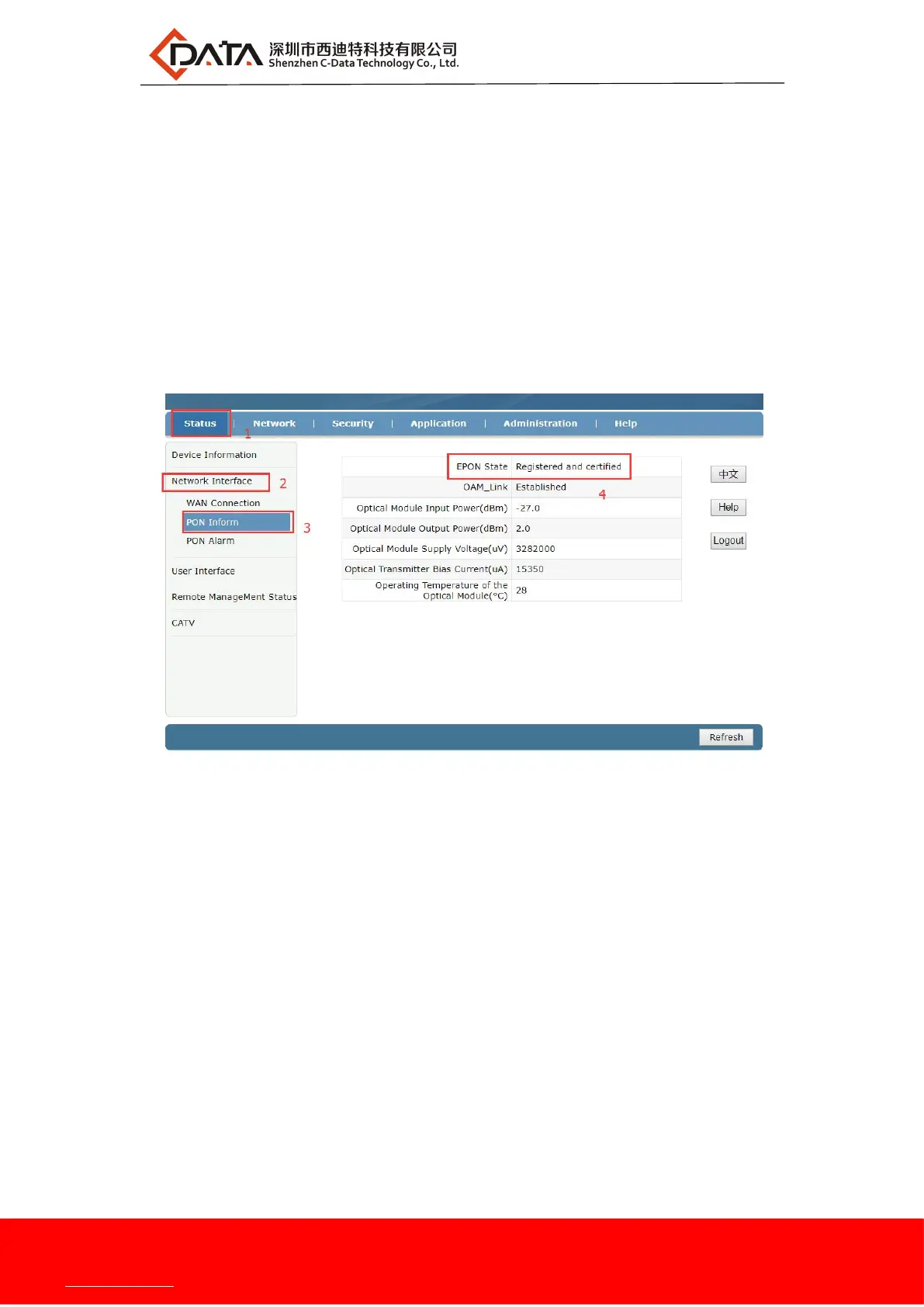
web login ONU select the Status ->Network interface -> PON inform, you can
check whether the ONU registered successfully:
4.2 ONU Optical Power Information View
web login ONU select the Status -> Network interface -> PON inform, you can
view the ONU input and output optical power information:


 To Next Page