Company Address: Room 601, Floor 6, Building F, Songbai Road 1008, Sunshine Community,Xili Street, Nanshan District, Shenzhen(518108)
Factory Address: Fl1, Bldg B, Wentao Industrial zone, Yingrenshiyongxin Village, Shiyan Street, Baoan district, Shenzhen, Guangdong, China (518055)
Tel: +86-755-26014509/4710/4711 Fax:+86-755-26014506
Website: www.cdatatec.com
17
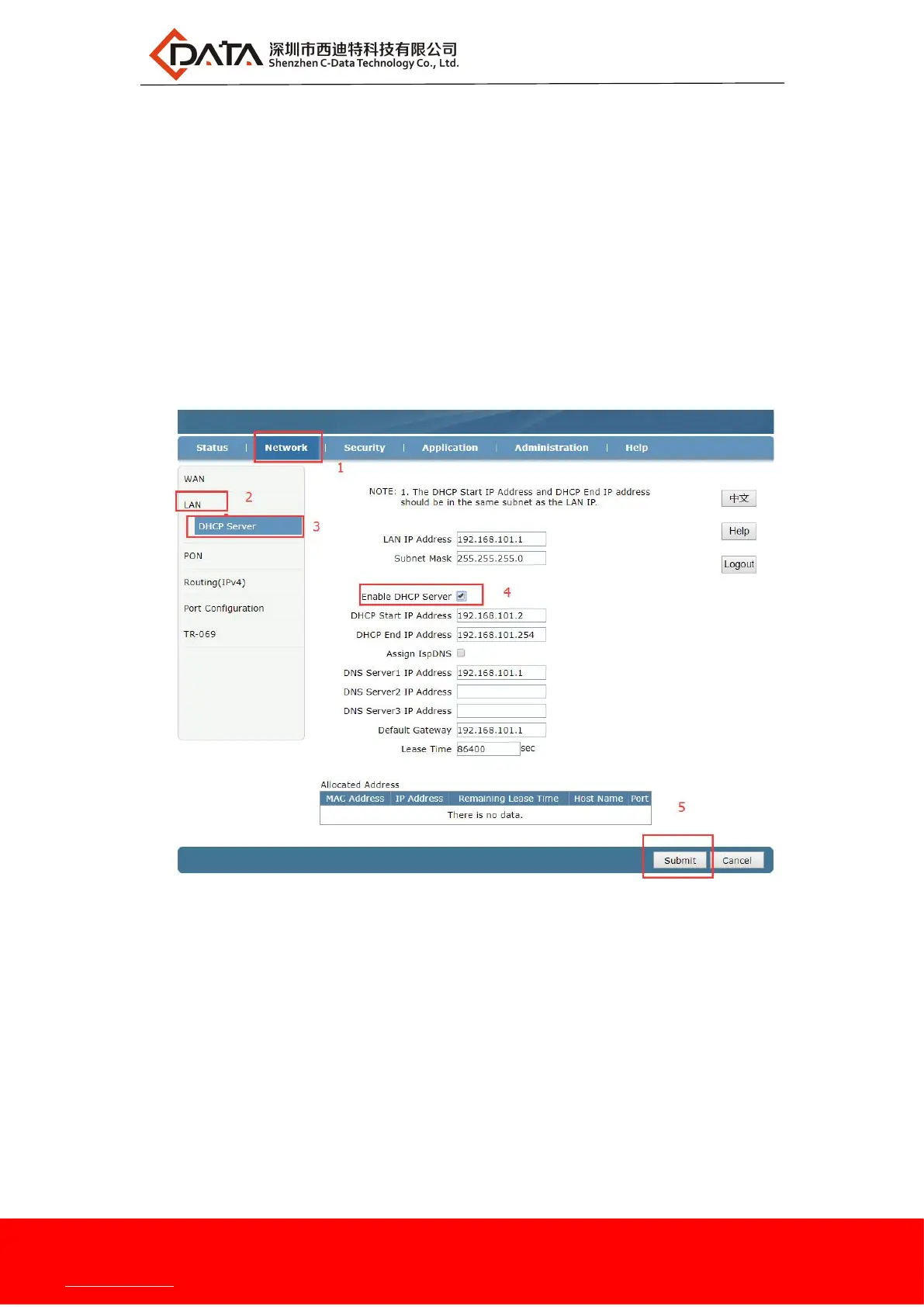
segment as the management IP address of the ONU.
【Assign IspDNS】Enable or Disable the ONU to allocate the upper ISP's DNS to
the terminal.
【DNS Server1 IP Address/DNS Server2 IP Address/DNS Server3 IP Address】The
DNS address to be assigned to the terminal, in default ONU use
itself ip 192.168.101.1 work as DNS proxy address, can enter
according to network planning
【Default Gateway】The default gateway address assigned to the terminal
2.After the above configuration, click "Submit" button to complete the LAN ip
settings:
7 Multicast / IPTV Service Basic Settings
ZTE solution ONU multicast / IPTV service settings are mainly through the OLT to
configure, including multicast vlan, snooping configuration can be configured through the
OLT. The specific configuration can refer to each manufacturer's OLT to configure.


 To Next Page