Company Address: Room 601, Floor 6, Building F, Songbai Road 1008, Sunshine Community,Xili Street, Nanshan District, Shenzhen(518108)
Factory Address: Fl1, Bldg B, Wentao Industrial zone, Yingrenshiyongxin Village, Shiyan Street, Baoan district, Shenzhen, Guangdong, China (518055)
Tel: +86-755-26014509/4710/4711 Fax:+86-755-26014506
Website: www.cdatatec.com
15
2.After the above configuration, click "create" button to complete the Static IP
broadband Internet access settings.
5.2 Broadband Internet Access In Bridge Mode
ZTE solution ONU series products factory default mode in the bridge (pure
data SFU), ONU bridge mode Internet does not need to do any configuration in the
web interface. Just configure the correct ONU port vlan (eg access, trunk,
transparent) in the OLT
Note: If ONU was in route mode for Internet. Please disable ONU’s DHCP
function if need change to bridge mode. It is best to delete route WAN configuration.
5.3 View Broadband WAN Status
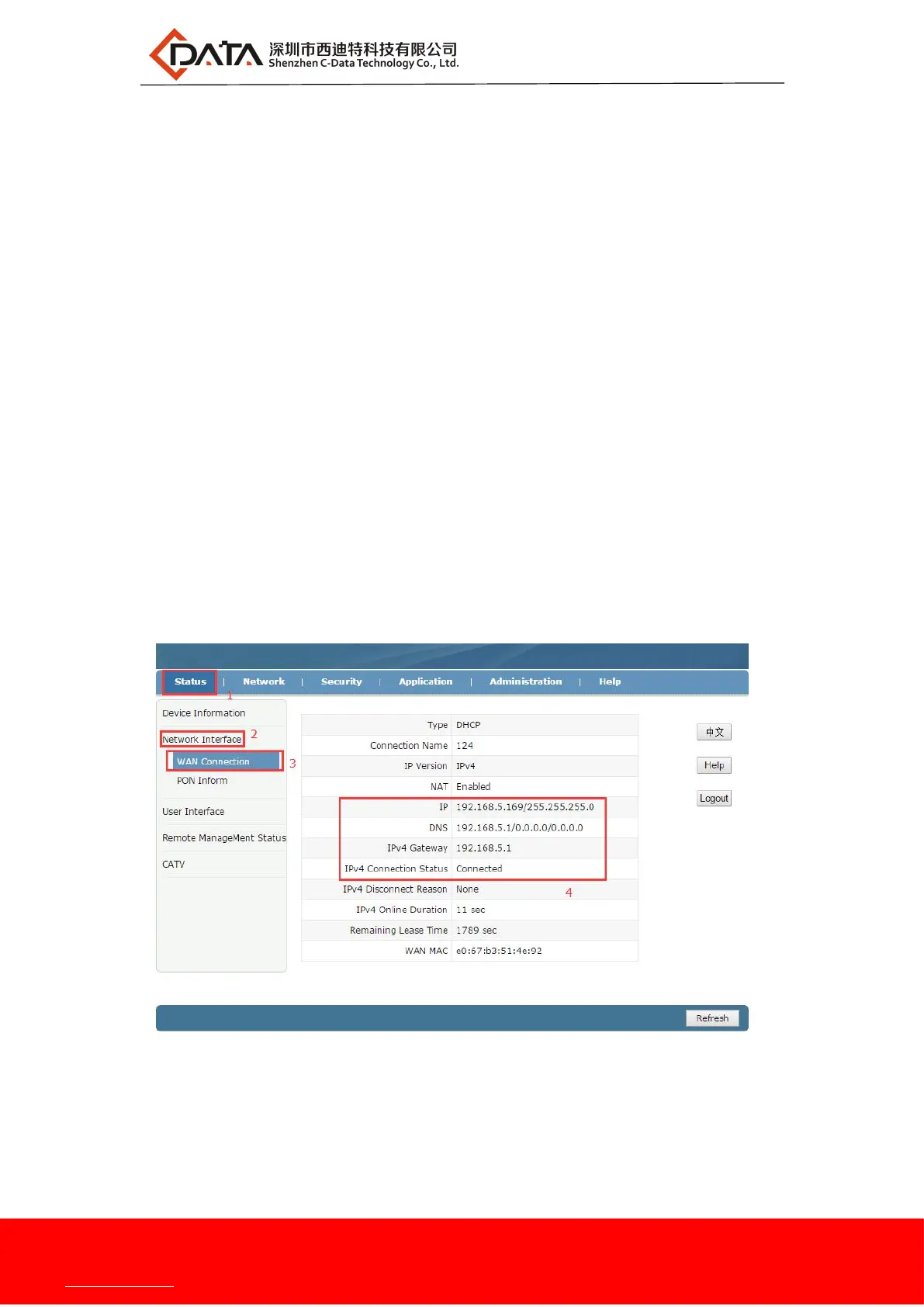
web login ONU and select the status -> Network interface -> WAN
Connection, you can see the status of the WAN connection in the routing mode,
check whether the routing WAN has the correct IP address, and whether the bridge
WAN status is "UP"
5.4 Delete Internet WAN Connection
web login ONU and select the Network -> WAN -> WAN Connection, select a
WAN connection in the "Connection Name", and then click the "Delete" button at
the bottom of the page to complete the deletion:


 To Next Page