Company Address: Room 601, Floor 6, Building F, Songbai Road 1008, Sunshine Community,Xili Street, Nanshan District, Shenzhen(518108)
Factory Address: Fl1, Bldg B, Wentao Industrial zone, Yingrenshiyongxin Village, Shiyan Street, Baoan district, Shenzhen, Guangdong, China (518055)
Tel: +86-755-26014509/4710/4711 Fax:+86-755-26014506
Website: www.cdatatec.com
13
the ONU is SFU (pure data)+ Routing, the ONU either works in SFU mode, or is
working in routing mode.
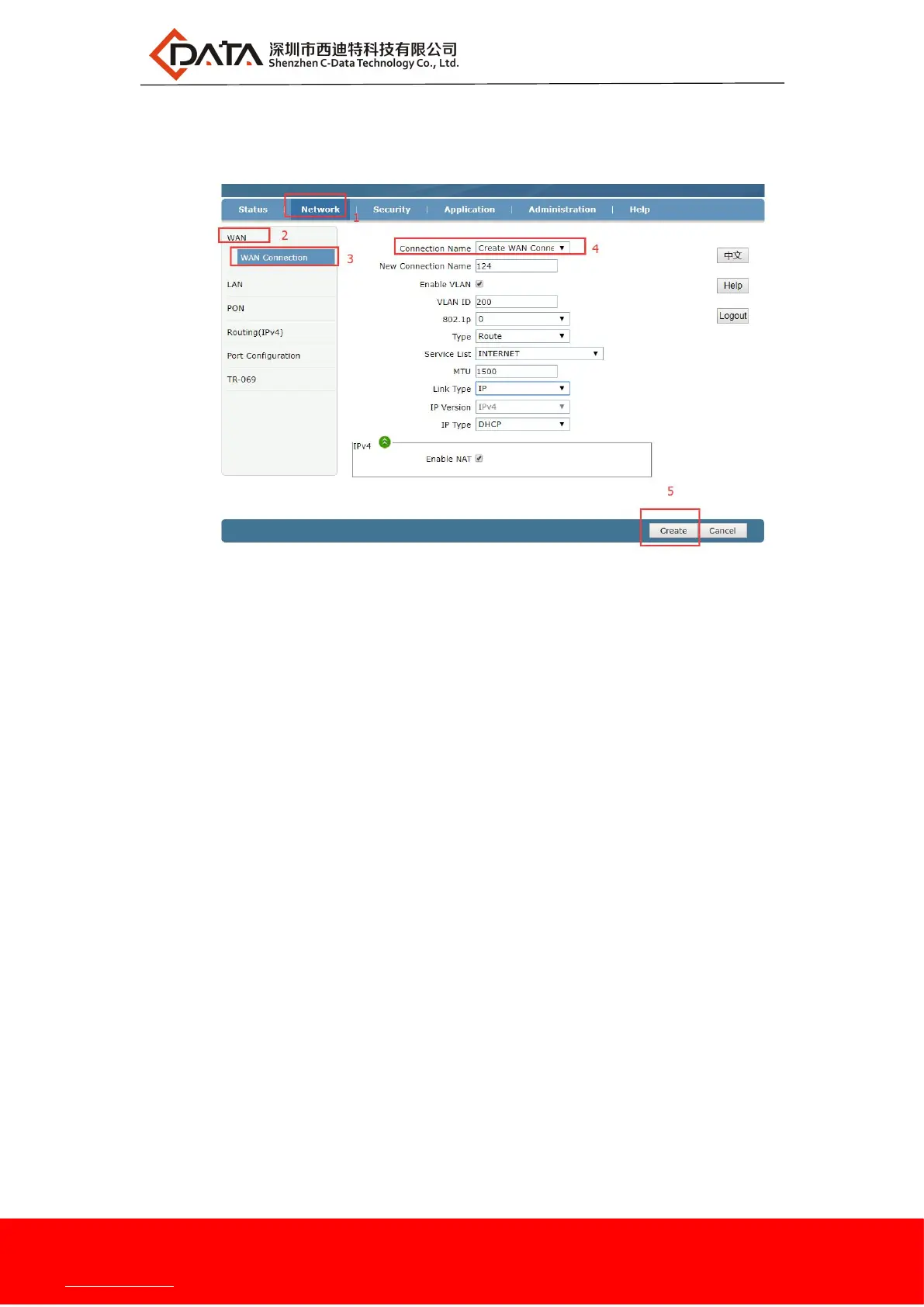
2.After the above configuration, click "create" button to complete the DHCP
broadband Internet access settings.
5.1.3 Static IP Broadband Internet Access In Routing Mode
1.web login ONU and select Network -> WAN -> WAN Connection, and then set
the following parameters:
【Connection name】Select "Create WAN Connection".
【New Connection name】According to own convenience to specify.
【Enable Vlan】This one can be set according to the network planning situation, if
the network planning Internet vlan, this one need to check the
"Enable vlan"; If the network is not planning Internet vlan, this one
does not need to check, then ONU is vlan transparent mode.
【 Vlan ID】 The same as "Enable Vlan", Setting depending on the network vlan
planning.
【802.1p】Set the priority of vlan, The same as "enable Vlan", depending on the
network vlan planning to configure. The default priority is 0.
【Type】Select "Route".
【 Service List 】 Select internet. route mode access internet are generally select


 To Next Page