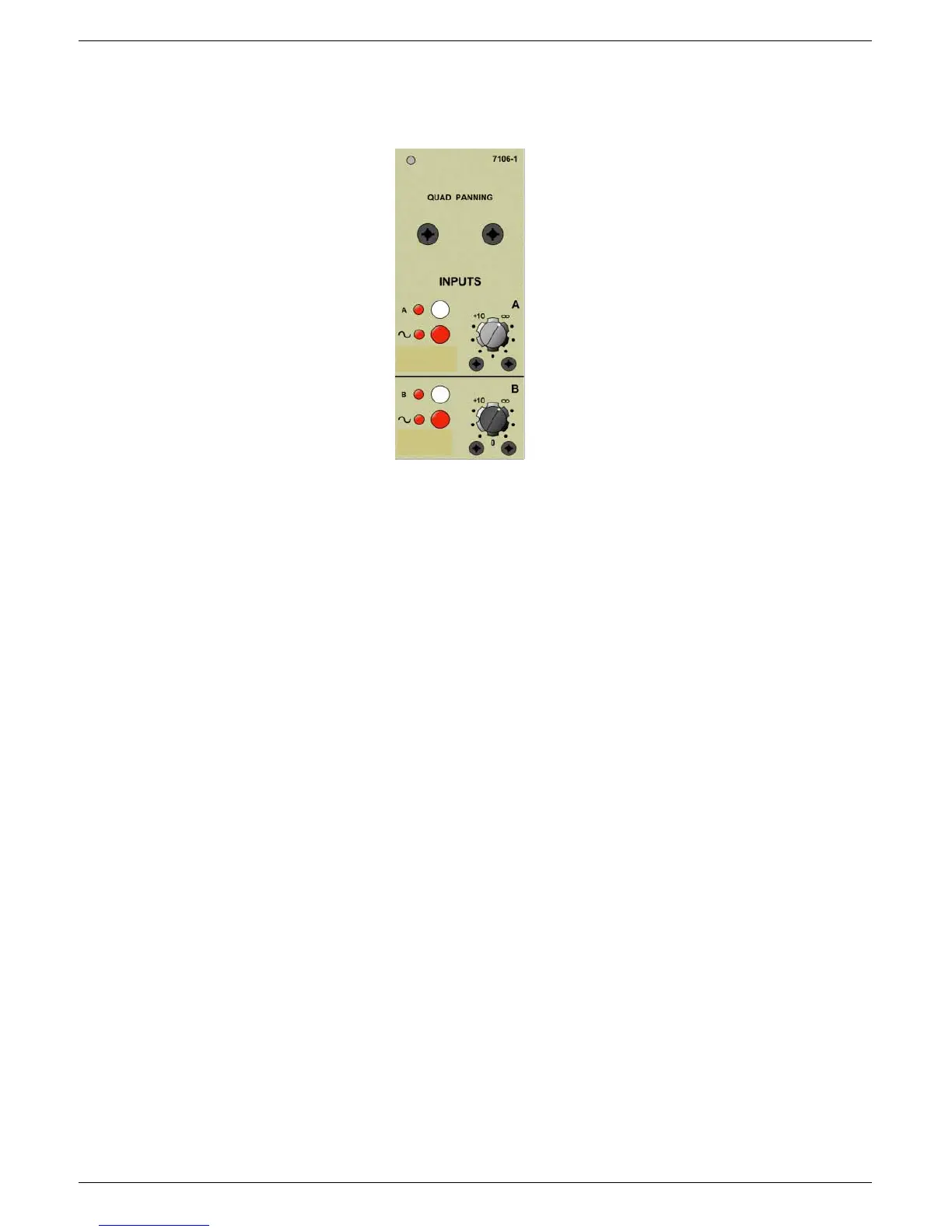
6-8 7106 Quad Panning module
J-Type Revision J2005-2
91614 ,QSXW#$#2122))
Press switch A to select Input A on or off.
91615 ,QSXW#$#26&231*#%XV#2122))
When the ‘~’ switch is selected, the input amplifier is connected to the OSC/PNG
bus.
91616 ,QSXW#$#*DLQ
The input level control allows a wide range of line level signals to be accommodated
by the module, and up to +10dB of gain is available.
91617 ,QSXW#%#&RQWUROV
The controls for input B are similar to Input A, described above.
Note that both inputs may be selected ‘on’ at the same time. If this is the case, then
the signals will be ‘mixed’ relative to the settings of the individual input level controls.
Input A does not have to be switched ON in order to work since it is ON by default
unless Input B is switched ON or the faders “AUX VCA” is ON, which would switch B
ON and A OFF. Input A can still be selected by pressing the ON/OFF switch in 6.3.1.
:439#4XDG#3DQQLQJ#0RGXOH
6.3.1 Input A ON/OFF
6.3.2 Input A OSC/PNG Bus ON/OFF
6.3.4 Input B Controls
6.3.3 Input A Gain



 To Next Page