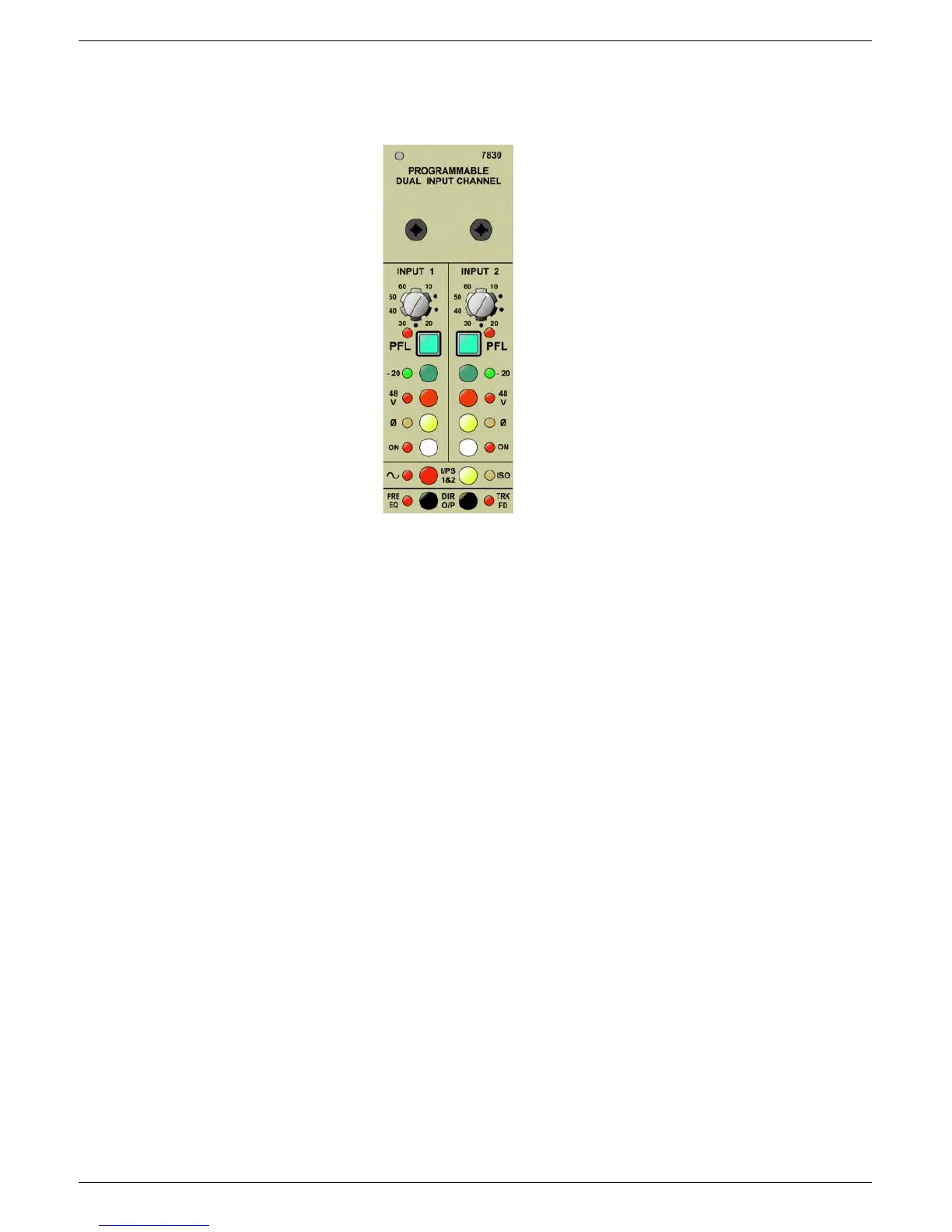
3-24 7830 Dual input channel
J-Type Revision J2005-2
61614 ,23#4#*DLQ
Gain control for input 1, giving continuously variable gain from the minimum of 10 dB
to 60 dB. The position of the gain potentiometer is recorded during a SAVE com-
mand.
61615 ,23#4#1XOO#/('
The Null LED will be illuminated if the position of the I/P 1 gain pot is different from
the programmed position. To recall the programmed position, rotate the potentiome-
ter until the LED goes ‘out’.
61616 ,23#4#3)/
Press this button to ‘listen’ to the signal on I/P1 only (pre routing and EQ).
61617 ,23#4#²53G%#3DG
Press this button to change the input from “microphone sensitivity” to “line level”. The
‘20dB’ pad is inserted before the input amplifier.
61618 ,23#4#3KDQWRP#3RZHU
Press this button to connect 48V phantom power to the input connector. This func-
tion has a slow ’ramp-up’ (approximately 30 seconds to get from 0v to 48V).
3.3.8 I/P 2 Gain
3.3.9 I/P 2 Null LED
3.3.10 I/P 2 PFL
3.3.11 I/P 2 -20dB Pad
3.3.12 I/P 2 Phantom Power
3.3.13 I/P 2 Phase Change
3.3.14 I/P 2 On/Off
3.3.16 Input Amplifier isolate
3.3.18 Direct O/P “Post” Channel fader
3.3.1 I/P 1 Gain
3.3.2 I/P 1 Null LED
3.3.3 I/P 1 PFL
3.3.4 I/P 1 -20dB Pad
3.3.5 I/P 1 Phantom Power
3.3.6 I/P 1 Phase Change
3.3.7 I/P 1 On/Off
3.3.15 Oscillator Bus Select
3.3.17 Direct O/P “Pre” EQ
:;63#'XDO#,QSXW#&KDQQHO



 To Next Page