xGenConnect Installation and Programming Guide 69
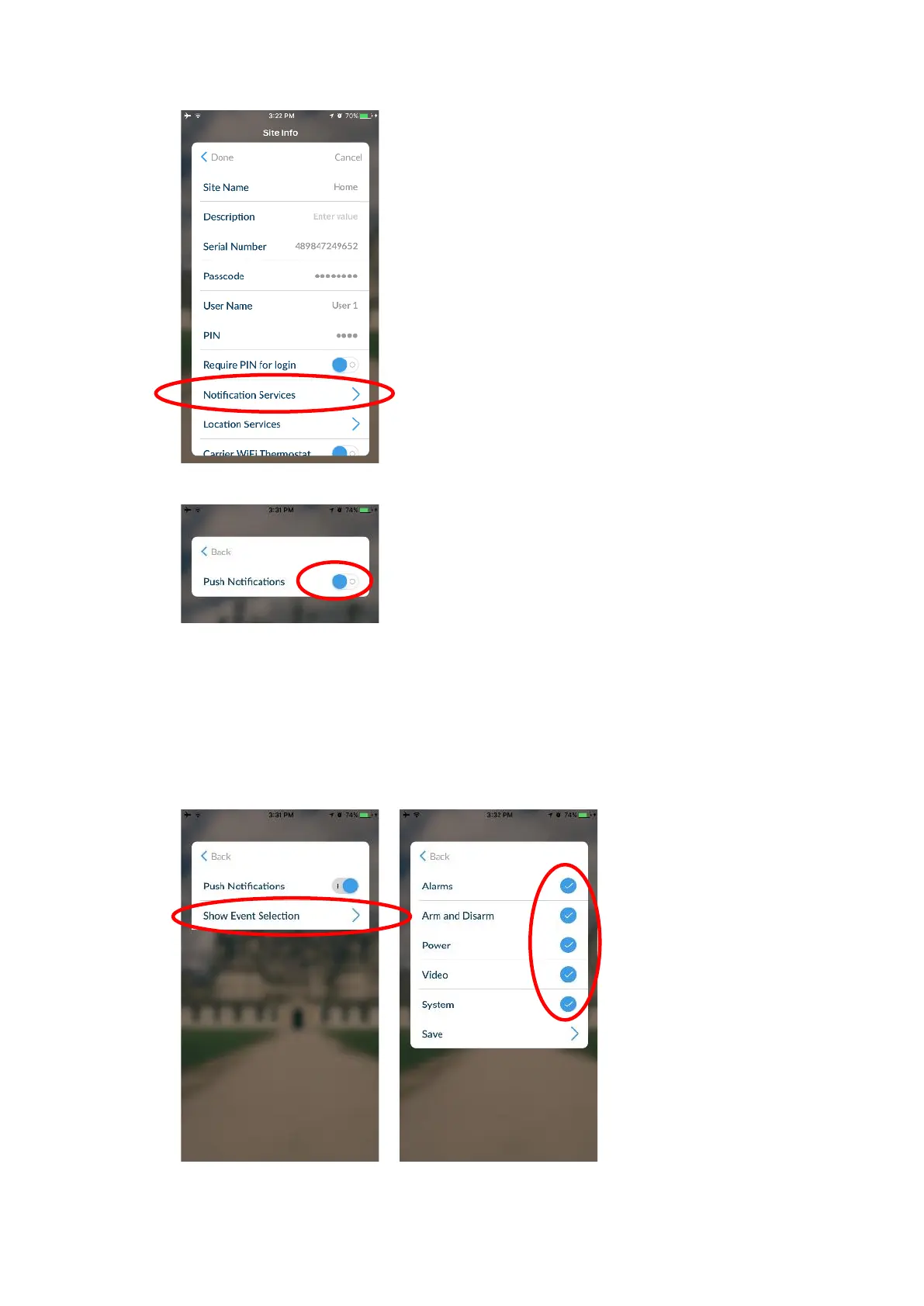
3. Click Notification Services.
4. Enable Push Notifications.
5. Wait for the registration process to complete.
Note: A maximum of 13 devices can receive push notifications. Each device
will occupy a Channel slot. Each channel will automatically be assigned the
corresponding event list number.
6. Optional – select the events to be notified for:
a. Click Show event selection.
b. Select the events you want a notification for.



 To Next Page