29
www.cafection.com 800-561-6162
DE2112INSA Rev. 0 2022-01
SERVICE & INSTALLATION MANUAL - Emblem
5.4 Selection Keyboard for People with Disabilities (Optional)
(Keyboard compliant with the ADA: Americans with Disabilities Act)
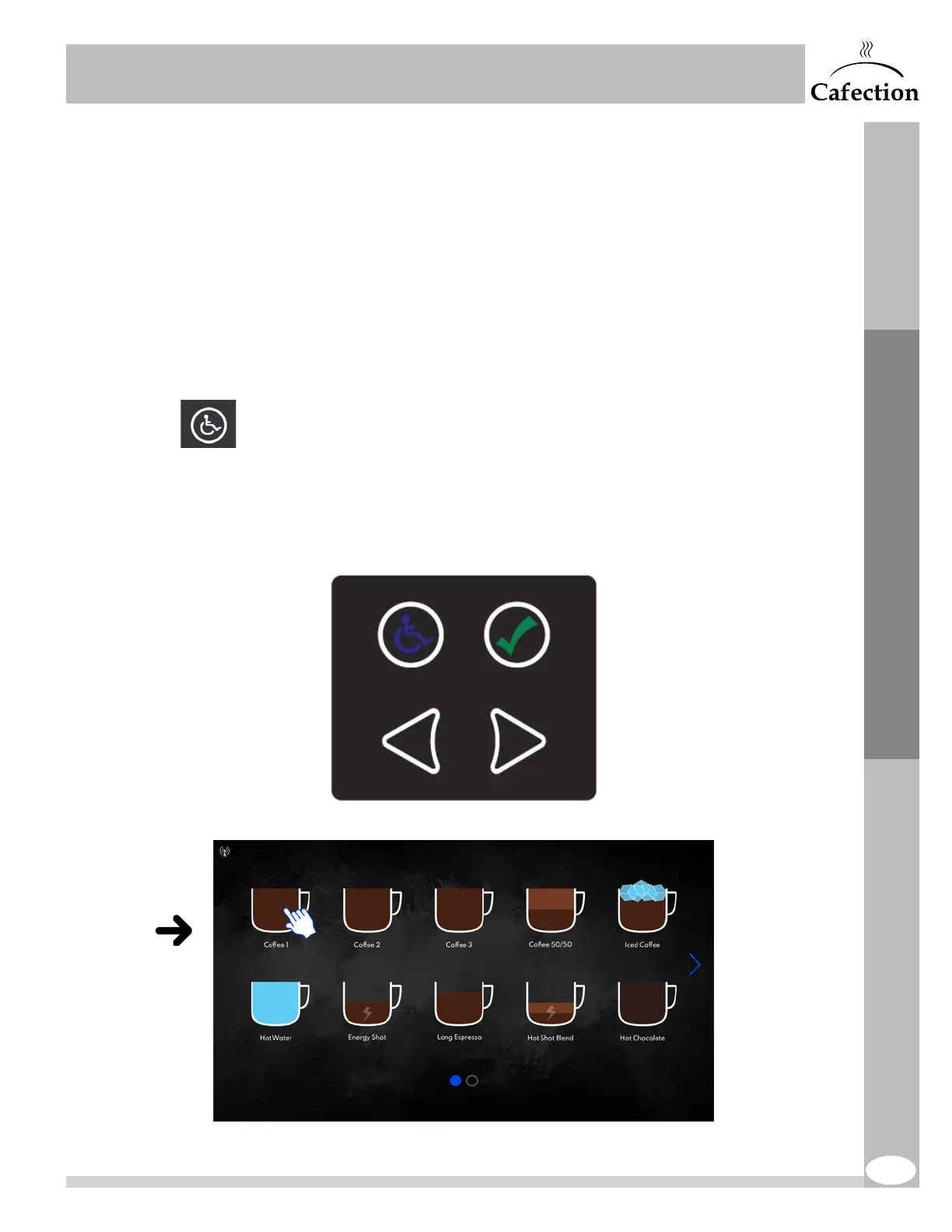
The adapted selection keyboard is located lower than the touch screen to help people who are not
able to reach the screen or are not comfortable using it to order coffee easily.
To activate this selection keyboard, customers need to press any of its keys.
Using the arrows, move the hand icon on the screen until it reaches the desired button, then press
on the green checkmark button to confirm the selection.
The touch screen remains activated all the time even when the lower keyboard is in use.
This icon remains lit all the time.
The other keys only light up when the keyboard is activated.
User Interface


 To Next Page