INNOVATION TOTAL LITE Rev. 1 2021-10
www.cafection.com 800-561-6162
30
SERVICE & INSTALLATION MANUAL for Cafection’s Total Lite
5 USER INTERFACE
5.1 Selection Screen Interface
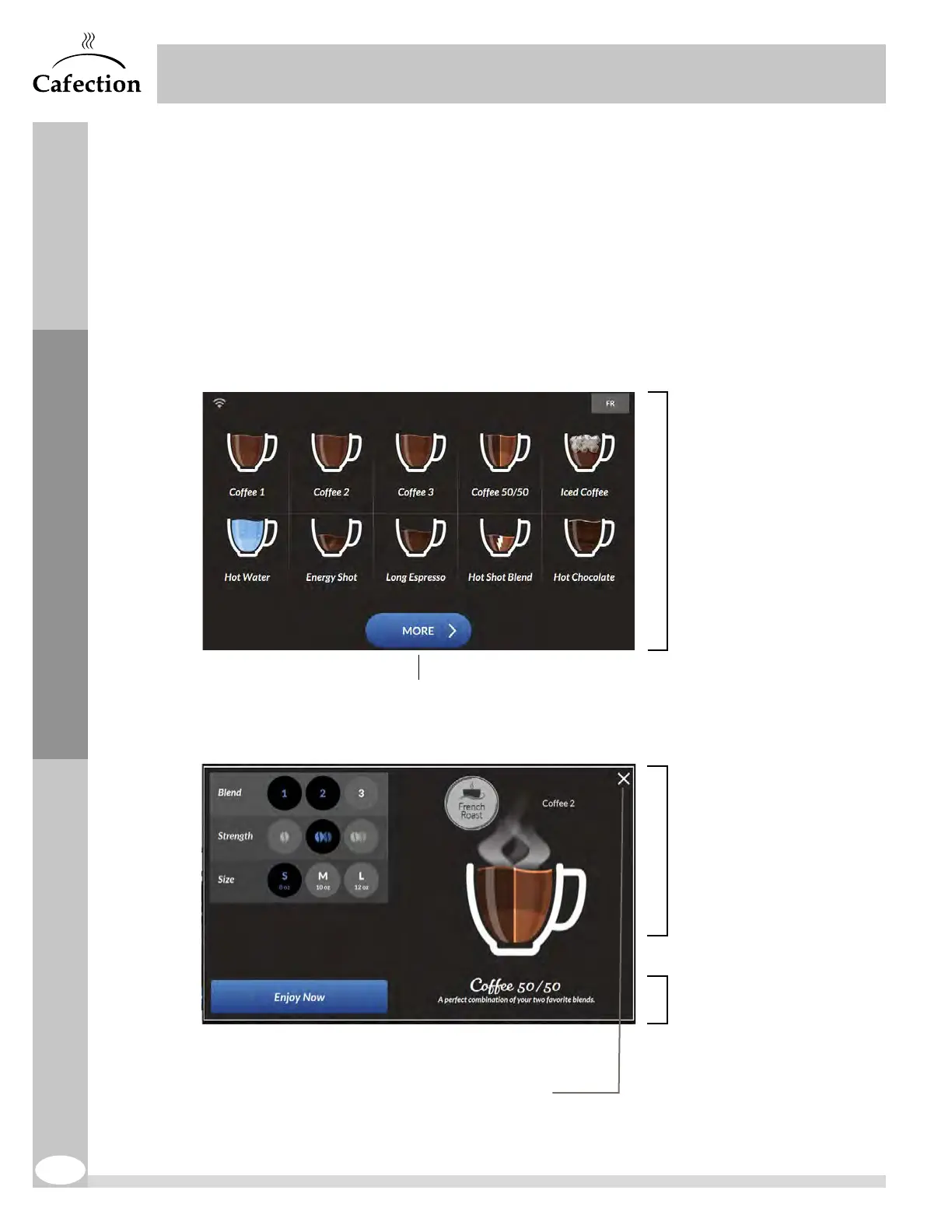
The selection screen interface is divided into three (3) steps:
1. Select a beverage.
2. Define beverage options (blend, strength and size).
3. Brew.
1. Select Beverage.
2. Select Beverage Options.
-Blend, Strength and Size.
(Option may not all be
available according to the
selected beverage.)
3. Press "Enjoy Now" to
start preparation of the
beverage.
Press X to cancel and go back
to main selection screen
More beverages may be available
2
1
3
Initial Setup



 To Next Page