INNOVATION TOTAL LITE Rev. 1 2021-10
www.cafection.com 800-561-6162
50
SERVICE & INSTALLATION MANUAL for Cafection’s Total Lite
Service Mode
6.6.3 Network Sub Tab
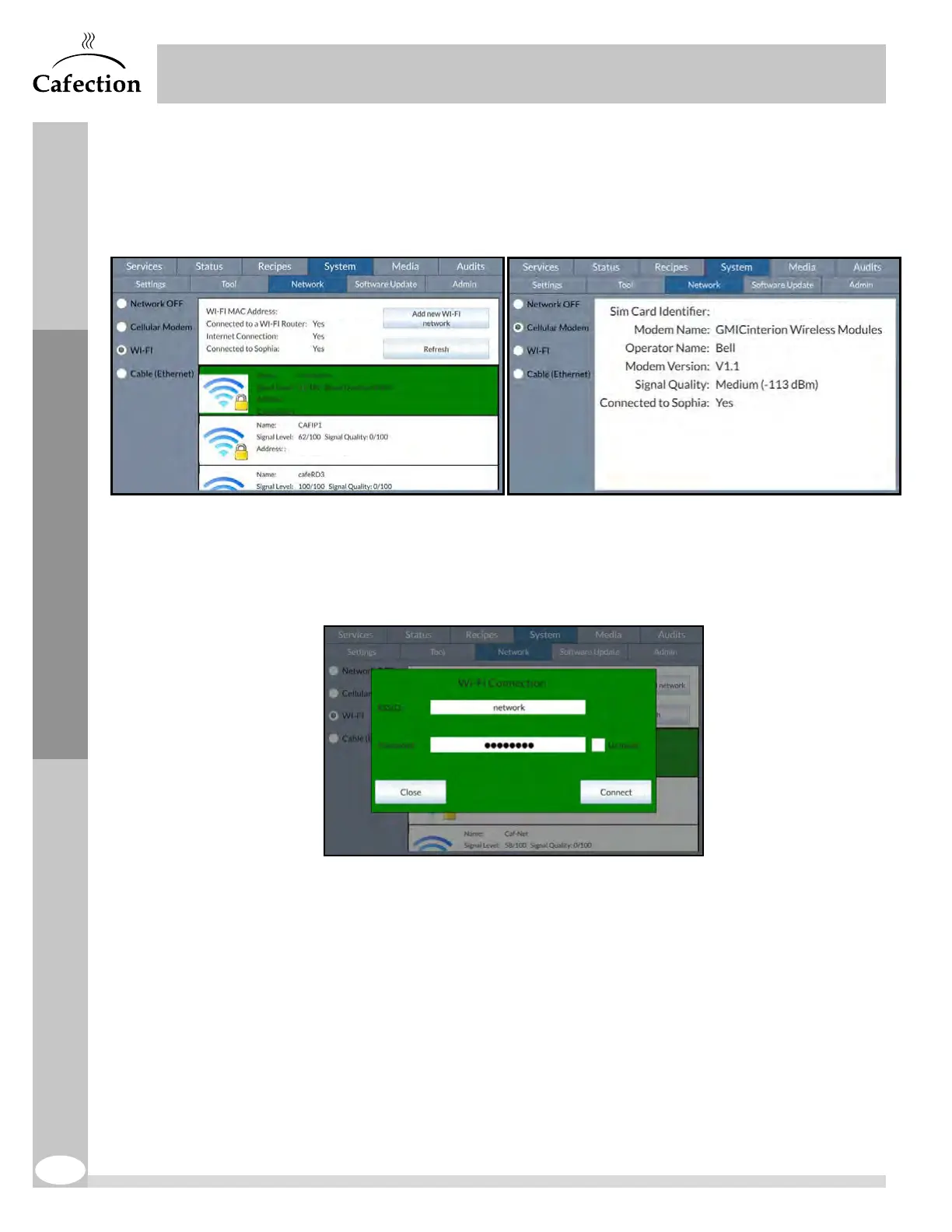
This section is used to connect the brewer to the internet. Use the checkboxes on the left
to select the desired connection.
Wi-Fi (Wireless Network)
To connect the brewer to a wireless network (Wi-Fi), check the "Wi-Fi" box and select the
desired network in the list.
Add New Wi-Fi Network
If the wireless network is invisible or not shown in the list, press on the "Add new Wi-Fi
network" button.
The network name (ESSID) and its password (if applicable) are required.



 To Next Page