INNOVATION TOTAL LITE Rev. 1 2021-10
www.cafection.com 800-561-6162
36
SERVICE & INSTALLATION MANUAL for Cafection’s Total Lite
5. This button is used to enable Carafe mode (see section5.2 for details).
6. This button is used to lock the selection screen so no user can order beverages.
7. This button is used to reset the waste bin counter.
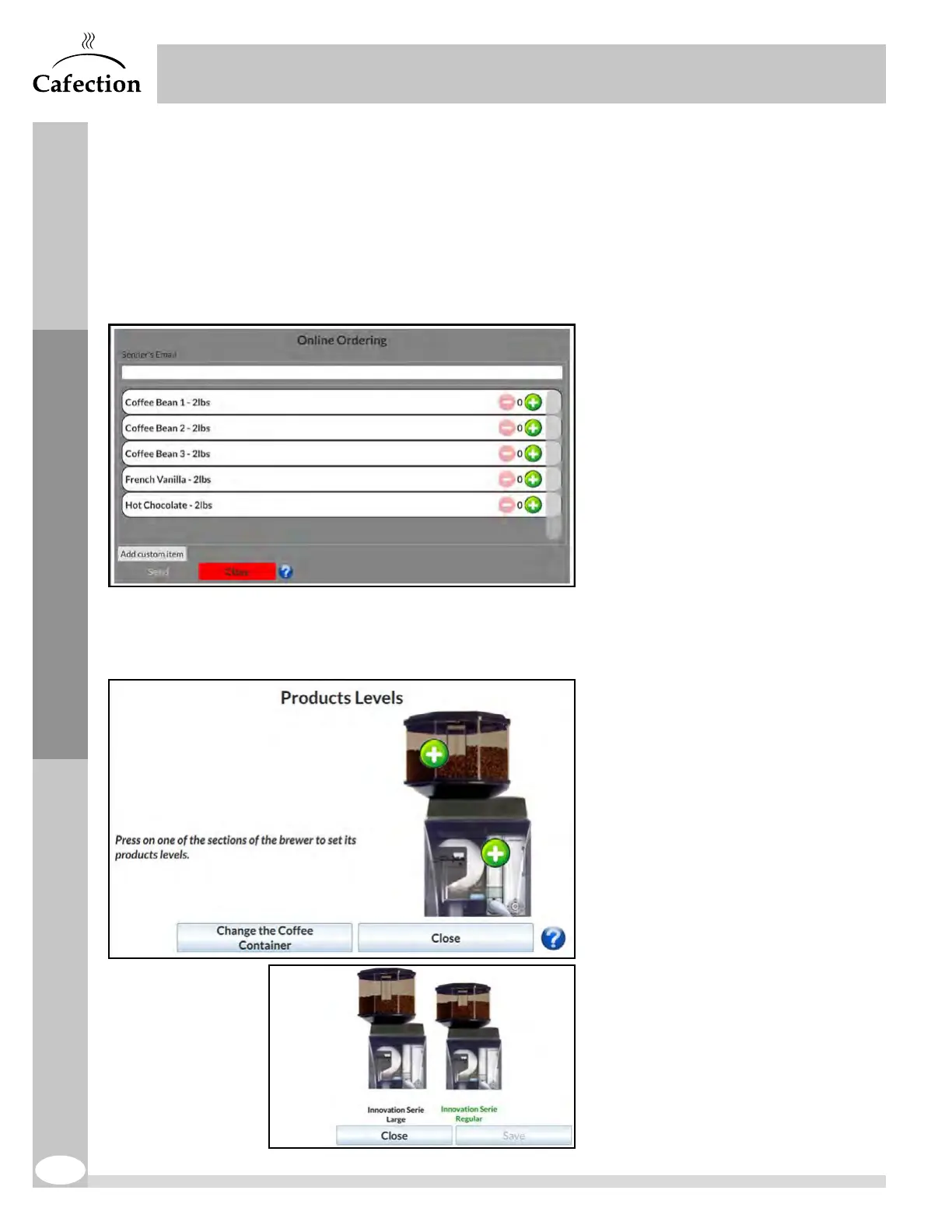
8. This button gives access to the
Online Ordering interface, to send
an order through Sophia (Optimum
License required). It is only
available when the coffee brewer is
connected to a cellular or a wireless
network.
The user must enter his email and
select the items he wishes to order.
The "Add custom item" button
allows the user to add items that
are not yet on the list. The owner
of the coffee brewer must confirm
the order thereafter. For more help,
press the (?) icon.
9. This button gives access to the
Products Levels interface.
The user needs to select one (1) of
the two (2) sections of the machine
(bean hopper or filter paper and
soluble powders).
If the unit is equipped with a large
hopper, click on the "Change the
Coffee Container" button and select
the right configuration.
For more help, press the (?) icon.
Service Mode



 To Next Page