EasyManua.ls Logo

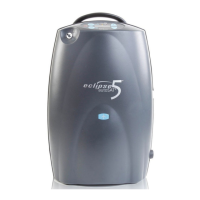
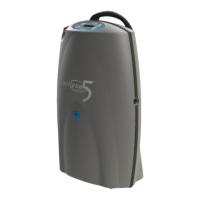
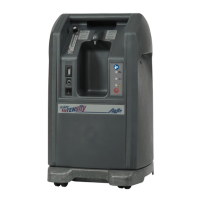
CAIRE Eclipse 5 - User Manual

CAIRE Eclipse 5
32 pages
Print Icon
To Next Page IconTo Next Page
Loading...
Eclipse
®
5 with autoSAT
®
User Manual (English)

Table of Contents

Other manuals for CAIRE Eclipse 5

Questions and Answers

  • B
    Brian CarneySep 9, 2025
    What to do if yellow light is on solid on my CAIRE Personal Care Product Eclipse 5?
    • M
      Mr. Steven DeleonSep 9, 2025
      If the yellow light is solid on your CAIRE Eclipse 5 and there is no alarm, it means the device has detected a problem with the power cartridge connection. Here’s what to do: 1. Remove and reinstall the power cartridge to ensure it is securely connected. 2. If possible, test with a separate power cartridge to see if the issue persists.
  • T
    Tammy LewisSep 12, 2025
    What to do if the yellow light is on and the green light is off on CAIRE Medical Equipment?
    • C
      Clarence MartinezSep 12, 2025
      If the yellow light is on and the green light is off on your CAIRE Medical Equipment, it might indicate a flow restriction. First, clean and replace the cabinet inlet filter. Then, check the cannula for kinks or blockages, and if you're using a humidifier, make sure it's properly filled and not causing a blockage. Ensure the device has at least 3 inches of space around it for proper ventilation. If the issue continues, switch to another oxygen source and contact your healthcare provider.
  • C
    Christine CaldwellSep 12, 2025
    What to do if the yellow light is on and the battery symbol is flashing on LCD of CAIRE Eclipse 5 Medical Equipment?
    • P
      Pamela RogersSep 13, 2025
      If the yellow light is on and the battery symbol is flashing on the LCD of your CAIRE Medical Equipment, it could be that the power cartridge is warm or has a low voltage. Try re-attaching the device to external power or installing a fully charged power cartridge. Allow the warm power cartridge to cool outside the concentrator for 30 minutes. You can also recharge the power cartridge using AC power. If available, replace the power cartridge. If the problem continues, contact your healthcare provider.
  • P
    Penny JensenSep 14, 2025
    What to do if the yellow light is on solid but there is no audible alarm on CAIRE Eclipse 5?
    • A
      Amanda DennisSep 15, 2025
      If the yellow light is illuminated without an audible alarm on your CAIRE Medical Equipment, it suggests a connection problem with the power cartridge. Try removing the power cartridge and reinstalling it to ensure it is securely connected to the concentrator. If possible, test the device with a separate power cartridge. Should the problem persist, it's best to contact your healthcare provider for further assistance.
  • J
    Judy BarnesSep 17, 2025
    Why is the yellow light on and the battery symbol is flashing on LCD on my CAIRE Eclipse 5 Medical Equipment?
    • S
      Shannon WaltersSep 17, 2025
      If the yellow light is on and the battery symbol is flashing on the LCD of your CAIRE Medical Equipment, the power cartridge voltage might be low. Plug the device into an AC power supply to recharge it, or replace the power cartridge with a fully charged one.

Summary

Quick Start Guide

Powering on the Eclipse 5

Select Flow Delivery Mode

Adjust Flow Setting to Prescribed Level

Important Safety Instructions

Indications for Use

Outlines the medical conditions and scenarios for which the Eclipse 5 is intended.

Contraindications for Use

Lists situations and conditions where the Eclipse 5 should not be used.

Safety Guidelines

Provides critical safety warnings and precautions for operating the Eclipse 5.

Operating Instructions

Before Operating

Essential preliminary steps and warnings before operating the Eclipse 5.

Eclipse 5 DC Supply Connection

Rechargeable Power Cartridge (Battery)

Typical Battery Recharge Time

First Time Eclipse 5 Operation

Power ON the Device and Allow it to Warm-Up

Procedure for turning on the device and completing the start-up self-test.

Pulse Dose Mode and autoSat Features

Adjust the Flow Setting to the Prescribed Level

Instructions on setting the oxygen flow rate according to physician's prescription.

User Troubleshooting Table

Do Not Ignore Alarms

Provides actions to take when the device displays specific yellow light alarms.

Alarms Table

Other Alarm Conditions

Cleaning, Care & Routine Maintenance

CAIRE Eclipse 5 Specifications

General IconGeneral
BrandCAIRE
ModelEclipse 5
CategoryMedical Equipment
LanguageEnglish

Related product manuals