49
Miscellaneous
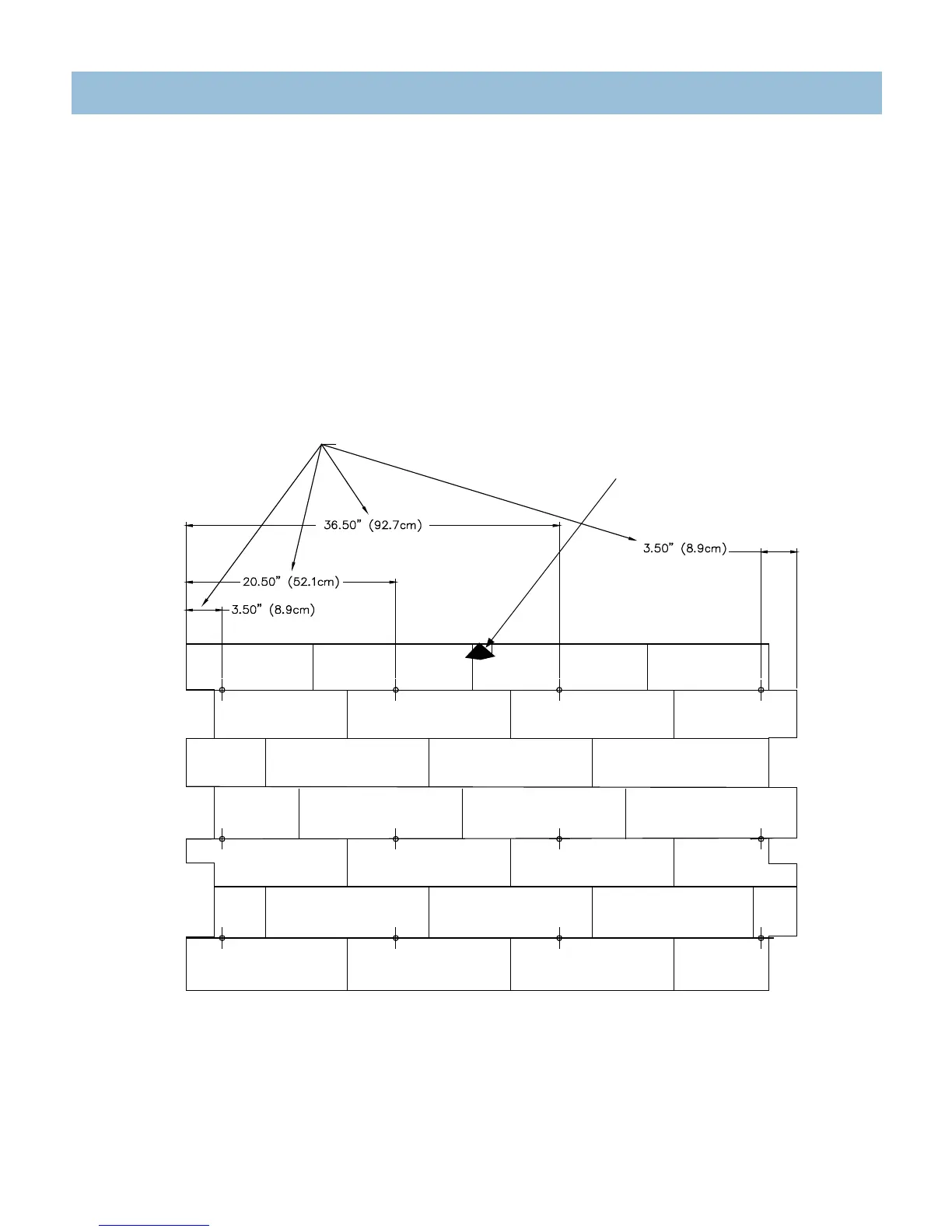
StoneScape Front Panel (Equipment Compartment) Screw Location
Use the illustration below to locate the screws holding the equipment compartment door to the spa (the locations below are approximate). Remove the 12 screws
followed by removing the StoneScape front panel to access the equipment compartment. Reverse procedure to replace panel.
NOTE: This illustration applies only to spas that have the StoneScape cabinet.
IMPORTANT: Pull fiber optic light cover off StoneScape cabinet (by hand) and feed light with harness through hole in StoneScape before removing the
StoneScape panel. Reverse procedure when replacing panel.
LIGHT COVER
Position of Screws for Front Panel
(4 columns - 12 screws)




 To Next Page