M52 Microprocessor User's Guide
M52UMCT Oct-03 35
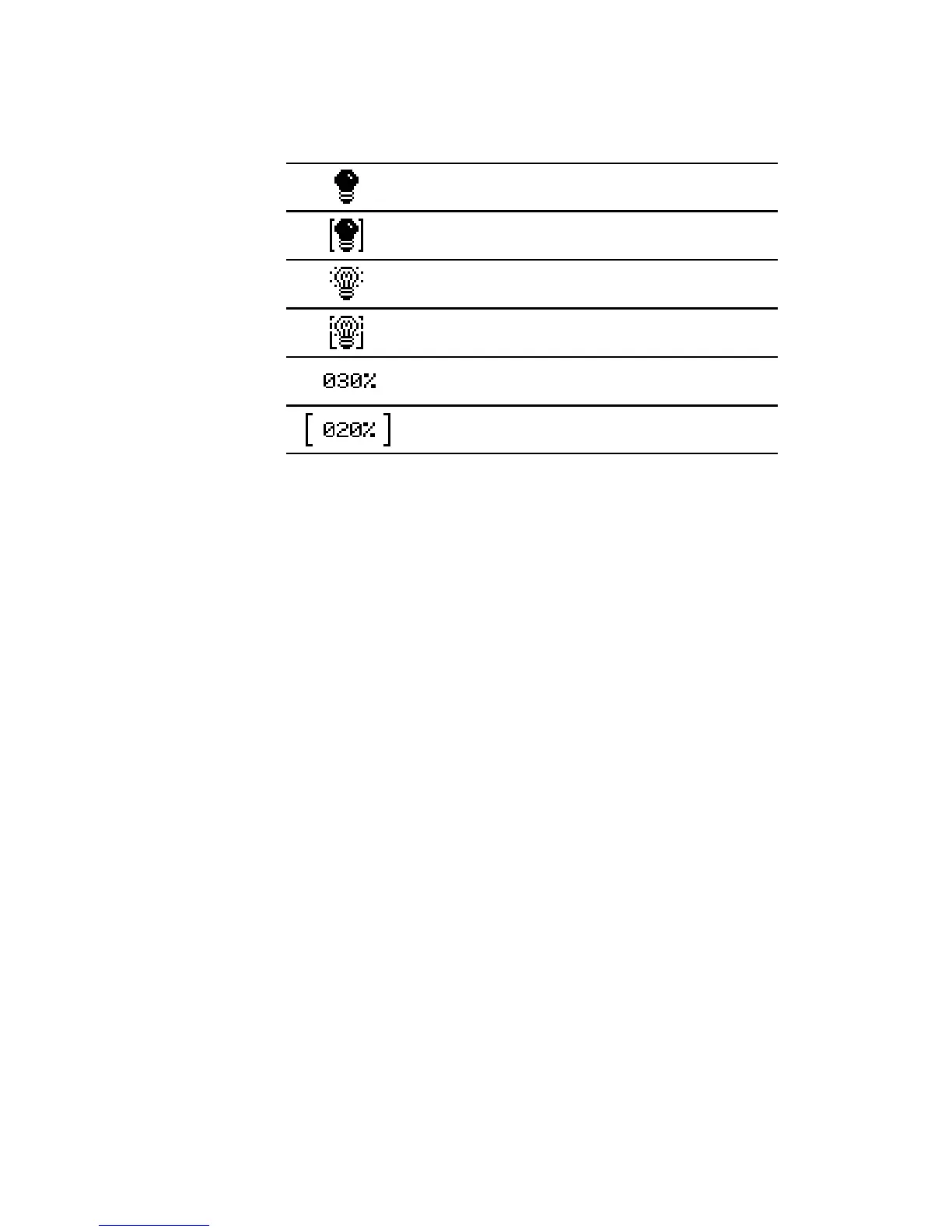
In the Microprocessor board diagnostic page, each input or output on the Microprocessor
board are represented by a symbol on the display. The representation of each graphic symbol
is listed in the following diagram:
Switched input / output opened
Switched output opened under override control
Switched input / output closed
Switched output closed under override control
Analogue output in percentage
Analogue output in percentage under override control
By "touching" the corresponding symbol, you can review the description of an input or
output on the description line.



 To Next Page