M52 Microprocessor User's Guide
M52UMCT Oct-03 34
Test Mode
The {Testmode} tab contains an assortment of utilities designed to simplify field testing and
troubleshooting. The utilities are divided into four pages:
- Microprocessor board diagnostic
- Digital I/O board diagnostic
- Sensor calibration
- Data re-initialization
Microprocessor Board Diagnostic
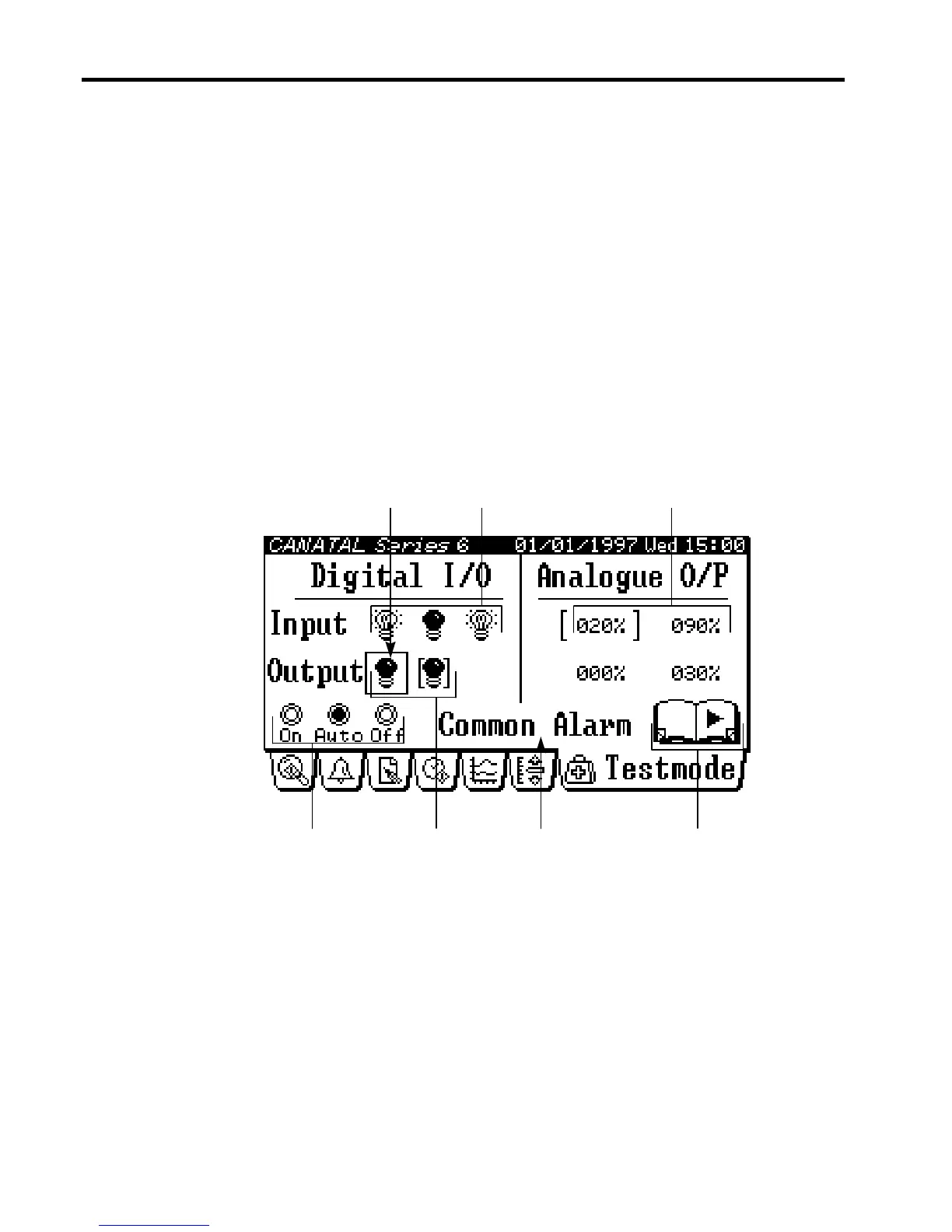
The Microprocessor board diagnostic page under the {Testmode} tab is as follows:
Selected I/O
Switched outputs
Change pageDescription lineState selector
Switched inputs Analogue outputs
Under the Microprocessor board diagnostic page, you can:
- Review the status of the switched inputs on the Microprocessor board.
- Review the status of the switched outputs on the Microprocessor board, and override
control of the outputs by using the state selector.
- Review the status of the analogue outputs on the Microprocessor board, and override
control of the outputs by using the state selector.



 To Next Page