Chapter 4 System Setup
46 Lynx DSA User's Manual - 9240227J
Stabilizer
The Stabilizer controls are accessible only from a PHA datasource. The datasource
type is defined during the MID Editor or MID Wizard session by selecting MCA
Number 1 for PHA or Number 2 for MCS.
The Stabilizer control in the Adjust dialog provides access to a set of parameters used
to adjust the Spectrum Stabilizer.
Stabilizer Parameters
The stabilization algorithm used by the Spectrum Stabilizer is described in Stabilizer
section under Hardware Options (see Stabilizer on page 109). Genie’s Stabilizer
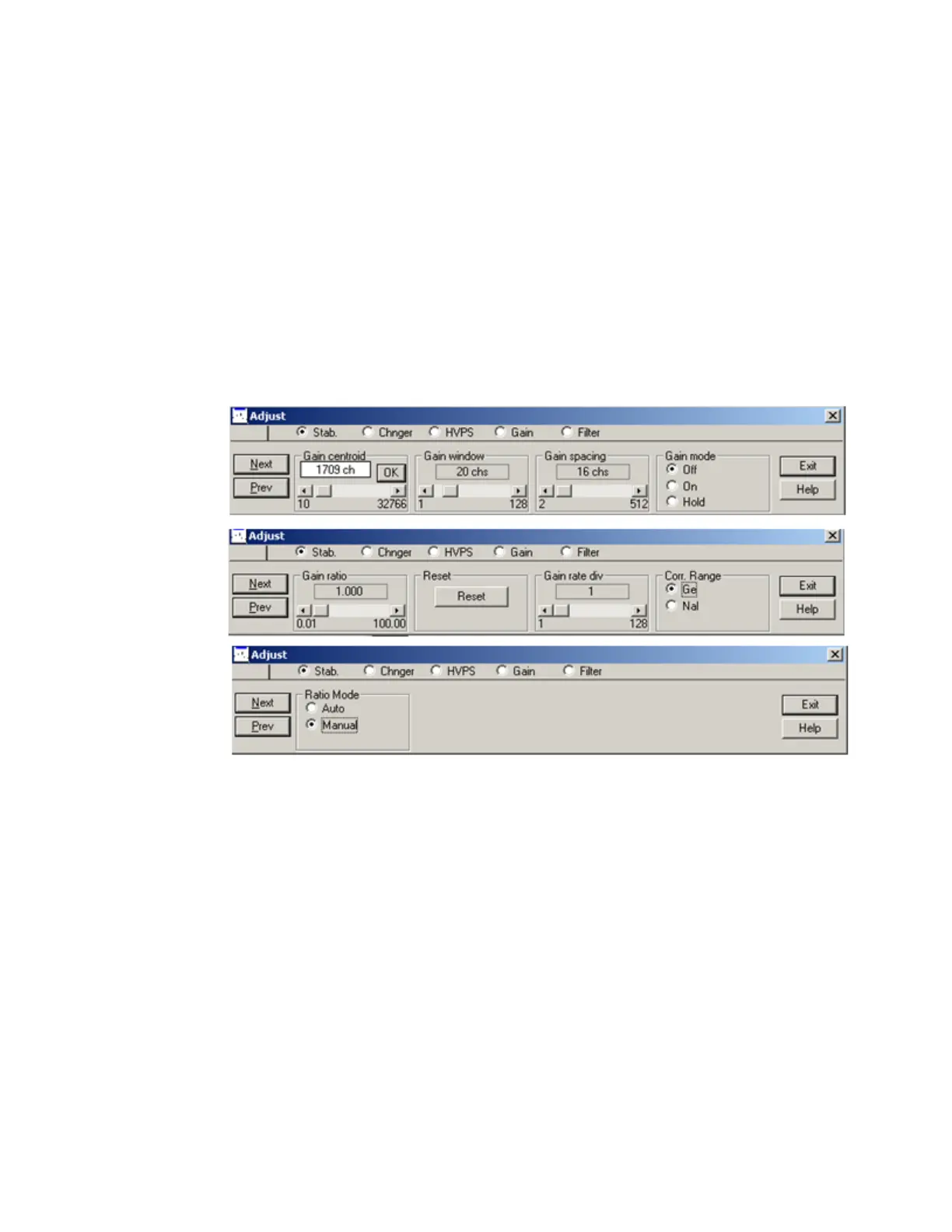
settings screen for the Lynx contains the following controls.
Figure 22: Adjust Screen’s Stabilizer Settings
Gain Centroid
The Centroid parameter sets the centroid (in channels) of the reference peak at the
high end of the spectrum that will be used for gain stabilization. The centroid channel
becomes the focus point for the stabilization algorithm.
Gain Window
This adjustment sets the width (in channels) of the upper and lower sampling
windows on either side of the gain reference peak. For best results, the windows
should be placed so that a shift in the reference peak reflects a significant change in
the count rate through the windows.



 To Next Page