Chapter 5 Web-Based Operations
86 Lynx DSA User's Manual - 9240227J
Axes
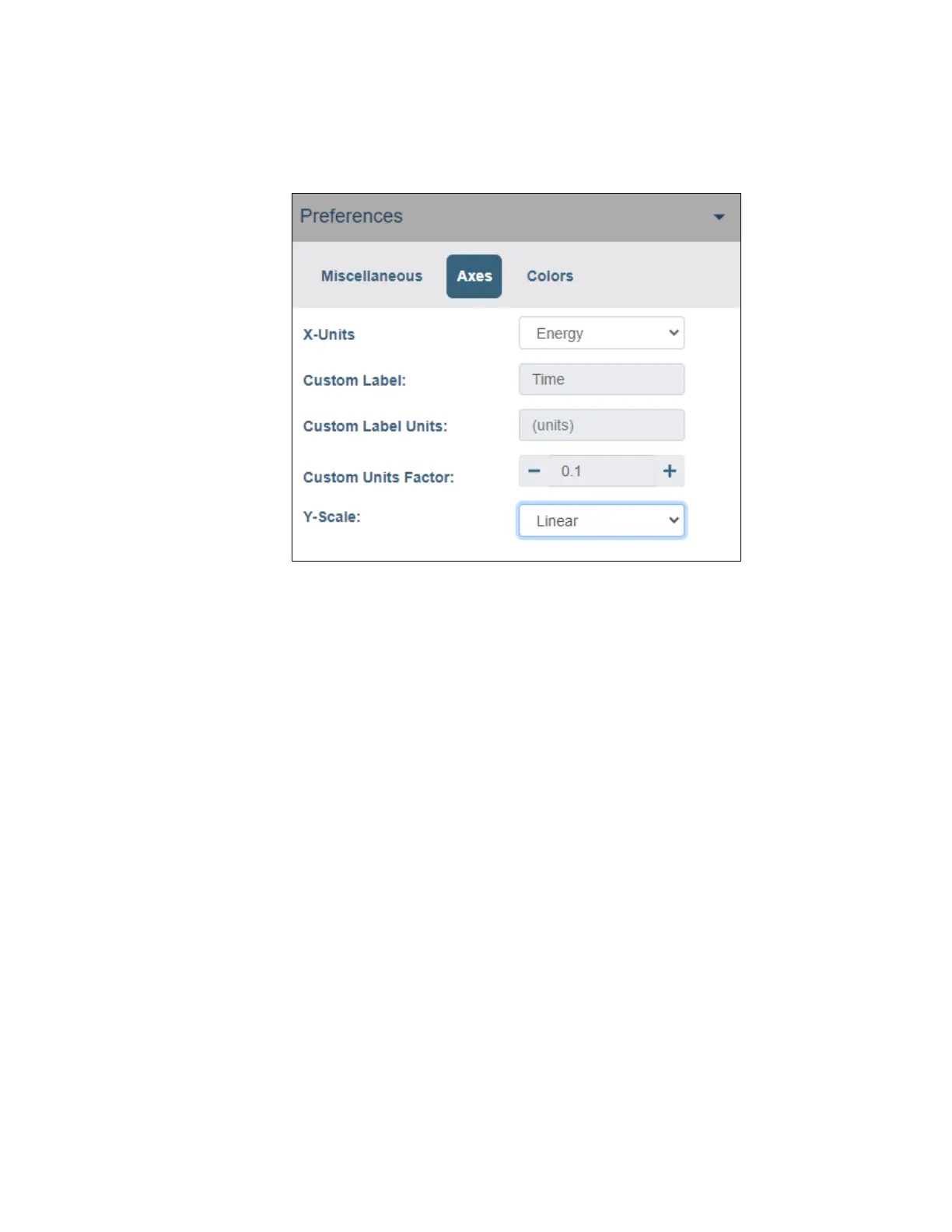
The Axes tab contains options for adjusting attributes specific to plot axes.
Figure 45: Axes Preferences Settings
X-Units
Select the X-axis units and labels to be displayed as Channel, Energy or Custom.
When Energy is selected, the current energy calibration is used for the channel to
energy translation.
When Custom is selected, the following options are available:
• Custom Label provides a label for the spectral plot X-axis.
• Custom Label Units provides label for the spectral plot X-axis units.
• Custom Units Factor – A multiplication factor for converting from
Channel number to Custom units in the spectral plot.
Y-Scale
Select the Y-axis scale and labels to be displayed as Logarithm, Linear or Square
Root. Default value is Logarithm.


 To Next Page