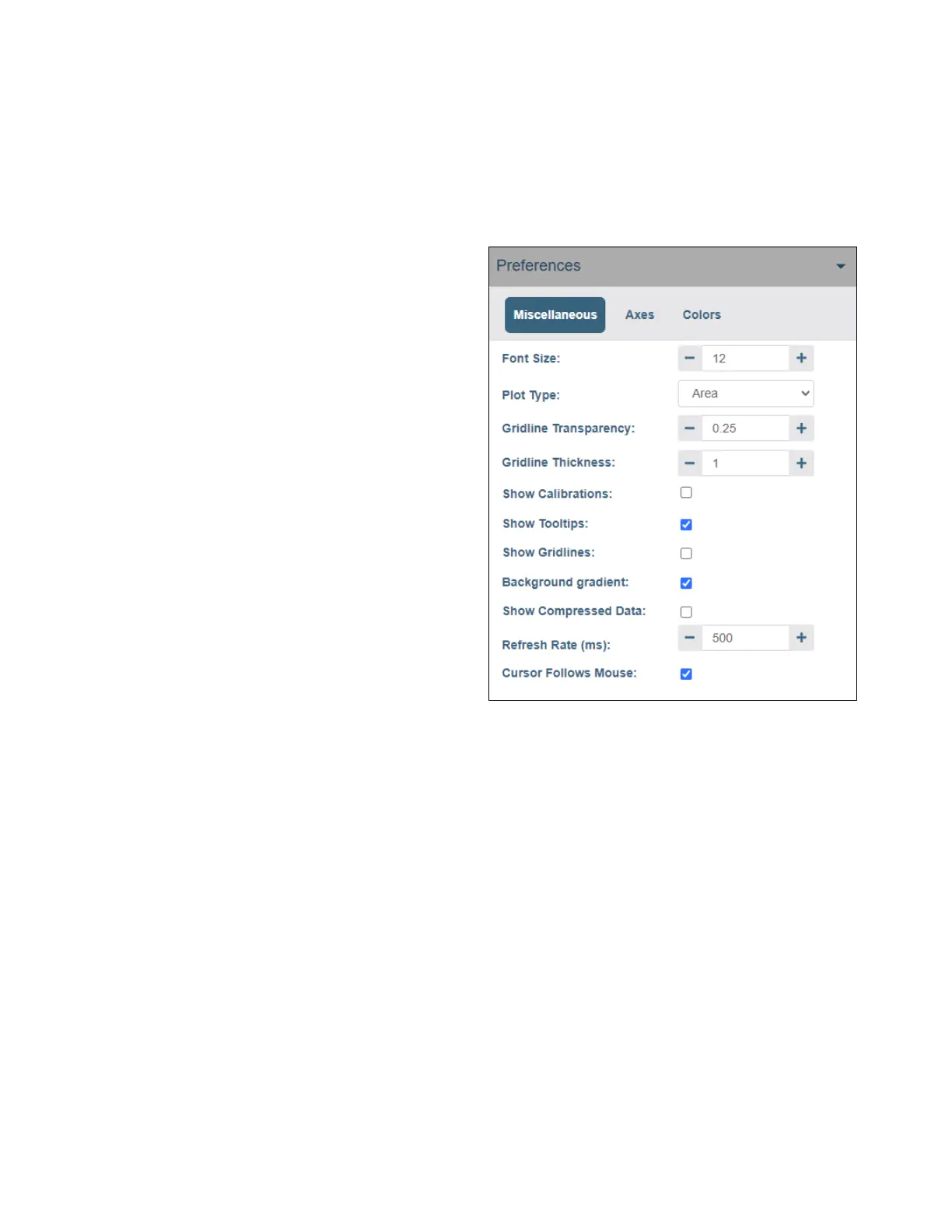
Preferences Options
Lynx DSA User's Manual - 9240227J 85
Miscellaneous
The Miscellaneous tab contains a variety of graphical settings that are described below.
• Font Size adjusts the plot axis tick, label, and cursor tooltip font size from size 8 to
13.
• Plot Type changes how
spectral data is displayed
including Line, Scatter, or
Area.
• Gridline Transparency
adjusts the transparency of the
gridlines from 0 to 1.
• Gridline Thickness adjusts the
thickness of the gridlines from
1 to 5.
• Show Calibration when
checked, displays the Energy
and FWHM calibration curves.
• Show Tooltips, when checked,
displays the tooltip text.
• Show Gridlines, when
checked, displays the gridlines
for the x and y axis.
Figure 44: The Miscellaneous Preference Settings
• Background Gradient, when checked, applies a color gradient to the plot
background. When cleared, the background is displayed as a solid color.
• Show Compressed Data, when checked, displays a compressed spectrum; when un-
checked, shows every point in the spectrum.
• Refresh Rate adjusts the plot’s refresh frequency. Default is 1000 milliseconds and
should be adequate for most applications. A faster or slower rate can be selected,
however the actual performance relies on the performance of the PC and network.
• Cursor Follows Mouse, when checked, the cursor movement is synchronized to the
mouse pointer.



 To Next Page