Chld Lock
Note: An automatc chld lock wll produce n 15 mnutes after total
Swtch OFF of the hob. Ths functon wll happens automatcally but
prevously s necessary to program t. See User settngs pont.
The acton wll be done when lock key s touched
To deactvate Chld Lock, follow the same process explaned before.
Then Short beep wll be heard and dsplays wll show "n" letter. Hob wll
reman unlocked.
Then, any tme when a key wll be touched, dsplays wll show "L"
durng 2sec. heatng remans at the same state.
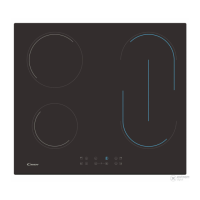
8.1- Double zone ON
1st Short Press on extenson key Swtches ON 1st extenson rng. 1
LED over extenson key turns ON f 1st extenson rng s ON (left LED
n case of trple zone, mddle and only LED n case of double zone) 2nd
Short Press on extenson key Swtches ON 2nd extenson rng. 2
LEDs over extenson key turn ON f 1st and 2nd extenson rngs are
ON
To swtch ON double extenson rng, assocated man zone must be
already ON and Indcatng power level must be hgher than 0.
1st Short Press on extenson key Swtches ON extenson rng. LED
over extenson key turns ON f Extenson rng s ON.
Short beep each press on extenson key.
2nd Short Press on extenson key Swtches OFF extenson rng.
8.2- Trple zone ON
Double / Trple zones
8 8
8
8
8
8
8 8
8
8
8
8
Brdge functon
The functon wll fnsh:
- If user selects power level “0”
The brdge can be enabled only when both heaters are off. One heater
of the brdge has been selected, to actvate brdge functon touch
brdge key.
Both brdge heaters wll be selected at the same tme.
- If the brdge key s touched n settng mode
A beep sounds and the zone LED s swtched on f the zone s enabled.
Once the heaters selected, f the power level s not the desred power
level, by the + - keys.
Both brdge heater dsplays wll show same power level.
8 8
8
8
8
8
2) If there s resdual heat ndcaton n the dsplay whch s OFF, "H" wll
be dsplayed.
3) Even lock functon s actve you can swtch OFF a zone.
1) If any cookng stage s n poston 0, ths dsplay wll swtch OFF
automatcally after 10 seconds and the zone OFF sequence wll
sound.
4) If only one heater s actve and ths one s swtched off, 4 Short beep
wll be heard ndcatng all cook top s Off.
Increase / Decrease power level
1. For Long Presses n + or - keys, power level ncreases /decreases
contnuously. Wth a fast ncrease, power stops at level 9, and for a
hgher power another short press s needed on the + key. No beep
sound s heard wth fast ncrease / decrease.
2. Once arrved to P power level, pressng + key agan does not
change power level to 0.Once arrved to 0 power level, pressng - key
agan does not change power level to P.
3. Wth a zone ON at 0 power level, f the zone s hot, 0 wll blnk
alternatvely. After 10 seconds, 0 wll dsappear an ‘H’ letter wll appear
fxed on dsplay.
4. When a heater s selected and ‘+’ & ‘-‘keys are touched at the same
tme, power level wll go to ‘0’ but heater wll mantan selected durng
10 seconds. If heater was temporzed, tmer wll go to Off. Ths acton
can only be developed n several cases dependng touch control
confguraton.The followng examples are for nformaton only.
Personal experence should then let you adapt these settngs to your
taste and habts.
Wth a short press on ‘+’ or ‘-‘ keys, Increase or decrease power n the
selected zones dgt: 0-1-2-3...9-P
8 8
8
8
8
8
Short beep each press on extenson key.
3rd Short Press on extenson key. Swtches OFF 1st and 2nd
extenson rngs.
Meltng functon
After a heater has been selected, to actvate meltng functon:
- Select meltng key
A tone sounds and heater dsplay shows “U”
The heater wll work at power level “2”
Beng the heater selected, Meltng functon wll fnsh
- If swtched off
- If t s selected to other power level.
Bolng Functon:
- Select Bolng key
After a heater has been selected, to actvate Bolng functon:
A tone sounds and heater dsplay shows “P”
The heater wll work at maxmum power level for 10 mnutes.
After these 10 mnutes a tone sounds heater wll return to level “9”
8 8
8
8
8
8
8 8
8
8
8
8
Pause function
To select ths functo , the user should touch “tmer +/- keys” together.
If the “tmer +/- keys” are touched for ½ seconds :
A beep sounds and the cooktop s stopped,
All the tmers runnng count downs are paused,
The heaters actual power settng s stored and all the actve heaters
power s set to power level 0,
Tmer dsplays nothng, and all the heaters dsplays are gettng on and
putng out “0”, swtchng on segment by segment n left drecton, and
after that swtchng off segment by segment n rght drecton,
contnously.
The Pause functon allows temporary pausng of the cookng process,
allowng the users to answer the door or the telephone wthout worryng
that the water s bolng over. Ths functon s also useful to clean the
user nterface surface wthout changng the cookng set up.
The heaters auto-swch off tme s paused,
All keys are locked except “tmer +/- keys” and “on/off key” (Tmer keys
can only be actve f they are used together to deactvate pause
functon),
8 8
8
8
8
8
09 GB



 To Next Page