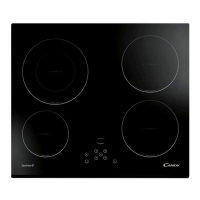
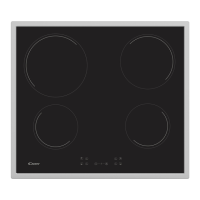
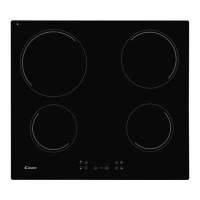
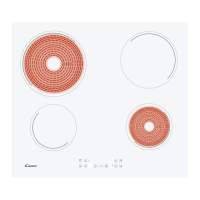
Heater dsplay Fault Acton
F0
Fc
Ft
FE
Fb
FU / FJ
FA
FC / Fd
Fr
If error has occurred dsconnected and connect agan the cooktop to the power supply. If error persst,
call after-sales servce. If error appears suddenly n a normal operaton, call after-sales servce.
Touch control software error.
Wat untl temperature goes down, Cook-top wll be recoverd when temperature reaches a normal
value. When the message dsappears, the hob may be used agan.
Touch control zone s too hot
and has turned off all the
heaters.
Wat untl temperature goes down. If message persst when temperature reaches an envronment
value, call after-sales servce.
Touch control temperature
sensor can be damaged.
Wat untl temperature goes down. If message persst when temperature reaches an envronment
value, call after-sales servce.
Touch control temperature
sensor can be damaged.
See f cook-top s mounted correctly. Be sure that keys touch correctly the glass surface.
Excessve senstvty
on any key.
Ths error s a keyboard auto-check. It dsappears when autocheck return to secure value. If error
persst, call after-sale servce.
Securty keyboard error
Ths error s a software auto-check. It dsappears when auto-check return to secure value. If error
persst, call after-sale servce.
Securty software error
Ths error s a software auto-check. It dsappears when auto-check return to secure value. If error
persst, call after-sale servce.
Securty software error
Any relay drver can have any problemn. Remove cook-top from the power supply, wat a mnute
and swtch on agan. If error persst, call after-sale servce.
Relays securty error
9. AFTERCARE
— that the plug is correctly inserted and fused;
Before calling out a Service Engineer please check the
following:
If the fault cannot be identified switch off the appliance — do not
tamper with it — call the Aftercare Service Centre. The appliance is
supplied with a guarantee certificate that ensures that it will be
repaired free of charge at the Service Centre.
If F and numbers appears n the dsplay, your unt has detected a fault.
The followng table lst actons you can take to correct the problem.
Dsplay F and numbers
The man swtch (ON/OFF key) was accdentally touched or there s
any object above any key. Turn the unt on agan wthout any object
about the keyboard. Enter your settngs agan.
Use a razor blade and follow the "CLEANING" section.
The hob does not cut off.
The on-off cycles vary according to the required heat level:
Dark stains
Do not slide aluminium pans on the hob. Refer to the cleaning
recommendations.
Light surfaces on the hob
Caramelisation or melted plastic on the hob.
You use the correct materials, but the stains persist.
Refer to the "CLEANING" section.
Metal marks
Marks from an aluminium or copper pan, but also mineral, water or
food deposits; they can be removed using the cream cleaner.
Use a razor blade and follow the "CLEANING" section.
The hob does not operate or certain zones don't work
The shunts are not positioned correctly on the terminal board.
Have a check made that the connection is done he control panel is
locked. Unlock the hob.
The control panel is locked. Unlock the hob.
Frequency of on/off operations for cooking zones
- low level: short operating time,
- high level: long operating time.
Check the condton of the fuses / crcut breakers at your
locaton.Check to see f you are experencng a power falure.
The cooktop has turned tself off.
The cooktop s not workng.
11 GB
“Vald only for Cyprus”



 To Next Page