Canon 40D Digital Camera Overview Manual
Page 12 © 2008 Consumer Programs Incorporated July 10, 2008
PROPRIETARY & CONFIDENTIAL
Using the Trip Cord
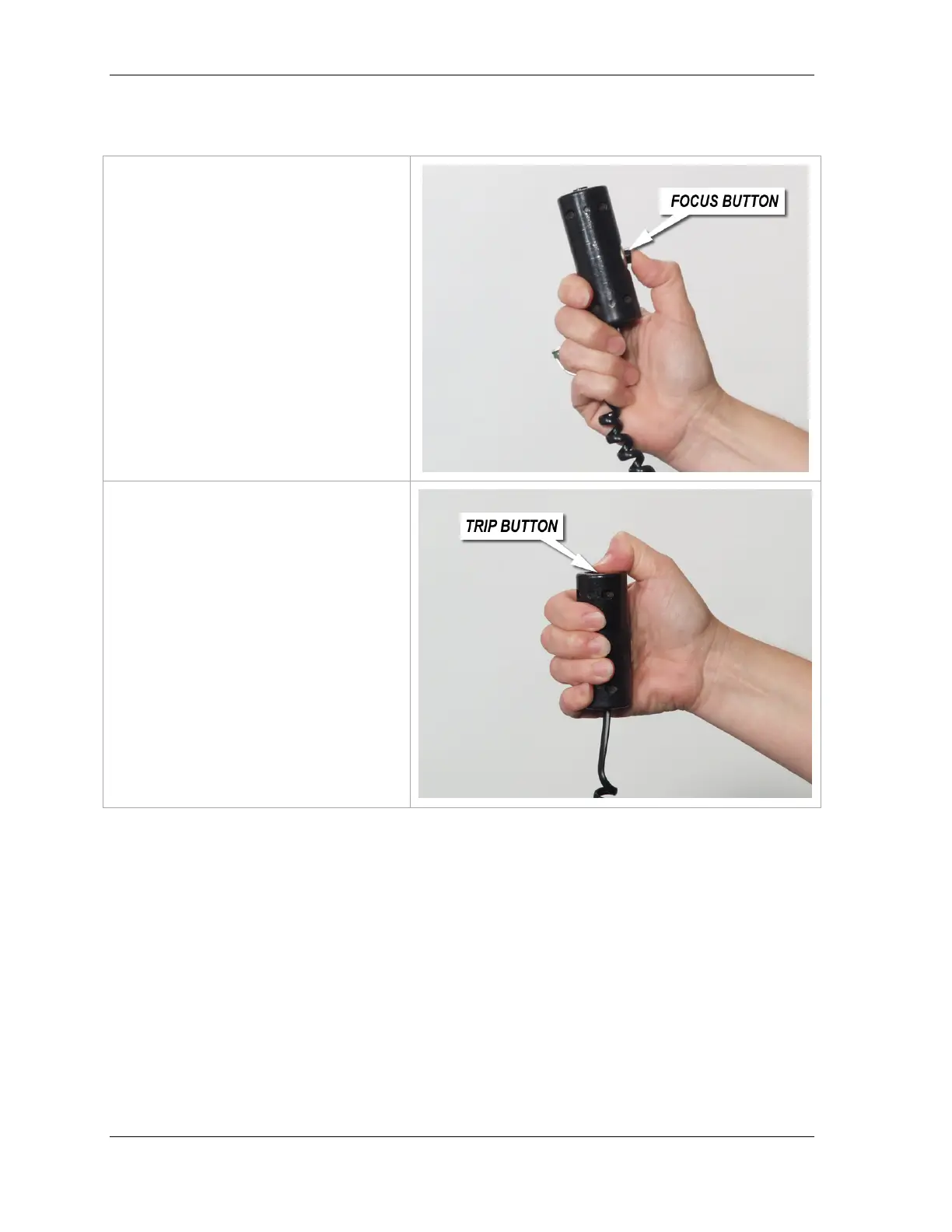
The trip cord is has two buttons, the
Focus Button and the Trip Button.
The Focus Button is located on the side
of the trip cord handle.
After framing the subject in the Live
View Monitor, press and hold this
button down to initiate focus.
IMPORTANT! When the camera has
achieved focus, a small beep will sound.
This means the camera has focused and
is ready to take a shot.
To take a shot, continue to hold down the
focus button. This will prevent the
camera from attempting to re-focus.
Then, press the trip button on the top of
the handle to take a portrait.
IMPORTANT! The camera will not fire if
it is not able to achieve focus.












 To Next Page