Canon 40D Digital Camera Overview Manual
July 10, 2008 © 2008 Consumer Programs Incorporated Page 23
PROPRIETARY & CONFIDENTIAL
Exposure Settings – Introduction
Any discussion of camera settings begins with exposure. Exposure settings set the foundation for
how your finished portraits will look. The three exposure settings work together to determine how
much light is allowed into the camera when a portrait is taken.
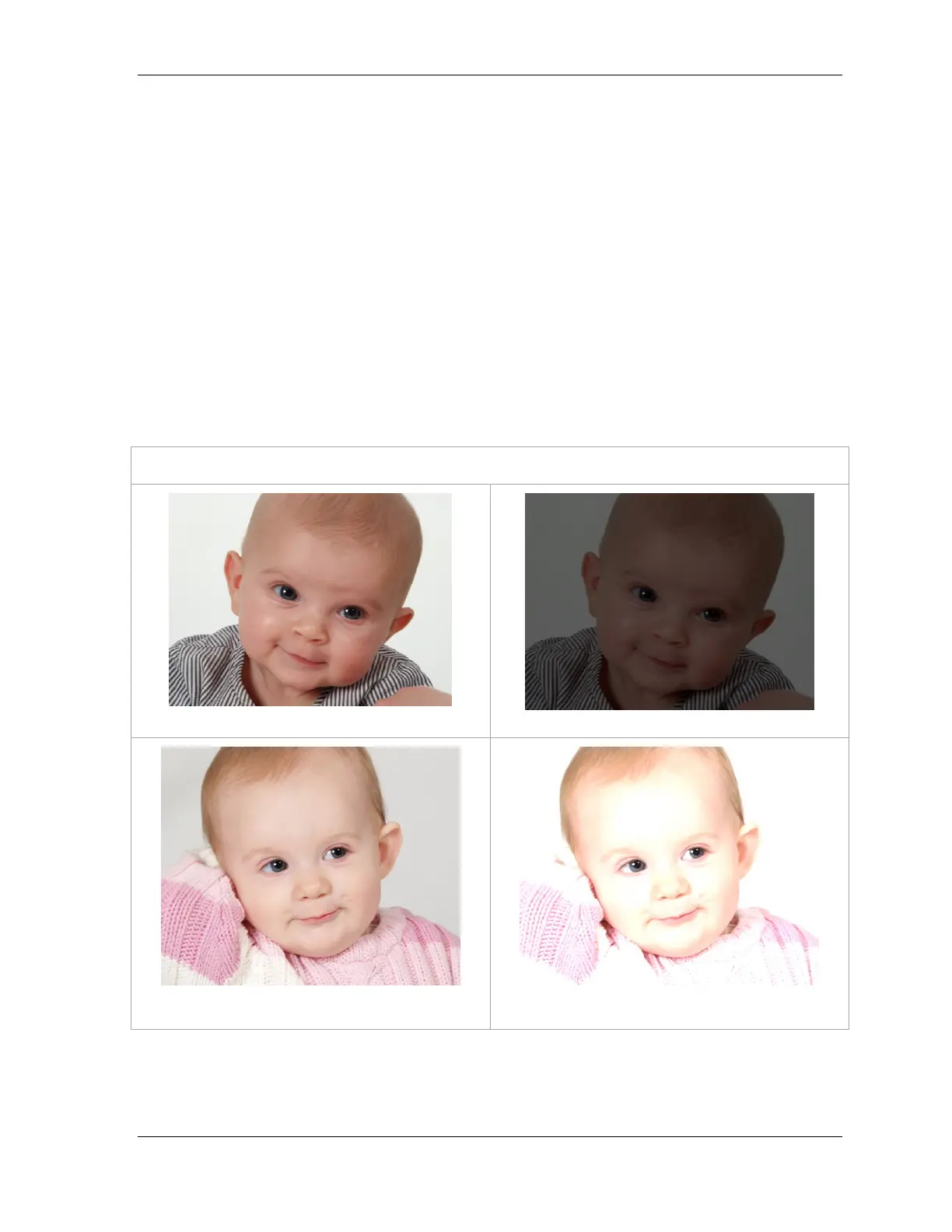
If an image is too dark, it’s called being underexposed. This means not enough light is getting into
the camera to make a good exposure. If it’s too light, it’s called overexposed. This means too much
light is getting in.
The three exposure settings are: Shutter Speed, F-Stop, and ISO.
IMPORTANT: Although not related to camera settings, proper use of the subject spot is very
important in maintaining proper exposure.
Exposure Settings Determine How Light or Dark an Image is
Correct Exposure
Bad exposure (image is too dark)
Correct Exposure
Bad Exposure (image is too light)












 To Next Page