Canon 40D Digital Camera Overview Manual
July 10, 2008 © 2008 Consumer Programs Incorporated Page 25
PROPRIETARY & CONFIDENTIAL
Exposure Settings – ISO
The ISO setting is a setting that determines the sensitivity of the camera digital sensor to light. Along
with Shutter Speed and F-Stop, it is one of three settings that determine exposure.
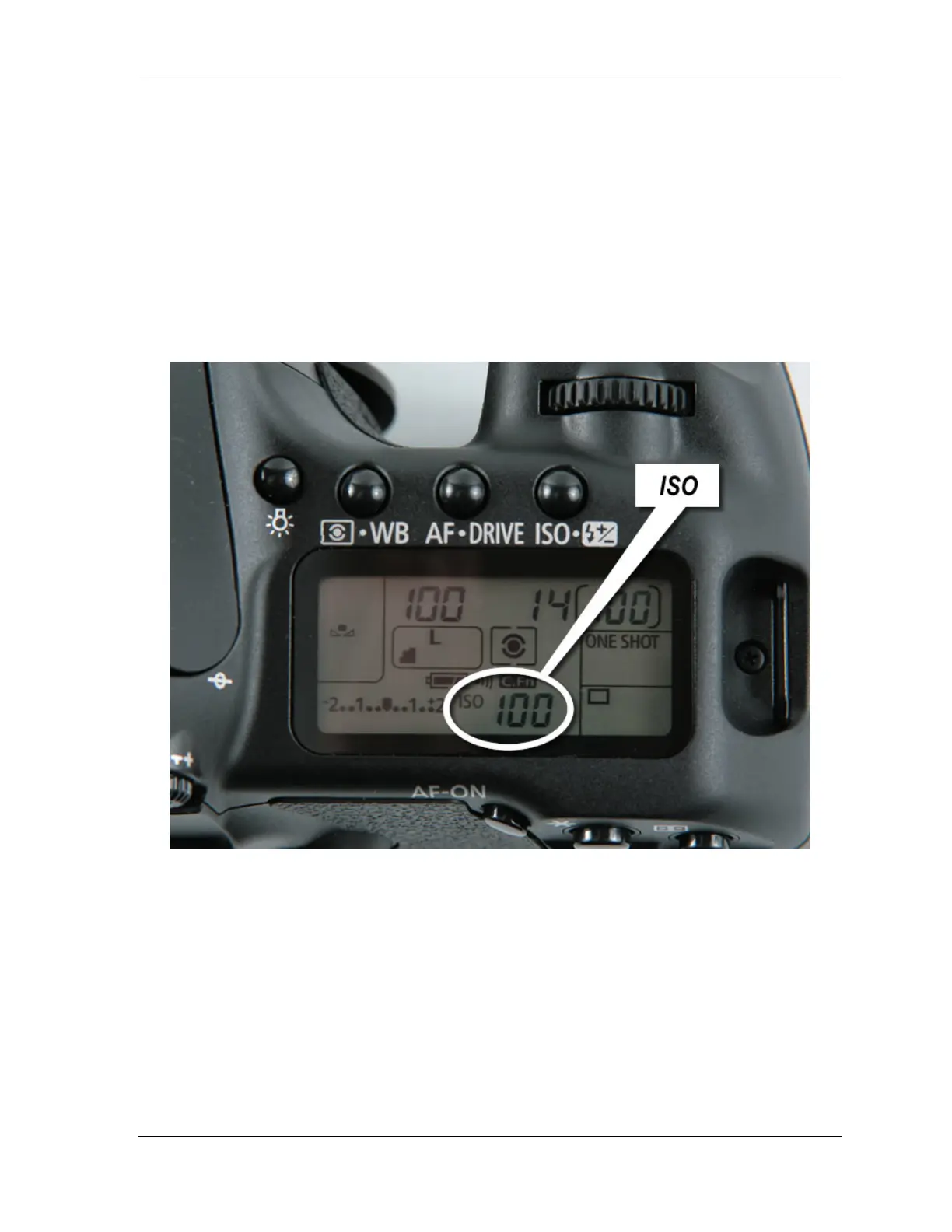
On the Canon 40D, the ISO setting is displayed on the bottom row of the control panel.
In Wal-Mart Portrait Studios, the ISO must always be set to 100
Wal-Mart Portrait Studio Associates should be in the habit of checking this setting before beginning a
session. If the ISO is not set to 100, do not begin the session. Contact Technical Support for
assistance.












 To Next Page