Canon 40D Digital Camera Overview Manual
July 10, 2008 © 2008 Consumer Programs Incorporated Page 9
PROPRIETARY & CONFIDENTIAL
SECTION 2: BASIC CAMERA OPERATION
This section will provide basic information regarding general use of the Canon 40D Digital Camera.
Turning the Camera ON and OFF
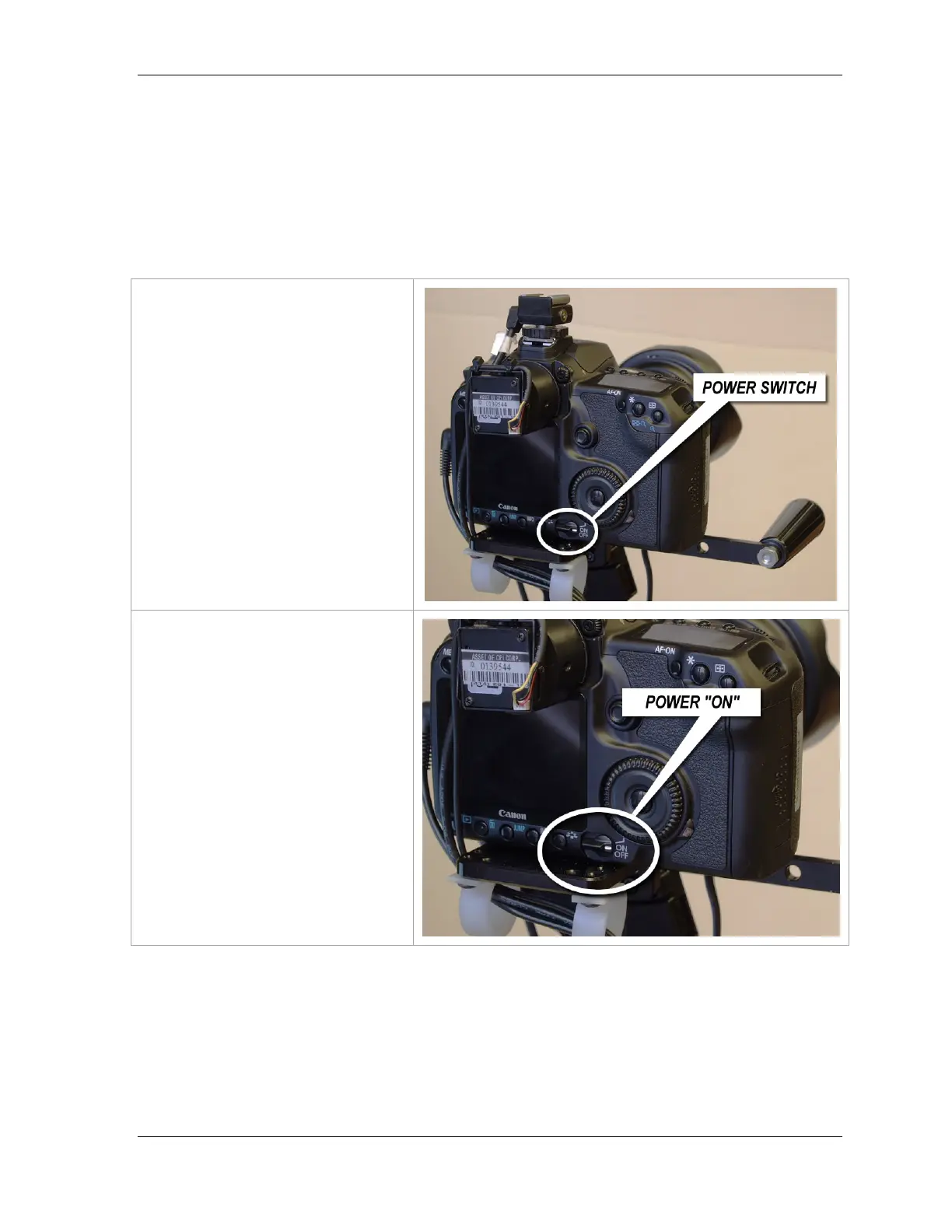
The camera power switch is located
on the back of the camera.
Turn the switch to the ON position to
turn the camera on.
NOTE: You will notice there are two
positions for the camera to be
powered ON.
The correct “ON” position is to have
the white line on the power switch
point directly at the word “ON”.












 To Next Page