Canon 40D Digital Camera Overview Manual
Page 14 © 2008 Consumer Programs Incorporated July 10, 2008
PROPRIETARY & CONFIDENTIAL
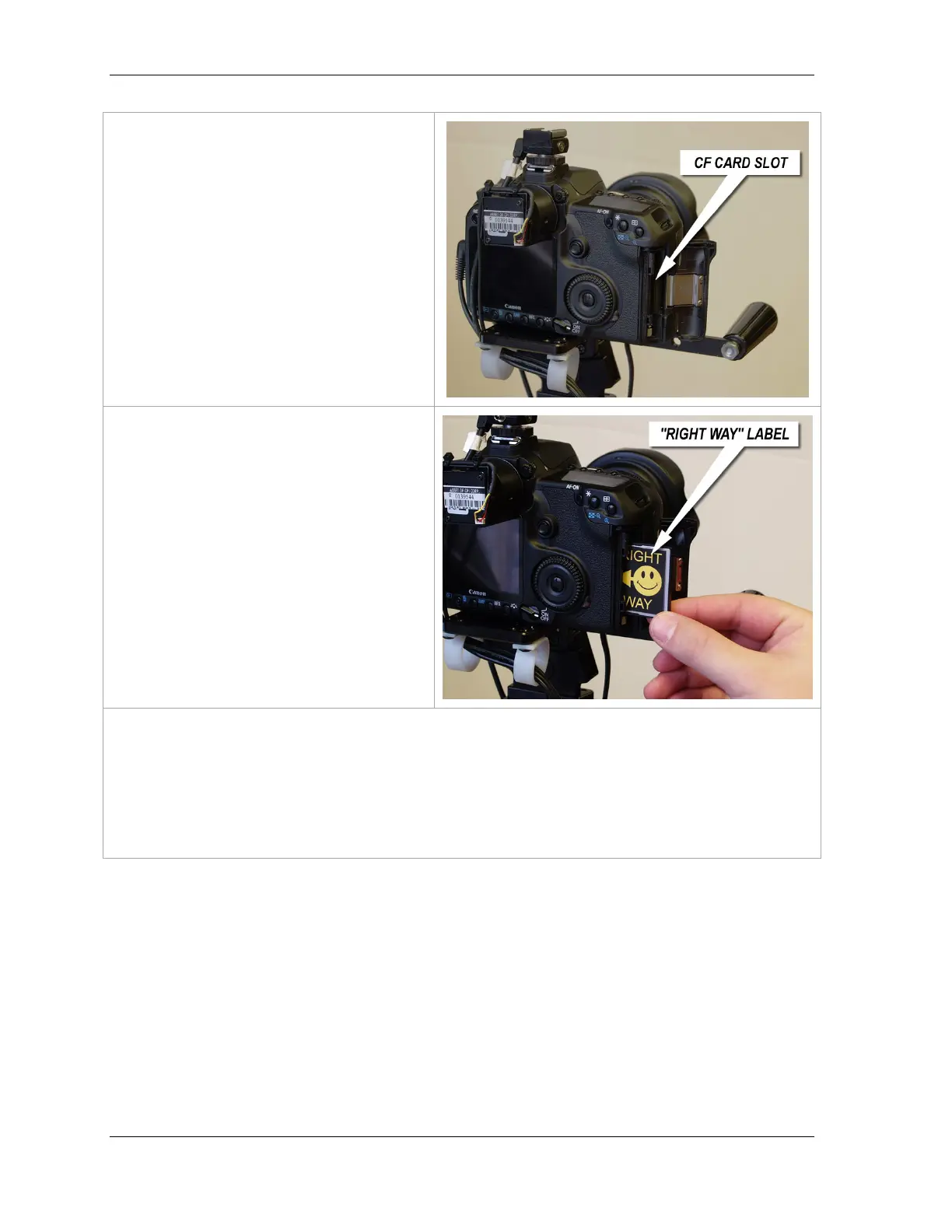
CF Card Slot
Opening the CF Card Slot Cover will reveal
the CF Card Slot.
The CF Media Card
Face the back of the camera to load the
card.
Gently load the CF Media Card into the CF
Media Card Slot.
The smiley face and the words “Right
Way” must be facing you.
NOTE: Do not shove or jam the card into the
camera. Gently push the card into the slot.
IMPORTANT! Incorrect loading of the CF Media Card is the most common reason cameras become
inoperable in Wal-Mart Portrait Studios.
The 40D Digital Camera and the CF Media Card mate through a series of small pins located inside the
camera. If the card is loaded incorrectly, these pins will be damaged. If this happens, the camera will
not function and will require replacement.












 To Next Page