ADDED FUNCTIONALITY AND LENS COMPATIBILITY
29
EN
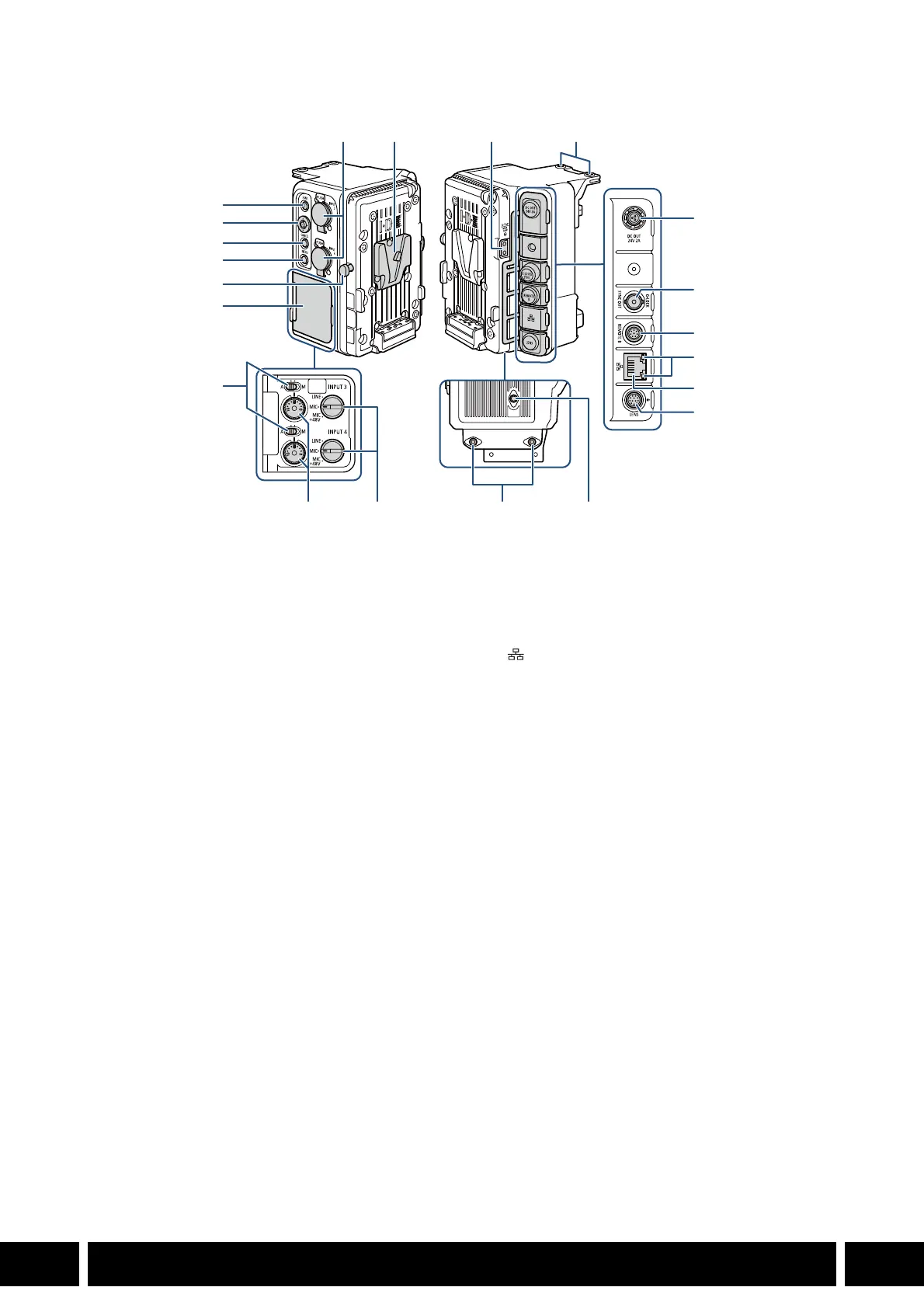
Names of Parts
1
For details on the terminals’ functions and how to use them, see the instruction manual of the camera being used.
2
These controls can be used only when a commercially available V-mount battery is attached to the EU-V2.
1 FUNC (main functions) button
1
/
Assignable button Exp. Unit EU-V2: 1
2Joystick
1
3CANCEL button
1
4MENU button
1
5 V-mount battery release latch
6 Cover for audio controls
7 Audio level switches for CH3 (top) and CH4
(bottom)
1
8 INPUT terminals (XLR): INPUT 3 (top), INPUT 4
(bottom)
1, 2
9 V-shaped battery mount (V-mount)
10 D-TAP terminal
2
11 Screw holes for fixation bolts (x2)
12 DC OUT 24V 2A terminal
2
13 G-LOCK/SYNC OUT (Genlock/
synchronization) terminal
1
• The terminal’s function (Genlock input/
reference signal output) is changed using the
menu. See the [System Setup] menu
settings’ table in the instruction manual of the
camera being used.
14 REMOTE B terminal
1
• For connecting the optional RC-V100
Remote Controller.
15 Ethernet access indicator
1
16 (Ethernet) terminal
1
17 LENS terminal
2
18 Audio level dials for CH3 (top) and CH4
(bottom)
1
19 INPUT 3 (top) / INPUT 4 (bottom) switches
(audio source selection)
1, 2
20 Screw holes for M4 bolts (7.5 mm (0.30 in.)
deep, x2)
21 Screw hole for 1/4"-20 bolts (7.5 mm (0.30 in.)
deep)
1
2
3
4
5
6
7
8
18 19 20 21
91011
12
13
14
15
16
17



 To Next Page