ADDED FUNCTIONALITY AND LENS COMPATIBILITY
30
EN
Attaching the Expansion Unit to the Camera
1. Turn off the camera.
• The accessory will not work if it is attached while the camera is turned on.
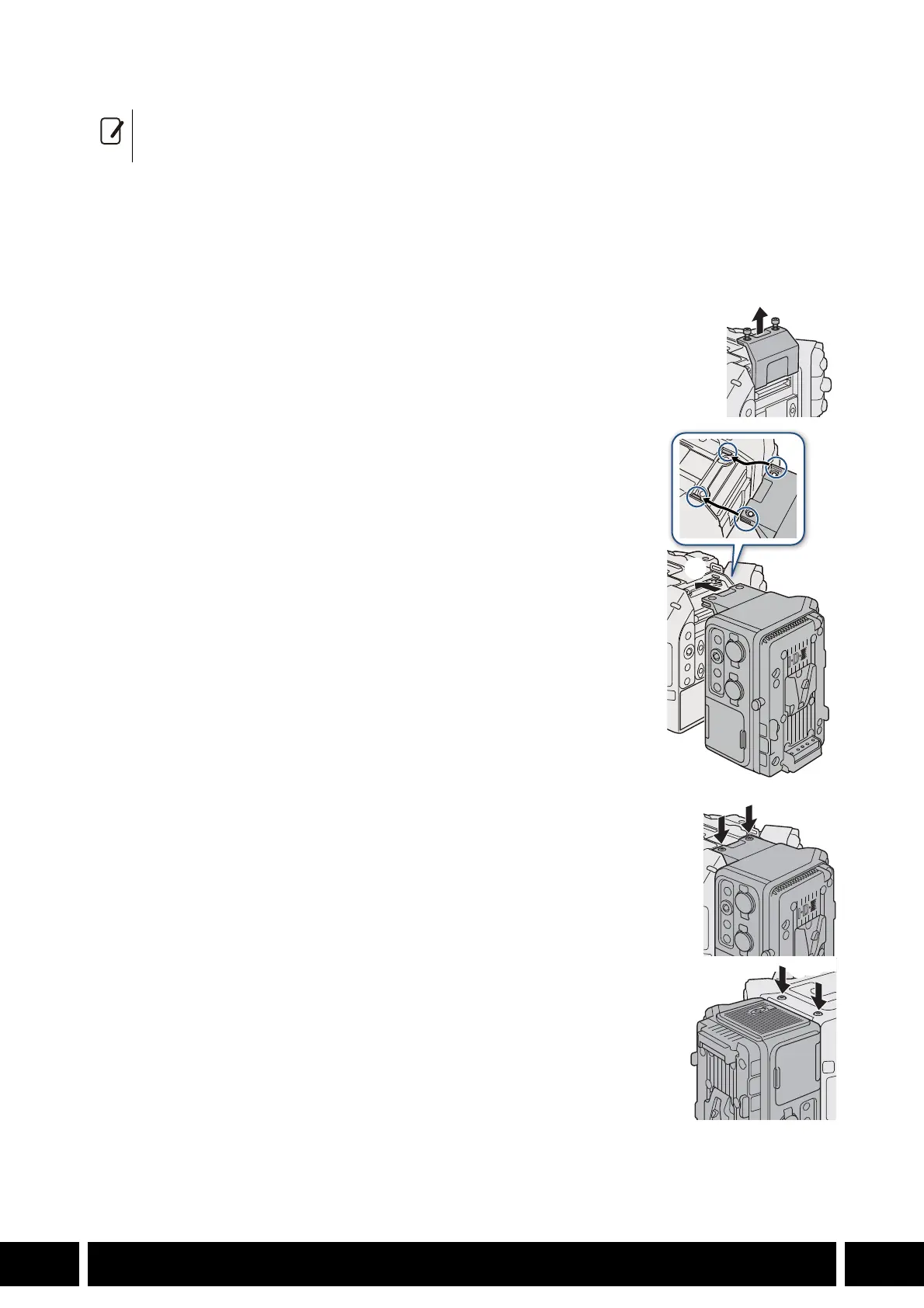
2. Remove the camera’s expansion unit cover.
• Remove the 2 bolts in the illustration using the hex wrench for M4 bolts.
3. Attach the expansion unit.
• Remove the expansion unit’s connector cover. Align the ridges on the
expansion unit with the protruding tabs on the camera and push the
expansion unit straight, all the way forward.
4. Secure the expansion unit in place.
• First, fasten the 2 fixation bolts you removed in step 2 to the top (햵-1).
Then, fasten the 2 supplied M4 fixation bolts to the bottom (햵-2).
• You can remove all the terminals’ covers by removing the two screws fixing them in place with a
commercially available Phillips head (“crosshead”) screwdriver.



 To Next Page