ADDED FUNCTIONALITY AND LENS COMPATIBILITY
31
EN
Power Supply and Power Outputs
You can attach commercially available V-mount batteries to the EU-V2. If you connect an AC adapter to the
camera’s DC IN 12V terminal with a V-mount battery attached to the EU-V2, the camera will draw power
from the AC adapter. Attaching a V-mount battery is necessary to use some of the expansion unit’s
terminals and functions (0 29).
Acceptable Batteries
When selecting commercially available batteries, make sure the battery meets the following specifications
and all the safety standards of the country/region where it is used. Closely follow the manufacturer’s
instructions regarding the use and maintenance of power sources.
V-mount battery: 12 V to 20 V DC
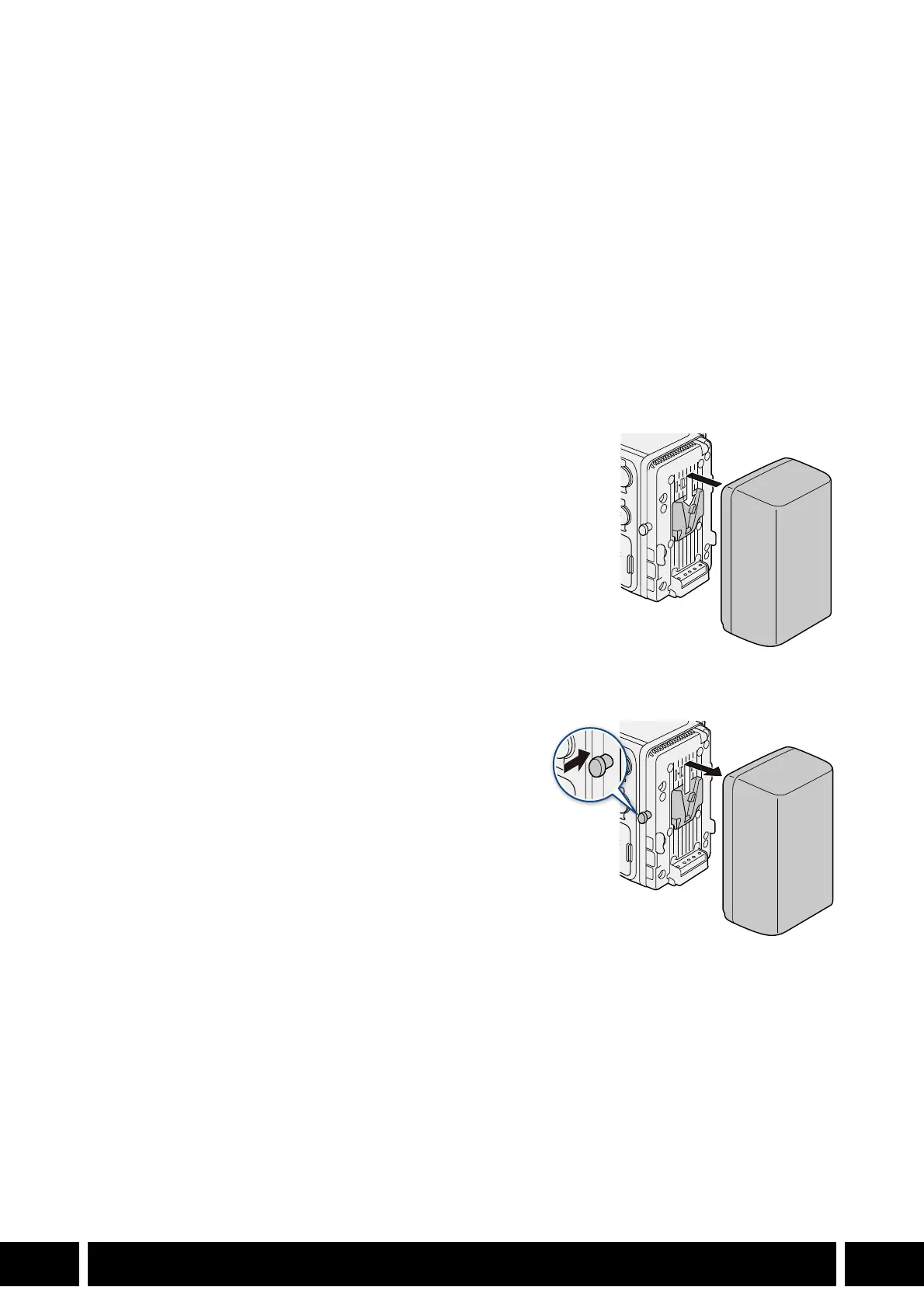
Attaching a Battery
1. Make sure the camera is turned off.
2. Align the V-shaped wedge on the battery to the V-mount on
the battery plate.
3. Gently press the battery down until it clicks in place.
Removing a Battery
1. Turn off the camera.
2. While holding the battery release latch pressed down,
slide the battery up and remove it.



 To Next Page