71
Advanced Features
Changing the FUNC. Settings
E
Using the Digital Effects
The digital effects include faders, video effects, multi-image screen and card mix. All
digital effects are available only when recording movies ( ), except for the
[BLK & WHT] (Black and White) effect, which is available also when recording still images
().
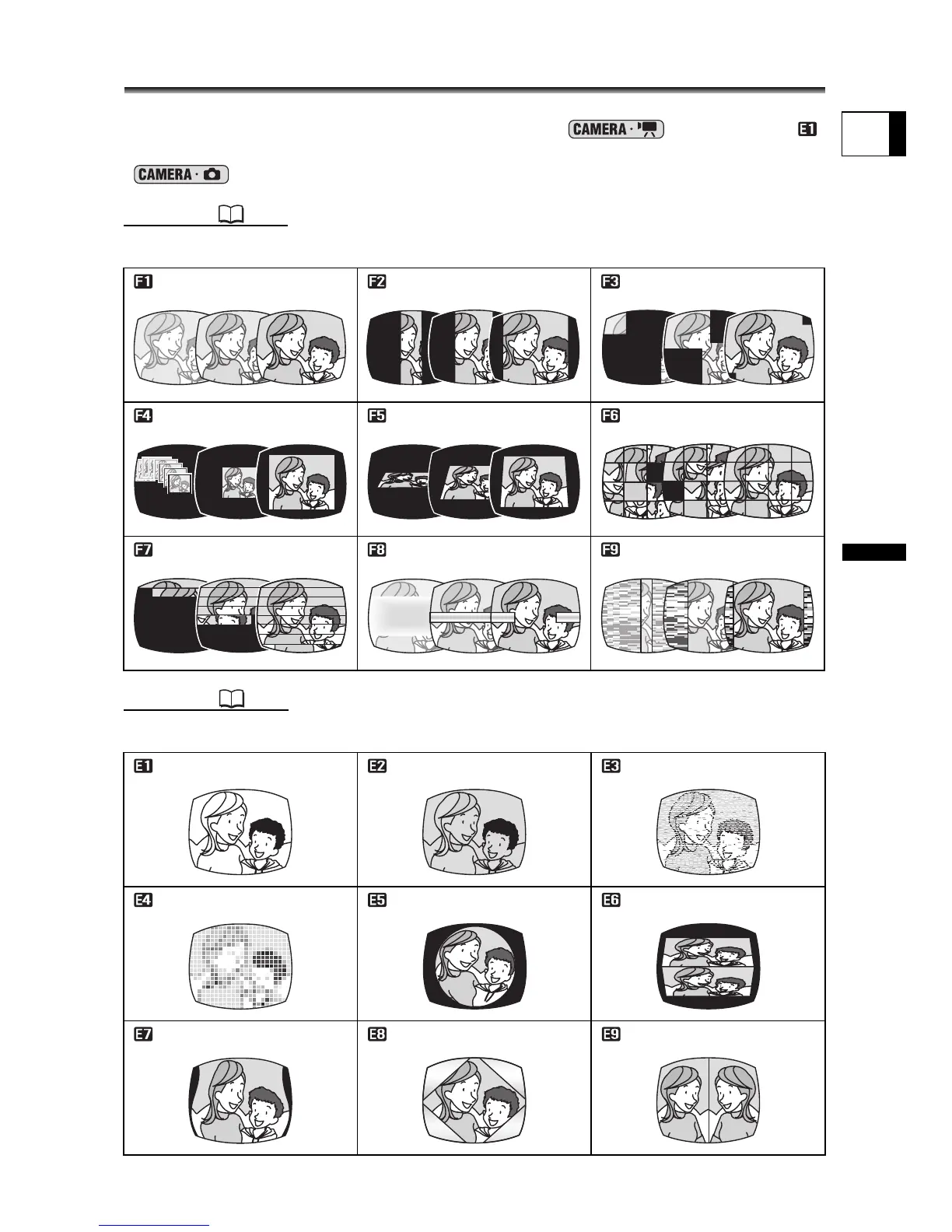
Faders ( 72)
Begin or end scenes with a fade to or from black.
Effects ( 73)
Add flavor to your recordings. Sound will be recorded normally.
Fade Trigger (FADE-T) Wipe (WIPE)
Corner Wipe (CORNER)
Jump (JUMP) Flip (FLIP) Puzzle (PUZZLE)
Zigzag (ZIGZAG) Beam (BEAM) Tide (TIDE)
Black and White (BLK&WHT)
Sepia (SEPIA) Art (ART)
Mosaic (MOSAIC) Ball (BALL) Cube (CUBE)
Wave (WAVE)
Color Mask (COLOR M.)
Mirror (MIRROR)



 To Next Page