49
The ISO speed is a numeric indication of the sensitivity to light. A higher
ISO speed number indicates a higher sensitivity to light. Therefore, a
high ISO speed is suited for low light and moving subjects. However, the
image may look more coarse with noise, etc. On the other hand, a low
ISO speed is not suited for low light or action shots, but the image will
look cleaner. The camera can be set between ISO 100 and 1600 in 1-
stop increments.
The ISO speed is set automatically within ISO 100-400.
You can set the ISO speed to “100”, “200”, “400”, “800”, or “1600”. With
C.Fn-08 [ISO expansion] set to [1: On] (p.143), “H” (ISO 3200) can
also be set.
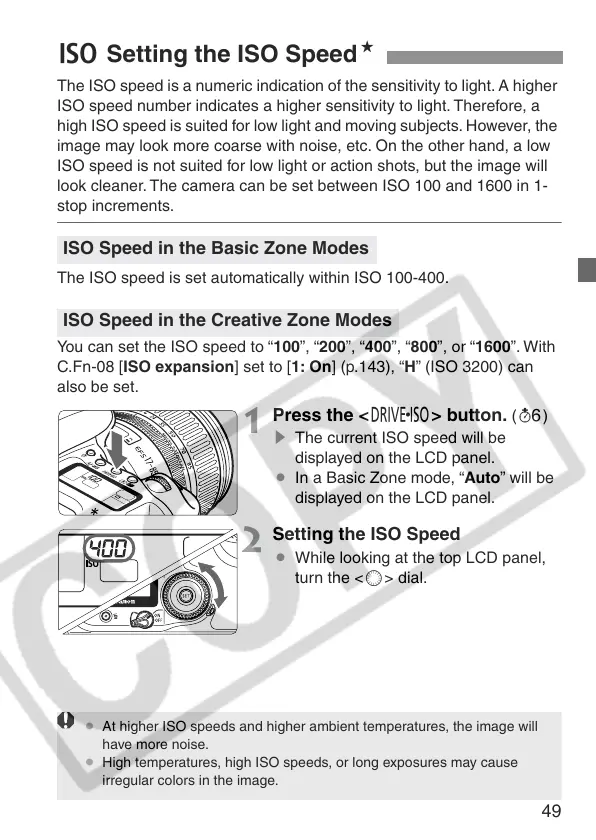
1
Press the <R> button. (9)
s The current ISO speed will be
displayed on the LCD panel.
¡ In a Basic Zone mode, “Auto” will be
displayed on the LCD panel.
2
Setting the ISO Speed
¡ While looking at the top LCD panel,
turn the <5> dial.
g Setting the ISO SpeedN
ISO Speed in the Basic Zone Modes
ISO Speed in the Creative Zone Modes
¡ At higher ISO speeds and higher ambient temperatures, the image will
have more noise.
¡ High temperatures, high ISO speeds, or long exposures may cause
irregular colors in the image.















 To Next Page