SSelecting the AF PointN
68
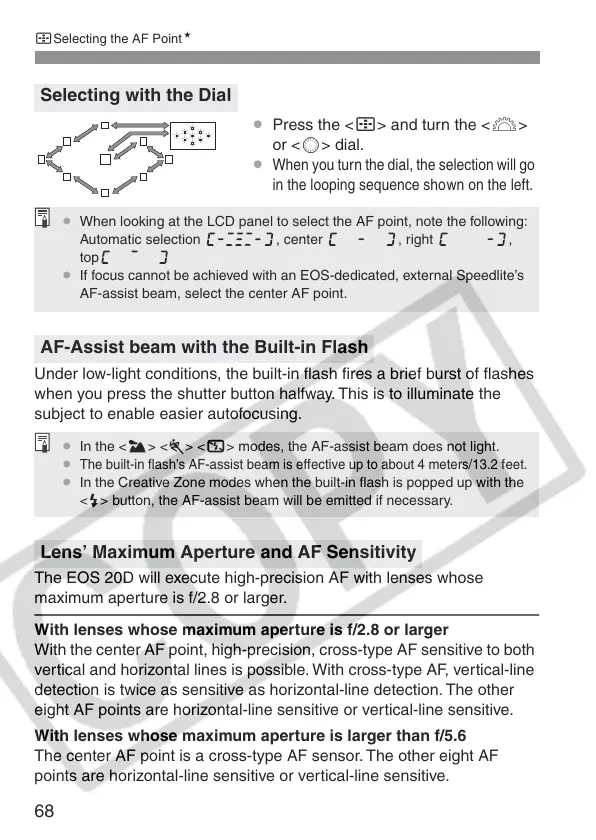
¡ Press the <S> and turn the <6>
or <5> dial.
¡
When you turn the dial, the selection will go
in the looping sequence shown on the left.
Under low-light conditions, the built-in flash fires a brief burst of flashes
when you press the shutter button halfway. This is to illuminate the
subject to enable easier autofocusing.
The EOS 20D will execute high-precision AF with lenses whose
maximum aperture is f/2.8 or larger.
With lenses whose maximum aperture is f/2.8 or larger
With the center AF point, high-precision, cross-type AF sensitive to both
vertical and horizontal lines is possible. With cross-type AF, vertical-line
detection is twice as sensitive as horizontal-line detection. The other
eight AF points are horizontal-line sensitive or vertical-line sensitive.
With lenses whose maximum aperture is larger than f/5.6
The center AF point is a cross-type AF sensor. The other eight AF
points are horizontal-line sensitive or vertical-line sensitive.
Selecting with the Dial
AF-Assist beam with the Built-in Flash
Lens’ Maximum Aperture and AF Sensitivity
¡ When looking at the LCD panel to select the AF point, note the following:
Automatic selection , center , right ,
top
¡ If focus cannot be achieved with an EOS-dedicated, external Speedlite’s
AF-assist beam, select the center AF point.
¡ In the <3> <5> <7> modes, the AF-assist beam does not light.
¡
The built-in flash’s AF-assist beam is effective up to about 4 meters/13.2 feet.
¡ In the Creative Zone modes when the built-in flash is popped up with the
<I> button, the AF-assist beam will be emitted if necessary.















 To Next Page