409
You can use a Bluetooth
connection with Bluetooth low energy
technology-compatible Wireless Remote Control BR-E1 for remote
control operations. In order to use the BR-E1, you first need to pair
the camera and remote controller (registering the device to the
camera).
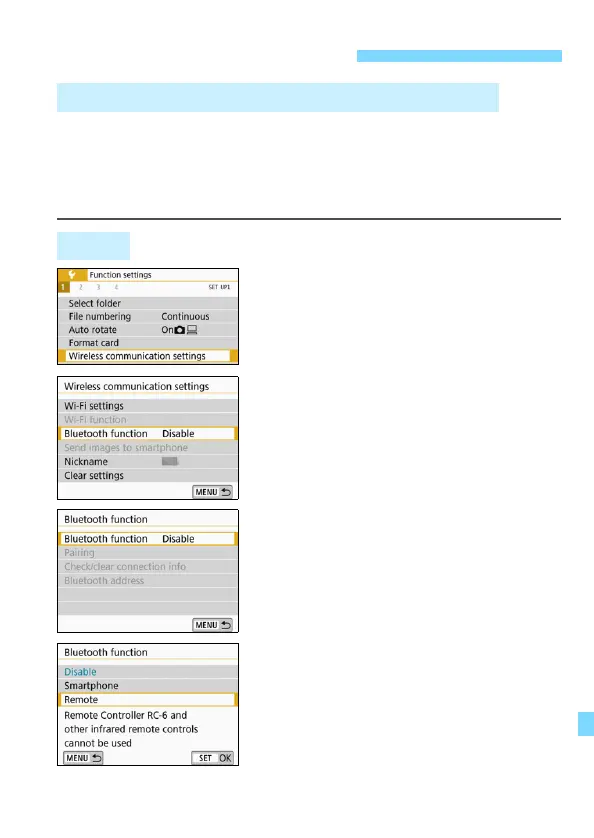
1
Select [Wireless communication
settings].
Under the [51] tab, select [Wireless
communication settings], then
press <0>.
2
Select [Bluetooth function].
3
Select [Bluetooth function].
4
Select [Remote].
If a message “Register a nickname to
identify the camera.” appears, press
<0> and register a nickname. For
the procedure to register a nickname,
refer to page 13 of the Wi-Fi
(Wireless Communication) Function
Instruction Manual.
Remote Control Shooting
Wireless Remote Control BR-E1 (Sold Separately)
Pairing





 To Next Page