477
You can use EOS software to download images from the camera to a
computer. There are two ways to do this.
1
Install the software (p.475).
2
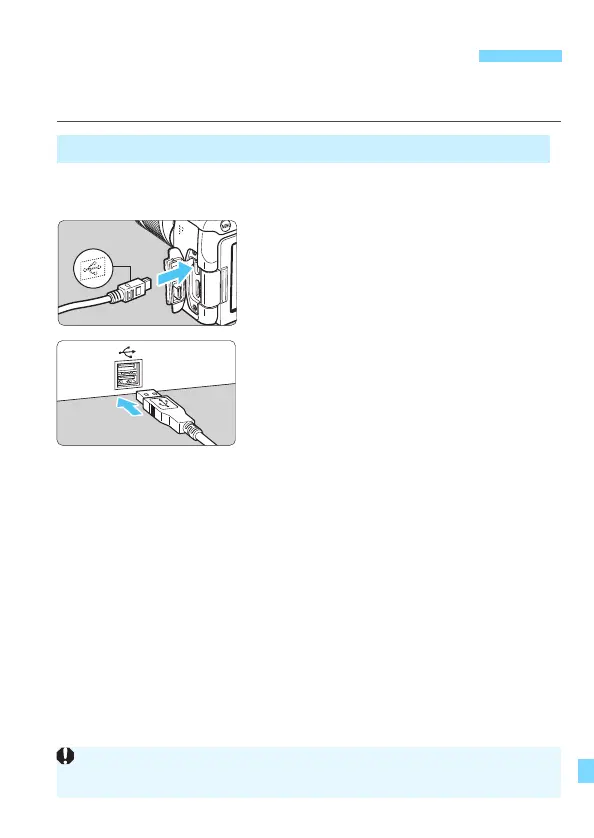
Use an interface cable (sold
separately) to connect the camera
to the computer.
Connect the cable to the camera’s
digital terminal with the cable plug’s
<D> icon facing the front of the
camera.
Connect the cord’s plug to the
computer’s USB terminal.
3
Use EOS Utility to transfer the
images.
Refer to the EOS Utility Instruction
Manual.
Downloading Images to a Computer
Downloading by Connecting the Camera to the Computer
While a Wi-Fi connection is established, the camera cannot be connected to
a computer with an interface cable.





 To Next Page