64
External Connections
This chapter explains how to connect your camcorder to an external
device such as a TV, VCR, or computer.
Connection Diagrams
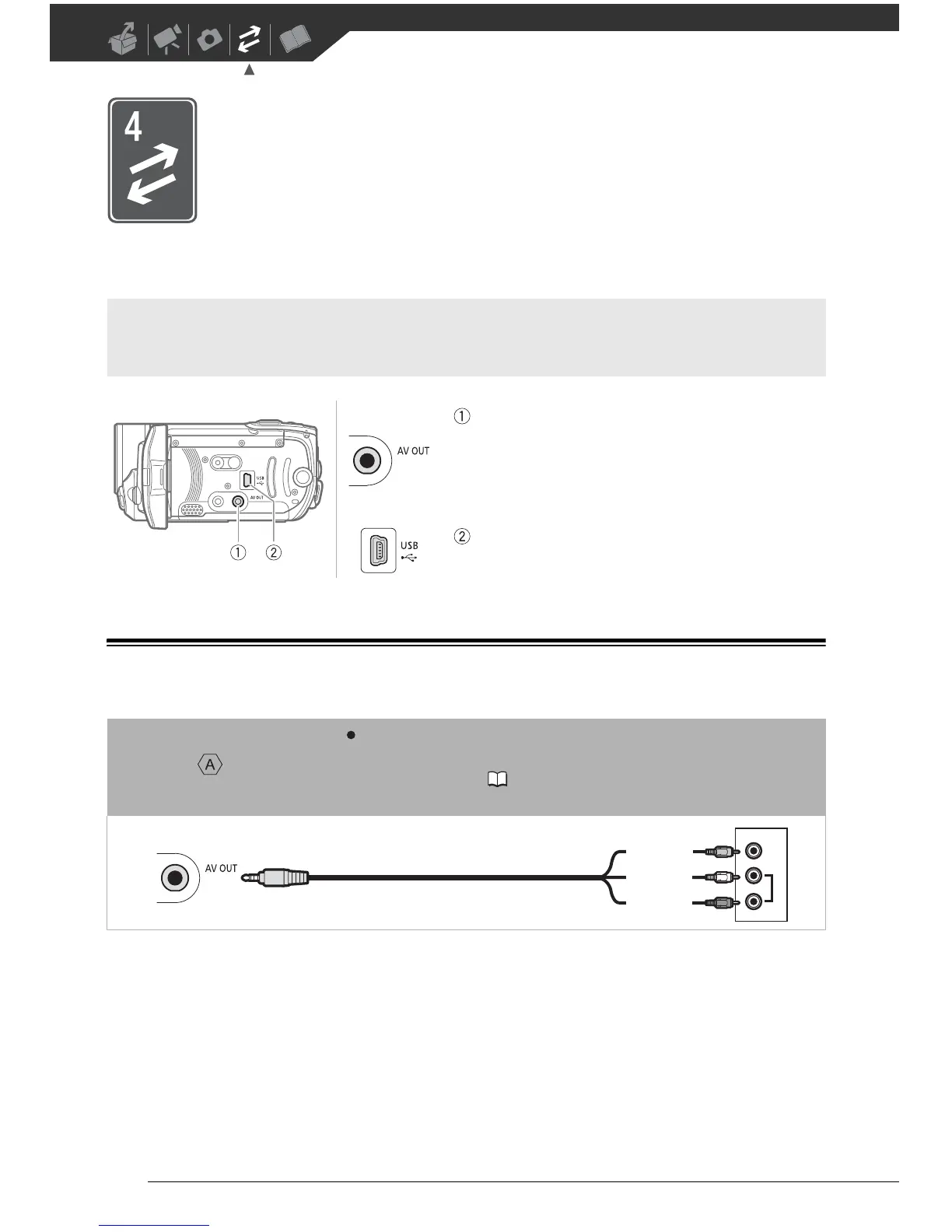
Terminals on the Camcorder
AV OUT Terminal
Access: Open the LCD panel.
Sound from the built-in speaker will be muted while the
STV-250N Stereo Video Cable is connected to the
camcorder.
USB Terminal
Access: Open the LCD panel.
Connection
Type: Analog Output only
Connect to a TV or VCR with audio/video input terminals. If the TV cannot automatically
detect and change the aspect ratio ( 78), change [TV TYPE] according to the TV set
(widescreen or 4:3).
VIDEO
AUDIO



 To Next Page