11
Getting to Know the Camcorder
Introduction
Names of buttons and switches other than the
joystick are indicated within a
“button” frame (for
example ).
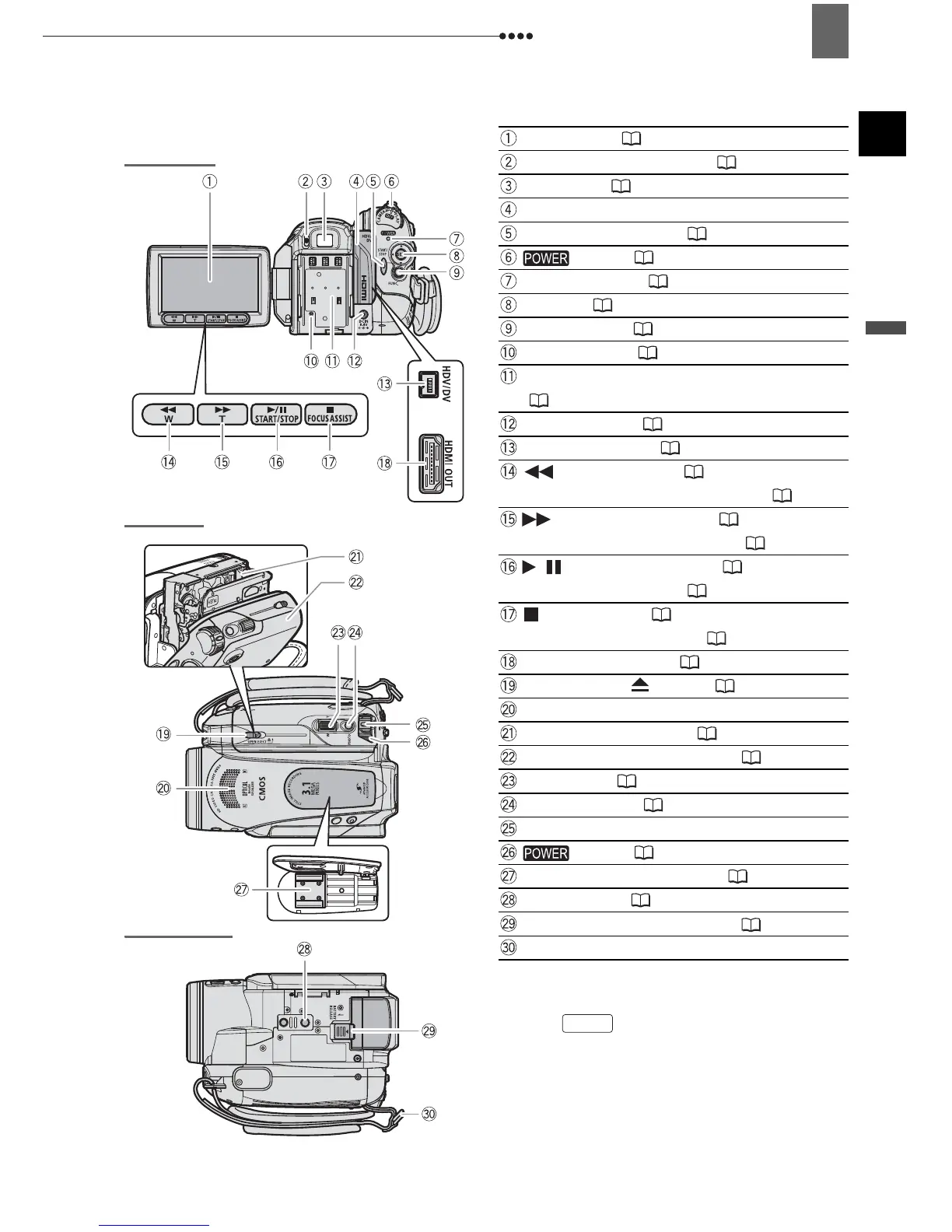
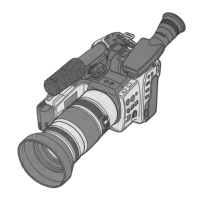
Back view
Top view
Bottom view
LCD screen ( 20)
Dioptric adjustment lever ( 19)
Viewfinder ( 19)
Terminal cover
START/STOP button ( 24)
switch ( 8)
Power indicator ( 8)
Joystick ( 8)
FUNC. button ( 21, 33)
RESET button ( 83)
Serial number/Battery attachment unit
(16)
DC IN terminal ( 16)
HDV/DV terminal ( 65, 74)
(rewind) button ( 27)/
Zoom out W (wide-angle) button ( 26)
(fast forward) button ( 27)/
Zoom in T (telephoto) button ( 26)
/ (play/pause) button ( 27)/
START/STOP button ( 24)
(stop) button ( 27)/
FOCUS ASSIST button ( 48)
HDMI OUT terminal ( 65, 68)
OPEN/EJECT switch
(18)
Stereo microphone
Cassette compartment
(18)
Cassette compartment cover
( 18)
Zoom lever ( 26)
PHOTO button ( 25)
Lock button
switch ( 8)
Advanced accessory shoe ( 57, 60)
Tripod socket
(25)
BATTERY RELEASE switch ( 16)
Strap mount
FUNC.


 To Next Page