Connecting to a TV or VCR
External Connections
65
External Connections Connec ting to a TV or VCR
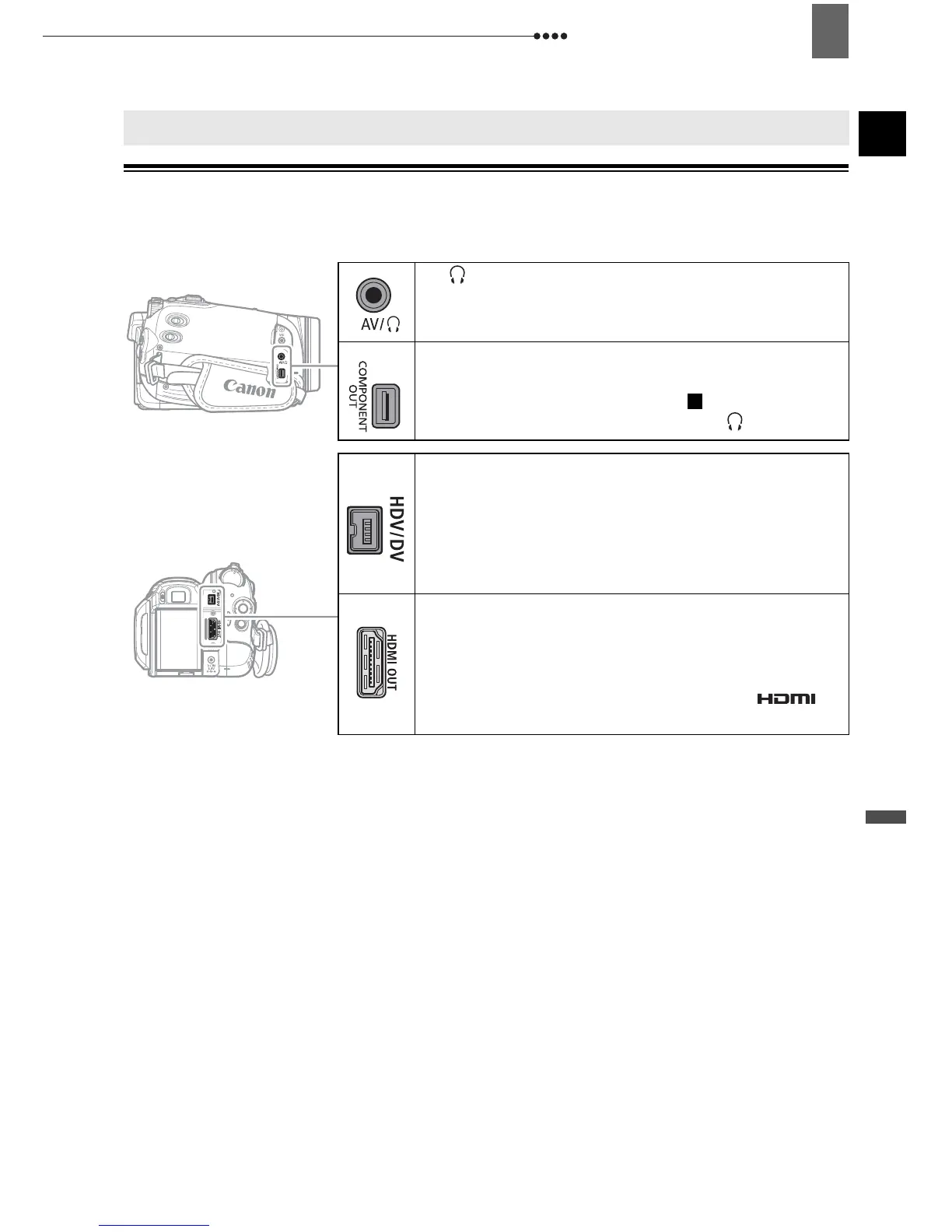
Connection Diagrams
Turn off all the devices when making the connections and refer also to the instruction
manual of the connected device.
Connecting to a TV or VCR
Open the terminal
cover to access.
AV/ Terminal
COMPONENT OUT Terminal
The component video terminal is for video only.
When you use connection type do not forget
the audio connections using the AV/ terminal.
HDV/DV Terminal
• Check the type and orientation of the terminal
and make sure you connect the DV cable
properly.
• Use the optional CV-150F (4 pin-4 pin) or
CV-250F (4 pin-6 pin) DV cable.
HDMI OUT Terminal
The HDMI OUT terminal offers a high-quality
digital connection that combines audio and video
in a single convenient cable.
Use only HDMI cables marked with the
logo.
1


 To Next Page