Using the Recording Programs
Advanced Functions
45
T
O
SET
THE
APERTURE
VALUE
OR
SHUTTER
SPEED
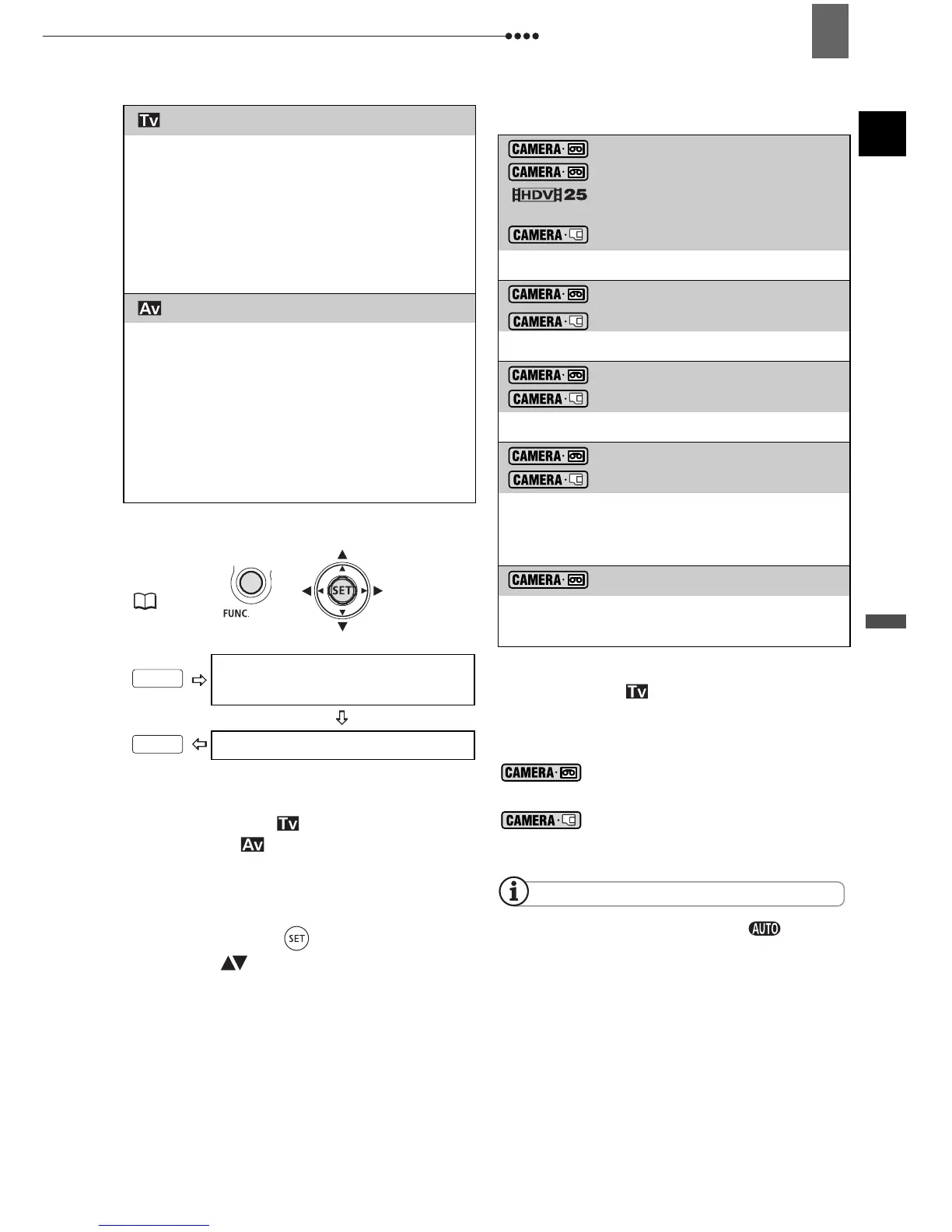
When you select [ SHUTTER-
PRIO.AE] or [ APERTURE-PRIO.AE],
a numeric value will appear next to the
recording program icon.
1 If the joystick guide appears on the
screen, press ( ) to hide it.
2 Adjust ( ) the shutter speed or
aperture to the desired value.
Shutter speed guidelines
Note that on screen only the denominator
is displayed – [ 250] indicates a
shutter speed of 1/250 second, etc.
Available Aperture Values
[1.8], [2.0], [2.4], [2.8], [3.4],
[4.0], [4.8], [5.6], [6.7], [8.0]
[2.8], [3.4], [4.0], [4.8], [5.6],
[6.7], [8.0]
NOTES
When the mode switch is set to , the
joystick guide will not appear.
Do not change the position of the mode
switch while recording, as the brightness of the
image may change abruptly.
When setting a numeric value (aperture or
shutter speed), the number display will flash if
the aperture or shutter speed is not appropriate
for the recording conditions. In such case,
select a different value.
[ SHUTTER-PRIO.AE]
Set the shutter speed value. The
camcorder automatically sets the
appropriate aperture value. Use a high
shutter speed to record fast moving
subjects or a slow shutter speed to add
motion blur, emphasizing the feel of
movement.
[ APERTURE-PRIO.AE]
Set the aperture value. The camcorder
automatically sets the appropriate shutter
speed. Use low aperture values (larger
lens opening) to softly blur the background
in a portrait or high aperture values
(smaller lens opening) to get a wider depth
of field, giving a sharp focus all throughout
a landscape.
FUNC.
(21)
Icon of the currently selected
Recording Program
Desired option
FUNC.
FUNC.
1/6, 1/12, 1/25
with cinema effect
[HDV(PF25)]
1/6, 1/12, 1/25
1/2, 1/3, 1/6, 1/12, 1/25
For recording subjects in dark places.
1/50
1/50
For general recordings.
1/120
1/120
For recording indoor sports scenes.
1/250, 1/500, 1/1000
1/250, 1/500
For recording from within a car or train, or
for recording moving subjects such as
roller coasters.
1/2000
For recording outdoor sports such as golf
or tennis on sunny days.


 To Next Page