Other Functions
56
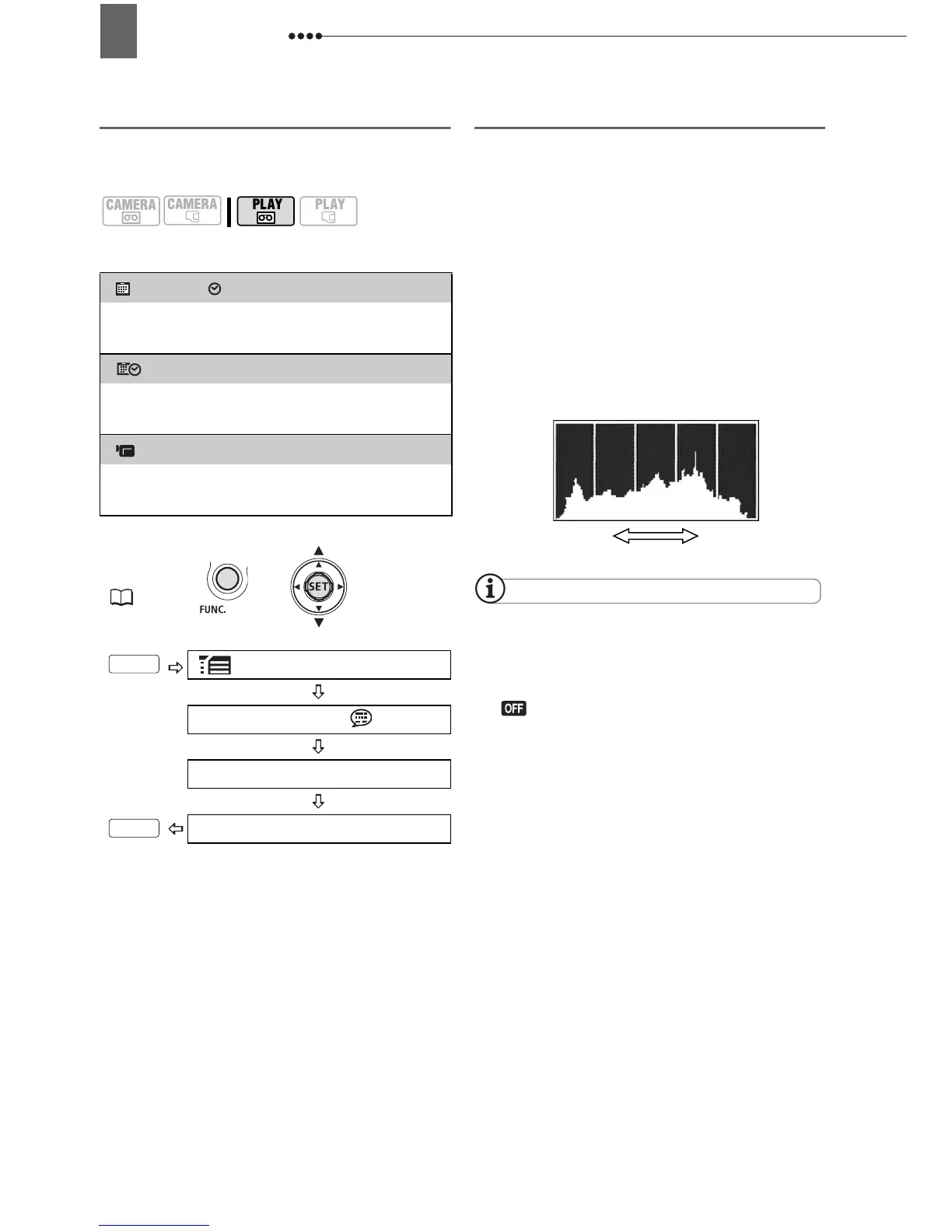
Selecting the Data Code
You can select the data code to be
displayed when playing back movies.
Options
Default value
Reading the Histogram Display
When viewing still images you can
display the histogram and the icons of all
the functions used at the time of
recording. Use the histogram as a
reference to verify the correct exposure of
the still image.
The area to the right of the histogram
represents highlights and the left side
represents shadows. A still image whose
histogram skews to the right is relatively
bright; while one whose histogram peaks
to the left, is relatively dark.
NOTES
The histogram display will appear also after
recording a still image while reviewing it within
the time set for the [REVIEW] option (or
immediately after recording it, if [REVIEW] is set
to [ OFF]).
[ DATE], [ TIME]
Displays the date or time when the scene
or still image was recorded.
[ DATE & TIME]
Displays both the date and time of the
recording.
[ CAMERA DATA]
Displays the aperture (f-stop) and shutter
speed used when recording the image.
FUNC.
(21)
MENU
DISPLAY SETUP/
DATA CODE
Desired option
FUNC.
FUNC.
Shadows
Pixel Count
Highlights



 To Next Page