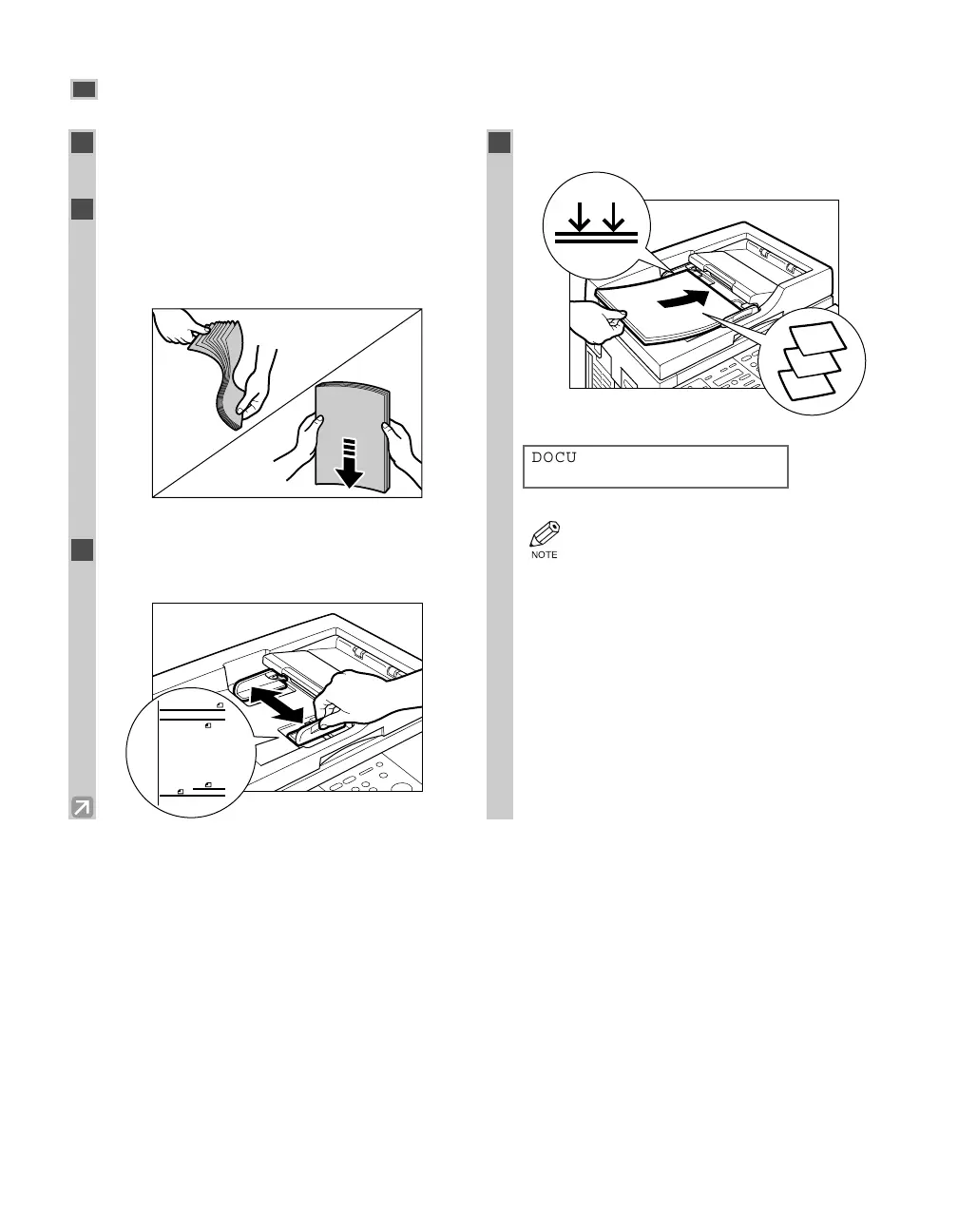
Loading Documents in the ADF
3-4
1
Make sure there is no document on the
platen glass.
2
Fan the edges that will feed into the
machine first, then tap the edge of
multipage documents on a flat surface to
even the stack.
3
Adjust the slide guides to the width of the
document.
4
Load the documents face down in the ADF.
• The document is now ready for scanning.
• For a multipage document, the pages are
fed one by one from the top of the stack
(from the last page).
• Wait until all pages of your document have
been scanned before starting a new job.
• 30 sheets of LTR-size (20-lb bond / 80
g/m
2
) documents can be set in the ADF. If
more than 30 sheets (LTR) of documents
are set in the ADF, paper jams may occur.
• 15 sheets of LGL-size (20-lb bond / 80
g/m
2
) documents can be set in the ADF.
DOCUMENT READY
1
2
3
STMT
A5
A4
LTR/
FLS/
LGL
03 RG_Chap3.qxd 03.7.10 3:24 PM Page 3-4














 To Next Page