2-5
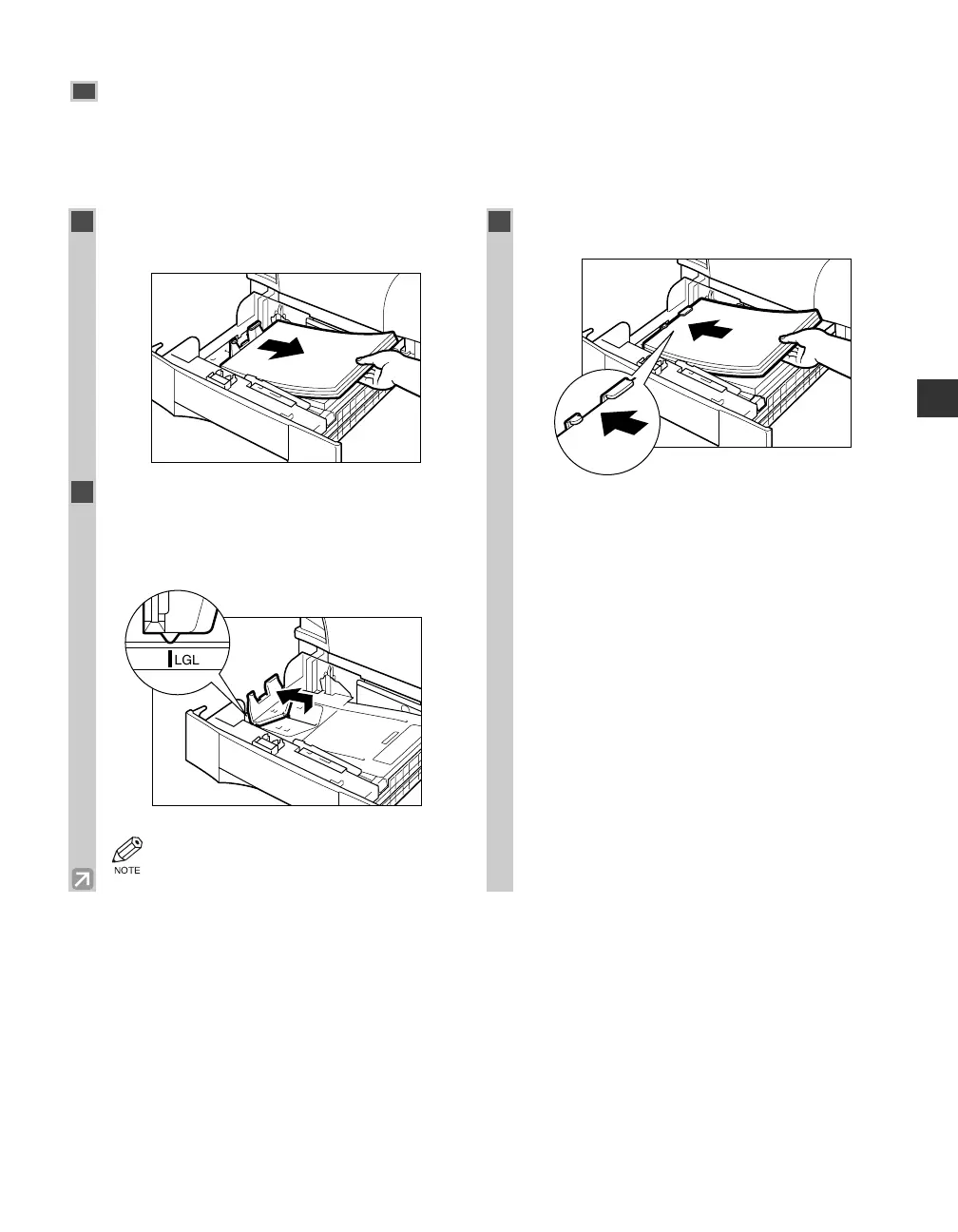
Adjusting a Cassette to Hold a Different Paper Size
If you want to load a different paper size in the cassette, follow the procedure described below to adjust the
cassette guides.
You can adjust the cassette to hold the following standard paper sizes : LGL and LTR.
If you want to make copies on any other size paper, use the multi-purpose tray. (→ p. 2-6)
Paper Handling
2
1
Pull out the cassette, and remove all loaded
paper.
2
Slide the length guide while lifting it up
slightly, and align the length guide with the
length mark for the paper to be loaded in
the cassette.
• Be sure to align the length guide with the
LGL or LTR mark.
3
Load the paper into the cassette.
02 RG_Chap2.qxd 03.7.10 3:28 PM Page 2-5














 To Next Page