Chapter 4
4-15
4.3.5 Drive Unit
0023-3212
a) Feed Motor
Removing the Feed Motor
1) Remove the left cover.
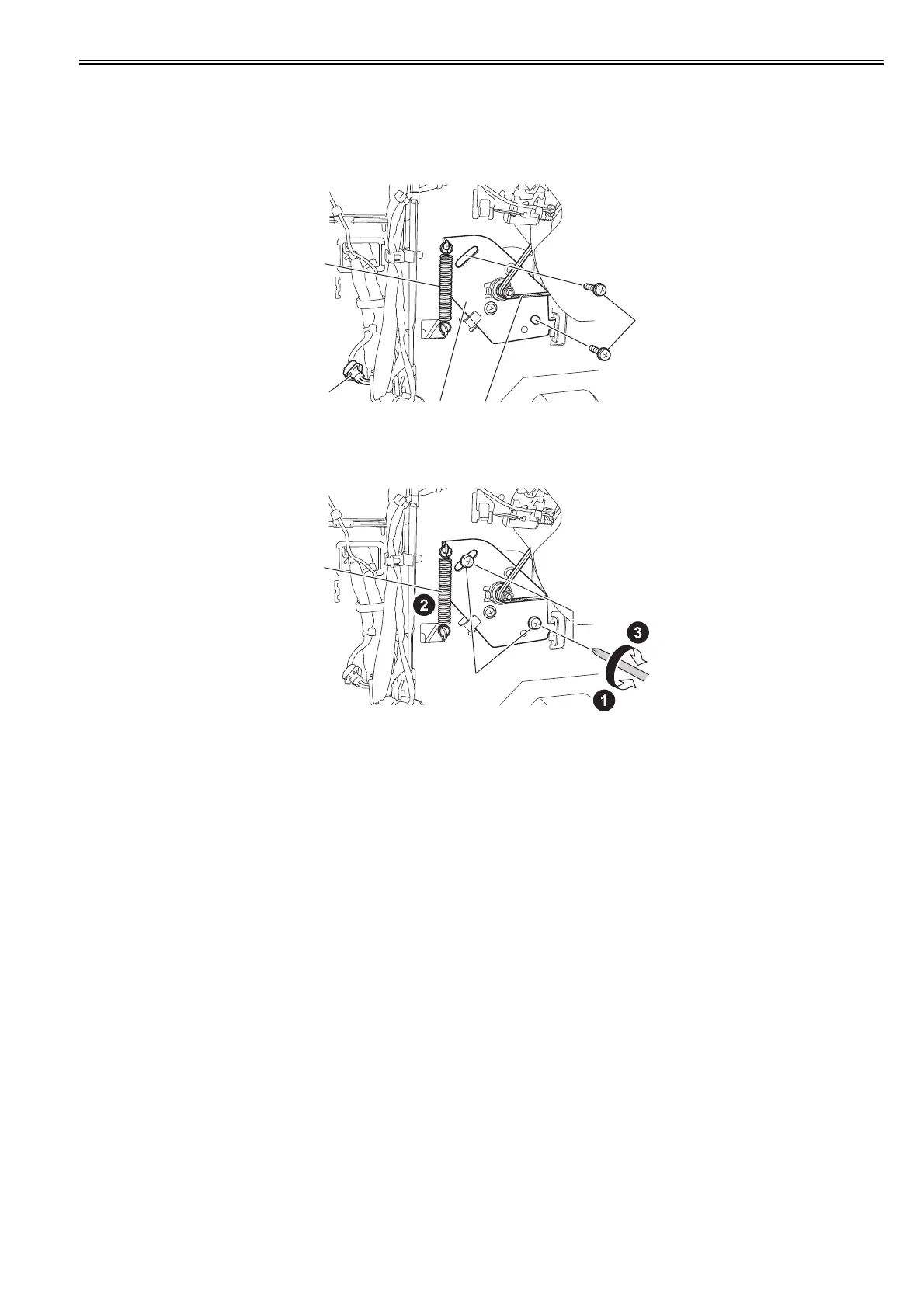
2) Remove one spring [1], two screws [2], and one connector [3], and then remove the belt [4] from the motor pulley and remove the cable from the cable guide to
remove the feed motor [5].
F-4-28
Precautions about Reinstallation of Feed Motor
Put the timing belt on the pulley in the feed motor drive unit, tighten the screw [1] temporarily, install the spring [2], and then tighten the screw [1] to secure the
feed motor.
F-4-29
b) Action to take after replacing the feed roller encoder and feed roller
This printer as shipped has the feed roller eccentricity (that is, variations in the rate of paper feed from rotation to rotation) corrected for enhanced media feed ac-
curacy. When the feed roller HP sensor or feed roller encoder and feed roller pertaining to the correction of eccentricity variations has been replaced, therefore, they
should require adjustment.
Execute service mode under the following conditions to launch automatic adjustment:
Service mode: SERVICE MODE > ADJUST > PRINT PATTERN > LF TUNING
Media type: Glossy photo paper
If adjustment cannot be done properly by selecting "SERVICE MODE > ADJUST > PRINT PATTERN > LF TUNING" (auto adjustment), carry out manual ad-
justment.
Service mode: SERVICE MODE > ADJUST > PRINT PATTERN > LF TUNING2
Media type: Gloss photo paper
Check the printed pattern and enter values for adjustment.
[1]
[3]
[5]
[4]
[2]
[2]
[1]














 To Next Page