Chapter 4
4-21
4.3.7 Purge Unit
0027-9564
a) Purge Unit
Removing the Purge Unit
1) Unlock the carriage unit, and then move the carriage onto the platen. Refer to "Disassembly/Reassembly > Points to Note on Disassembly and Reassembly >
Opening the Cap/Moving the Wiper Unit".
2) Remove the right cover.
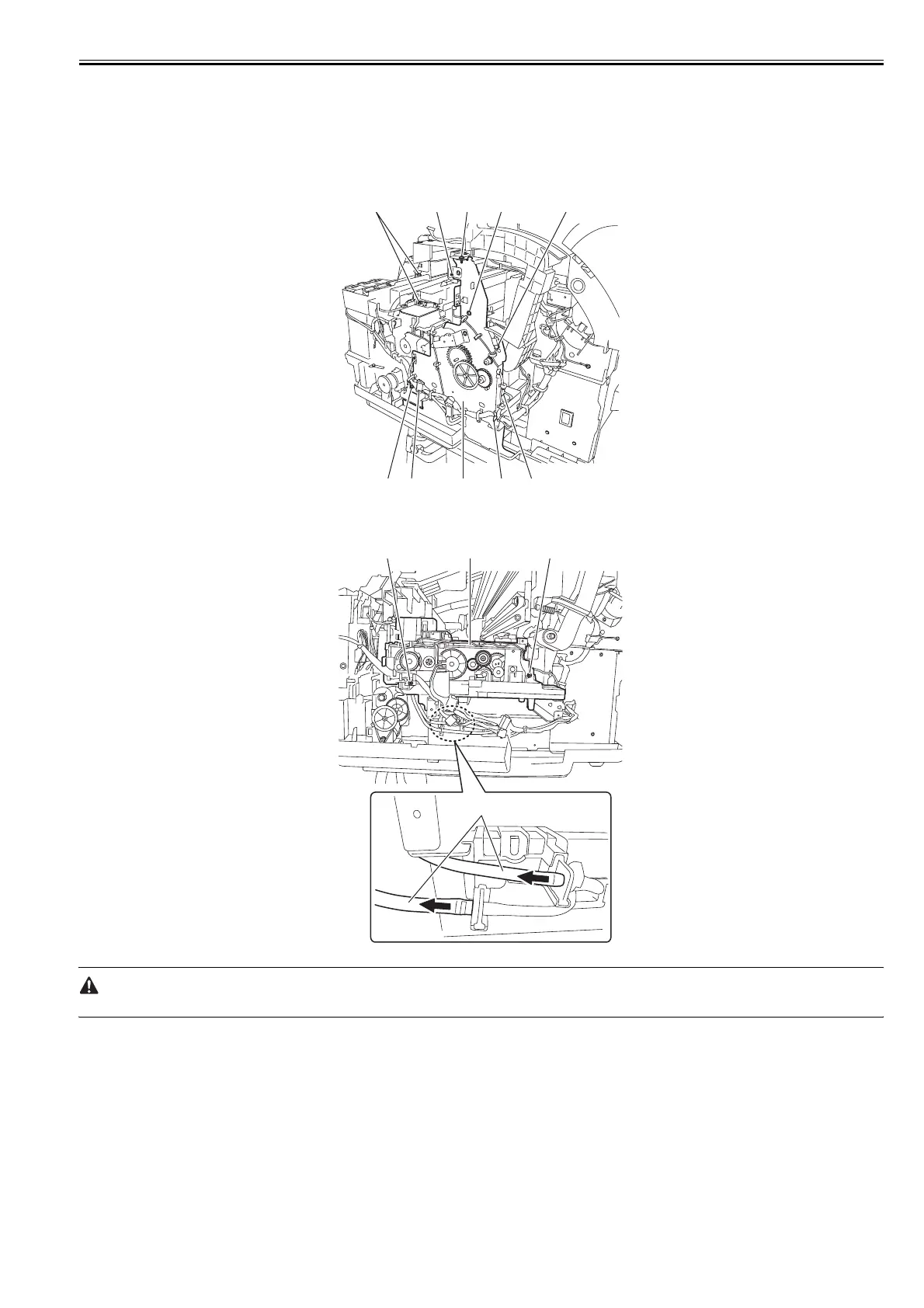
3) Remove five screws [1] and disconnect five connectors [2], and then remove the cable from the cable guide to remove the right side plate unit [3].
F-4-39
4) Remove two screws [1] and two waste ink tubes [2], the cable from the cable guide, and then remove the purge unit [3].
F-4-40
Remove the waste ink tubes carefully so that ink does not spout.
[2] [1] [1] [1] [2]
[1] [2] [3] [1] [2]
[1] [3] [1]
[2]














 To Next Page