MP250 User Guide
11
Initial Setup
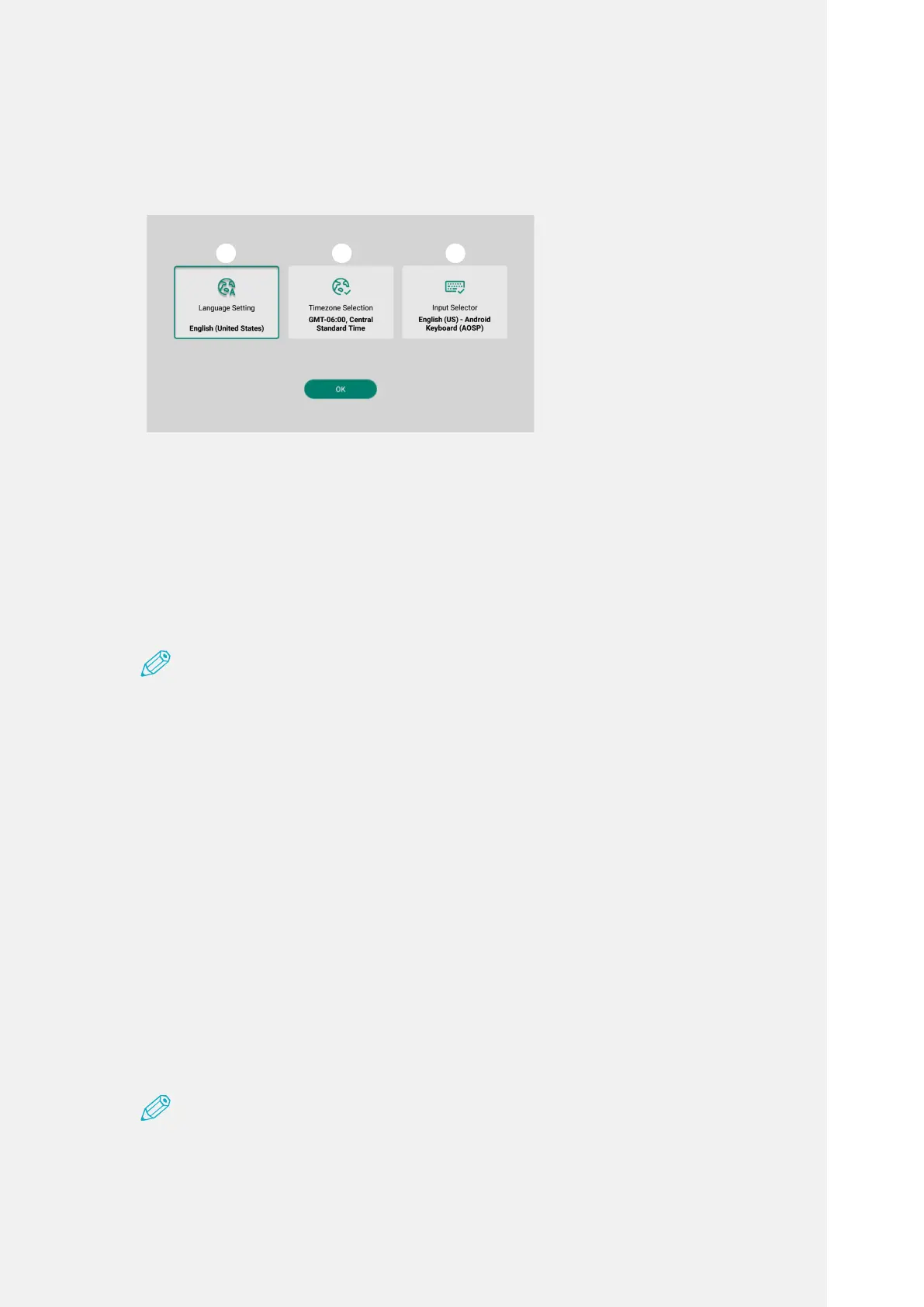
Whenyoubootupforthersttime,youwillentertheinitialsetupmode.
❶
❷
❸
Selectlanguage
Selecttimezone
Selectinput
language
Focus Adjustment
Adjustbyturningthefocusadjustmentringleftandrightuntilthescreenimage
projectedfromtheprojectorbecomesclear.
Note
•Whenyouusethefocusadjustmentring,adjustfocusbyturninggently.Ifyouapply
toomuchforce,thereisariskofdamagingordestroyingthefocusadjustmentring.
•Thefocusmightnotbeadjustedifyouareoutofthelimitedprojectiondistance.
•Thescreensizebecomeslargerandthebrightnessbecomeslowerastheprojection
distance(distancebetweentheproductandthescreen)becomesgreater.
•Whenyouprojectupward,youmighthavetoreadjustthefocus.
Volume Adjustment
Adjustvolumebypressingthevolumeadjustmentbuttons(+,-).
Sincethevolumeadjustmentstatusappearsonthescreenifyoupressthe
volumebuttonwhileusing,youcancheckasyouadjustthevolume.
Note
•Thesettingsaremaintainedafteryoushutdownthedevice.
❶
❷
❸



 To Next Page