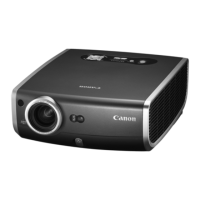
MP250 User Guide
6
Concerning Maintenance
Warning
•Turnothepowerwhenyouarecleaningtheproduct.Thismaycause
reorelectricshock.
•Unplugthepoweradapterperiodicallytowipethedustor
contaminationspiledonthesurroundingsandtheelectricaloutlet.
•Thedustwillabsorbmoistureandthecurrentwillowtocausere.
•Whenyoucleantheproduct,usetheclothdampenedwithwaterand
squeezedtightly.Donotuseammablesolventssuchasalcohol,
benzeneorthinner.Iftheycontactwiththeinnerelectricalparts,this
maycausereorelectricshock.
•Checkthepoweradapterperiodicallyforheating,rust,bending,wear
orcrack.Usingunderadamagedconditionmaycausereorelectric
shock.
Caution
Risk Group 2
CAUTION.Possiblyhazardousopticalradiationemittedfrom
thisproduct.Donotstareatoperatinglamp.Maybeharmful
totheeye.



 To Next Page