MP250 User Guide
17
Network Settings
Wi-Fi Settings
1.
Tap the 'Setting' icon on the Home screen and tap 'Network Settings' on
the Settings window.
2.
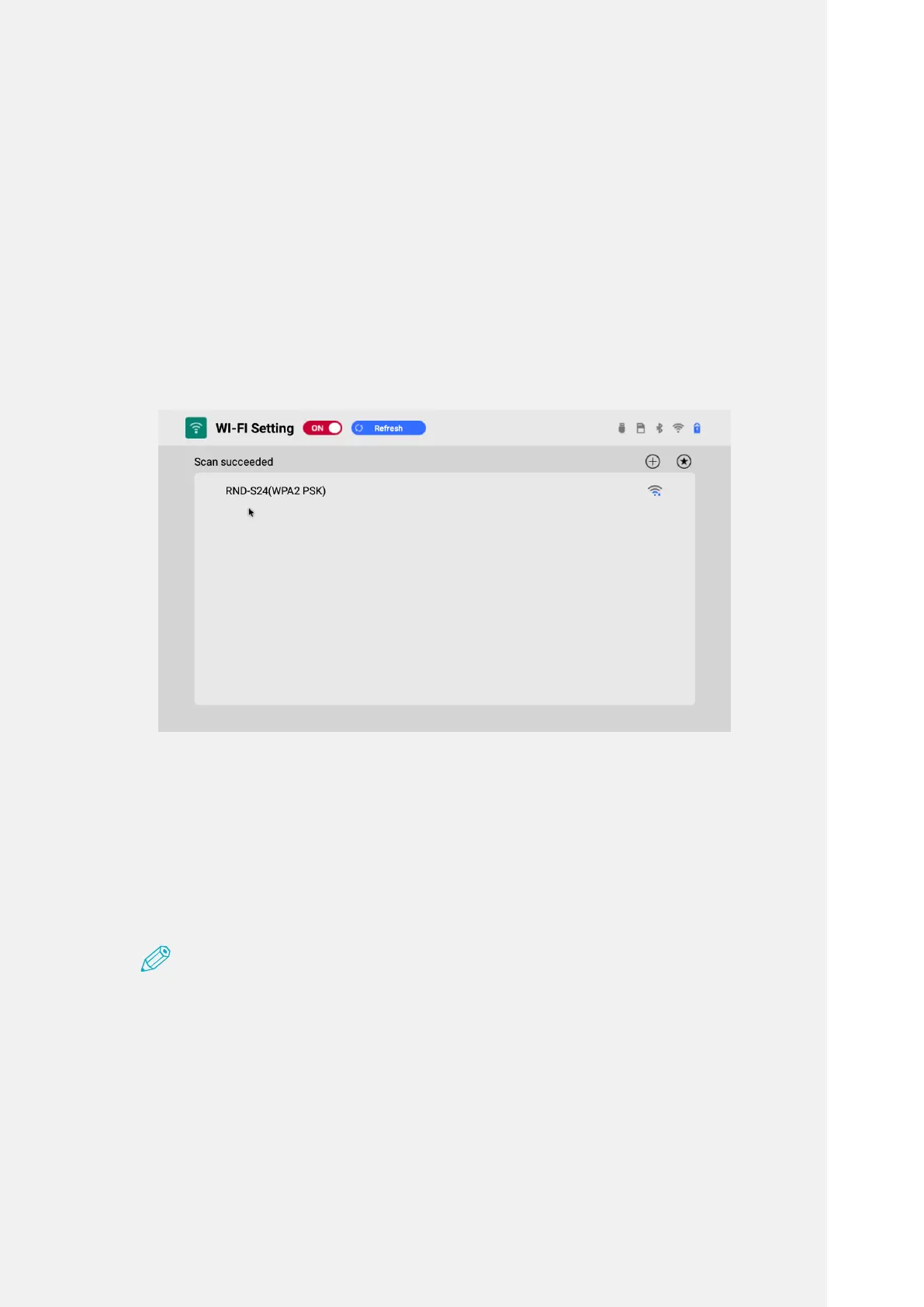
Select 'Wi-Fi Setting' in Network Setting and turn on the feature.
3.
Select the Wi-Fi you want from the searched network list.
IncaseofthesecureWi-Fiwithpictureofalock,enterthepasswordto
connect.
4.
Press Connect to connect to the Wi-Fi network.
Note
•TheWi-Finetworkthathadbeenconnectedbeforeisconnectedautomatically
withoutenteringpassword.
•TopreventbeingautomaticallyconnectedtothepreviouslyconnectedWi-Finetwork,
clickontheWi-Finetworkonthelistandselect'Delete'.



 To Next Page