MP250 User Guide
30
External USB Charging Feature (Auxiliary
Battery)
1.
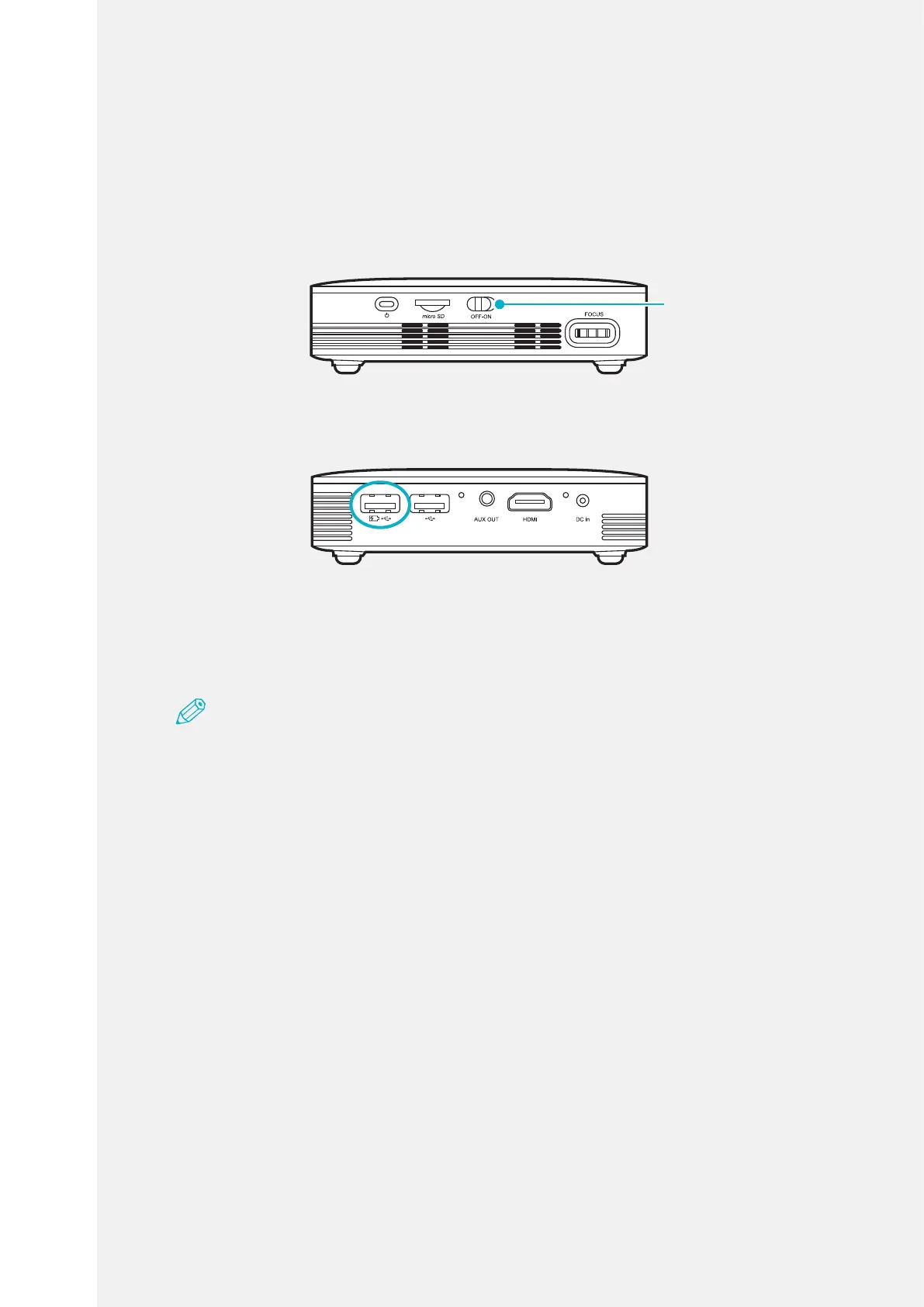
Turn on the device by turning on the battery switch.
Battery switch
2.
Connect a USB cable (Type-A) to the rst USB port of the projector.
3.
Charge by connecting the smart device to charge and the USB cable
(Type-A).
Note
•ChargingAmount:DC5V,1A/h(max)
•Thechargeabletimevariesdependingonthesourcedevice.
•Chargingfeaturemaynotbesupporteddependingonthesourcedevice.



 To Next Page