3-6. Special Notes on Servicing
(1) For smeared printing, uneven printing, or non-ejection of ink
When smeared printing, uneven printing, or non-ejection of ink occurs, print the nozzle check pattern to determine
whether the print head is faulty or not.
< Procedures >
1) Examine the ink tank conditions.
- Is the outer film completely removed to open the air-through?
- Re-install the ink tanks.
- Is the ink tank Canon-genuine or not?
- Is the ink tank refilled one or not?
2) Remove and clean any foreign material from the caps of the purge unit.
3) Perform print head cleaning or deep cleaning.
4) Perform print head alignment.
5) Print the nozzle check pattern.
6) If the nozzle check pattern is not printed properly, the print head may be faulty. Perform troubleshooting
while referring to the Print Head Workshop Manual or the Print Head Service Manual, 1-4. Troubleshooting.
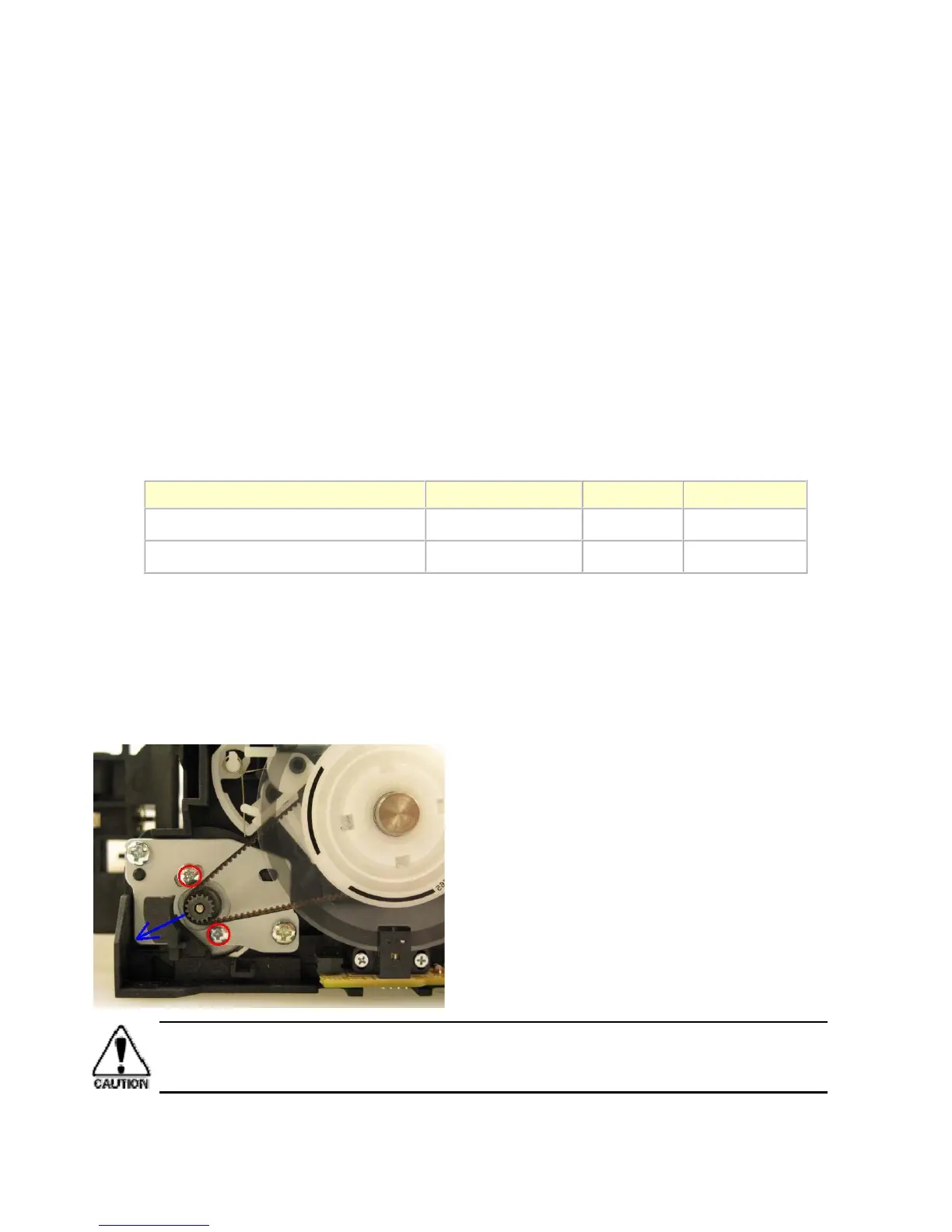
(2) Paper feed motor adjustment
1) When attaching the motor, fasten the screws so that the belt is properly stretched (in the direction indicated by
the blue arrow in the photo below).
2) After replacement, be sure to perform the service test print, and confirm that no strange noise or faulty print
operation (due to dislocation of the belt or gear, or out-of-phase motor, etc.) occurs.
Manual name No. Form Price (JPY)
Print Head Workshop Manual QY8-9120-D0C CD-ROM 50,000
Print Head Service Manual QY8-9121-D0C CD-ROM 30,000
The screws securing the paper feed motor may be loosened only at replacement of the paper
feed motor unit. DO NOT loosen them in other cases.



 To Next Page